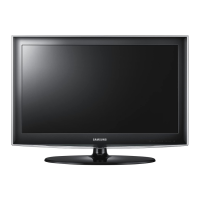
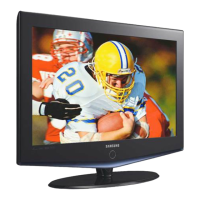
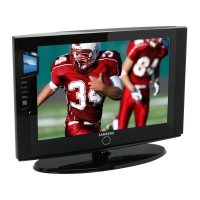
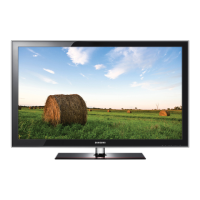
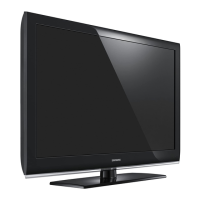
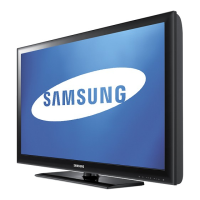
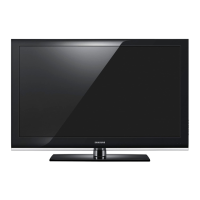
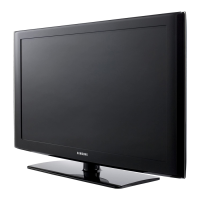
This document is a service manual for Samsung LCD-TVs, specifically covering models LN32B530P7F, LN37B530P7F, LN40B530P7F, and LN46B530P7F, all sharing the N64C chassis. The manual provides comprehensive information for servicing, troubleshooting, and maintaining these television sets.
The primary function of these devices is to display television content, supporting both digital and analog signals. They are equipped with multiple input options to facilitate various uses, including connecting to external AV devices, computers, and USB storage. The TVs are designed to offer a rich viewing experience with features aimed at enhancing picture and sound quality.
Usage Features:
The Samsung LCD-TVs offer a range of features designed to improve user experience and connectivity. They include multiple HDMI inputs (3-HDMI), allowing users to connect several high-definition devices simultaneously, such as Blu-ray players, gaming consoles, or set-top boxes. A component input (1-Component) is available for connecting older high-definition devices, while a standard A/V input (1-A/V) supports even older analog equipment. For computer connectivity, a D-SUB input is provided, enabling the TV to function as a large monitor.
A notable feature is the inclusion of a USB 2.0 port (1-USB2.0), which allows users to connect USB storage devices to play back multimedia content directly on the TV. This enhances the TV's versatility as a media hub.
The TVs incorporate several picture and sound enhancement technologies. "TruSurround HD" is a sound feature that aims to deliver an immersive audio experience. "Game Mode" is specifically designed to optimize the TV's settings for gaming, likely reducing input lag and enhancing visual responsiveness. "Film Mode" adjusts picture settings to better suit movie playback, aiming for a more cinematic look. "Energy Saving" features are integrated to help reduce power consumption during operation, contributing to environmental friendliness and lower electricity bills.
"Anynet+" is a significant usage feature, described as an AV network system that allows users to control all connected Samsung AV devices with the TV's remote control. This simplifies the management of multiple devices, creating a more integrated home entertainment system. The manual details how to connect Anynet+ devices directly to the TV using HDMI cables, or through a home theater system. It emphasizes that Anynet+ supports up to 12 AV devices in total, with the ability to connect up to 3 devices of the same type. It also notes that some HDMI cables may not support Anynet+ functions, and that Anynet+ works when the AV device is in Standby or On status.
Maintenance Features:
The service manual provides detailed instructions and precautions for maintaining and troubleshooting the Samsung LCD-TVs. Safety is a paramount concern, with dedicated sections on "Safety Precautions," "Servicing Precautions," and "Electrostatically Sensitive Devices (ESD) Precautions." These sections guide service technicians on how to safely handle the device, prevent electrical shock, and avoid damaging sensitive electronic components. Warnings include not attempting to modify the circuit board and disconnecting AC power before servicing.
For servicing, technicians are advised to use an accurate voltage meter and to check its calibration periodically. Before returning the TV to a user, safety checks are recommended, such as inspecting lead dress, protective devices, and performing a leakage current hot check to ensure electrical safety.
ESD precautions are crucial for preventing damage to semiconductor devices. Technicians are instructed to drain electrostatic charges from their bodies, place ESD-equipped assemblies on conductive surfaces, avoid freon-propelled chemicals, use grounded-tip soldering irons, and anti-static solder removal devices. They are also advised to keep replacement ESDs in their protective packages until ready for installation and to minimize body motions when handling unpackaged ESDs.
The "Troubleshooting" section is a key maintenance feature, offering a systematic approach to diagnosing and resolving common issues. It starts with "Previous checks," which involve verifying cable connections for burns, damage, disconnections, or loose connections, and checking power input to the Main Board.
A specific troubleshooting flowchart is provided for "No Power" issues. This guide helps technicians identify the root cause by checking the power indicator LED, the presence of proper DC voltages (A5V, B12V, B13V, B5V, A3.3V, B3.3V, B9V, DDR1.9V, A1.2V, L101) at various test points, and the power supply to the set. Depending on the findings, it suggests actions such as changing the 30p power cable, replacing the Main Assy, changing the LVDS cable, or changing the T-con board. If all else fails, it recommends checking other functions or replacing the LCD Panel.
Another troubleshooting flowchart addresses "No Video (Analog PC signal)" issues when audio is normal. This guide directs technicians to check the PC source, the Arsenal and Chelsea components, and the LVDS cable connection. It also involves checking for signals at specific test points on IC201 and the LVDS connector. Recommended actions include inputting the analog PC signal properly, checking CN804 and the PC cable, changing the Main Assy, checking IC201 (Saturn4), checking the LVDS cable, checking the T-Con board, or replacing the LCD panel.
The manual also includes sections on "Alignments and Adjustments," "Factory Mode Adjustments," "White Balance - Calibration," and "White Ratio (Balance) Adjustment," which are essential for fine-tuning the TV's performance after repairs or for optimizing display quality. "Exploded View & Part List" and "Wiring Diagram" sections provide visual aids and detailed component information, which are invaluable for identifying parts and understanding the internal connections during disassembly, reassembly, and repair processes. These resources ensure that technicians can accurately locate and replace components, and correctly reassemble the unit.


 To Next Page
 General