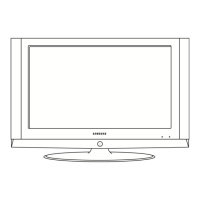
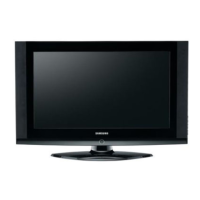
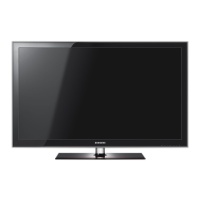
This document is a service manual for Samsung TFT-LCD TVs, specifically models LE32S67BDX, LE37S67BDX, and LE40S67BDX, which share chassis models GSA32SEN, GSD37SEN, and GSD40SEN respectively.
Function Description
The Samsung TFT-LCD TVs are designed to provide high-quality visual and audio entertainment. They feature a luxurious slim design, supreme picture and sound quality, and enhanced convenience for users. These TVs are capable of receiving DVB-T (Digital Video Broadcasting - Terrestrial) signals and function as iDTV (Integrated Digital Television) units.
Important Technical Specifications
The manual provides detailed specifications for the LE32S67BDX, LE37S67BDX, and LE40S67BDX models.
Common Specifications:
- Display Colors: 16,777,216 colours for all models.
- Maximum Resolution: Horizontal: 1360 Pixels, Vertical: 768 Pixels for all models.
- Input Video Signal: Analog 0.7 Vp-p ± 5% positive at 75Ω, internally terminated.
- Input Sync Signal: Type: Separate H/V, Level: TTL level.
- Maximum Pixel Clock Rate: 80 MHz for all models.
- AC Power Voltage & Frequency: AC 220 ~ 240V, 50 ~ 60 Hz for all models.
- Power Consumption: 152 W (for 32" and 37") or 190 W (for 40") < 1W (standby).
- Antenna Input: 75Ω for all models.
- Sound Characteristic:
- MAX Internal speaker Out: Right: 10W / Left: 10W.
- BASS Control Range: -8 dB ~ + 8dB.
- TREBLE Control Range: -8 dB ~ +8 dB.
- Headphone Out: 10 mW MAX.
- Output Frequency: RF: 80 Hz ~ 15 kHz, A/V: 80 Hz ~ 20 kHz.
- TV System Environmental Considerations:
- Operating Temperature: 50°F ~ 104°F (10°C ~ 40°C).
- Operating Humidity: 10 % ~ 80 %.
- Storage Temperature: -4°F ~ 113°F (-20°C ~ 45°C).
- Storage Humidity: 5 % ~ 95 %.
- TV System Tuning: Frequency Synthesize.
- TV System System: PAL, SECEM.
- TV System Sound: MONO, STEREO, NICAM.
Model-Specific Specifications:
- LE32S67BDX:
- LCD Panel: TFT-LCD panel, RGB vertical stripe, normally white, 32-Inch viewable, 0.511 (H) x 0.511 (V) mm pixel pitch.
- Scanning Frequency: Horizontal: 30 kHz ~ 61 kHz (Automatic) / Vertical: 60 Hz ~ 75 Hz (Automatic).
- Active Display Horizontal/Vertical: 697.685(H) x 392.3(V) mm.
- Dimensions (W x D x H):
- After installation Stand: 892.5 x 249.0 x 615.0mm (35.13 x 9.8 x 24.21 inches).
- Without stand: 892.5 x 82.0 x 544.0mm (35.13 x 3.22 x 21.41 inches).
- Weight (After installation Stand): 13.9 kg (30.6 lbs).
- LE37S67BDX:
- LCD Panel: TFT-LCD panel, RGB vertical stripe, normally white, 37-Inch viewable, 0.6 (H) x 0.6 (V) mm pixel pitch.
- Scanning Frequency: Horizontal: 30 kHz ~ 61 kHz (Automatic) / Vertical: 60 Hz ~ 75 Hz (Automatic).
- Active Display Horizontal/Vertical: 556.4 mm / 339.8 mm.
- Dimensions (W x D x H):
- After installation Stand: 1026.5 x 330.0 x 698.8mm (40.4 x 13.0 x 27.5 inches).
- Without stand: 1026.5 x 94.1 x 626.1mm (40.4 x 3.7 x 24.6 inches).
- Weight (After installation Stand): 21.5 kg (47.4 lbs).
- LE40S67BDX:
- LCD Panel: TFT-LCD panel, RGB vertical stripe, normally white, 40-Inch viewable, 0.648(H) x 0.216(V) mm pixel pitch.
- Scanning Frequency: Horizontal: 30 kHz ~ 61 kHz (Automatic) / Vertical: 60 Hz ~ 75 Hz (Automatic).
- Active Display Horizontal/Vertical: 556.4 mm / 339.8 mm.
- Dimensions (W x D x H):
- After installation Stand: 1100.5 x 330.0 x 732.5mm (43.32 x 12.99 x 28.83 inches).
- Without stand: 1100.5 x 95.0 x 661.0mm (43.32 x 3.74 x 26.02 inches).
- Weight (After installation Stand): 23.7 kg (52.2 lbs).
Usage Features
The TVs offer a range of features for an enhanced viewing experience:
- Supreme Digital Interface & Networking: Built-in HD digital tuner supports HD broadcasting and provides easy access with a single remote control.
- Excellent Picture Quality: DNIe technology ensures life-like clear images.
- Dynamic Contrast: Automatically detects input visual signals and adjusts to create optimum contrast.
- SRS TruSurround XT: Provides a virtual Dolby surround sound system.
- Convenience: HDMI system for perfect digital sound and picture quality, and supports DVB-CI (Common Interface).
- Front Panel Controls: Includes buttons for Power, Source, Menu, Volume, and Channel selection. An LED indicator shows power status.
- Connection Panel: Provides multiple input options including RF IN, Scart 1, 2, A/V, S-Video, Component, HDMI 1, 2, and PC. It also includes a CI CARD SLOT and a DIGITAL AUDIO OUT (OPTICAL) port.
- Remote Control: A comprehensive remote control with number buttons, channel and volume controls, menu navigation, source selection, and special functions like EPG, picture size, sound effect, Anynet, digital subtitle, teletext, and more. It is designed with Braille points on key buttons for visually impaired users.
- Installation Options: Can be installed on a stand (provided for 40-inch and above models) or mounted on a wall using a separately sold wall mount kit.
Maintenance Features
The service manual outlines various procedures and precautions for maintenance and troubleshooting:
- Safety Precautions: Emphasizes disconnecting AC power, using calibrated voltage meters, inspecting for fire and shock hazards (e.g., pinched leads, proper insulation, leakage current checks), and handling electrostatically sensitive devices (ESD) with care.
- Service Mode Access: Instructions are provided to access the "Service Mode" using specific remote control key sequences (Power OFF -> INFO -> MENU -> MUTE -> Power ON or PICTURE ON -> DISPLAY -> FACTORY).
- Panel Check: Details how to check the panel maker from the label rating and set factory mode options like Inch Option, Gamma, and Panel Option accordingly.
- Factory Data: Lists various factory settings including Calibration (AV, DTV, PC, HDMI), Option Byte (Panel Inch, Panel Vender, PANEL TYPE, Gamma, Auto Power, Hotel Mode, Shop Mode, High Devi, Carrier Mute, TTX, TTX List, TTX Group, TTX ATM, Side Jackt, IDTV Mode, IDTV Country, Volume Table, Sound Wattage, Language, HP Detect, PC IDENT, WM Calib, Uart Select, Nordic), W/B, W/B Movie, MTK8202 (Cal. Adjustment, Cal. Target, Scart RGB, Picture enhance1, Picture enhance2), FBE2 option, Sound (AM Mute, FM Mute, Correct Threshold, Sync Loop, Error Threshold, Parity Error Thrd, Every Num Frames, Num of Check, Num of Double Chk, Mono Weight, Stereo Weight, Dual Weight, M2S Threshold, S2M Threshold, NICAM FINE VOL, FM FINE VOL, AM FINE VOL, FINE TUNE VOL, SC1 Fine Vol, SC2 Fine Vol, Output Matrix, Speaker EQ), YC Delay, Adjust (User Control Init, LNA PLUS, Hotel Option, HDMI, Watch Dog Mode, Bus Stop, Password), Dynamic Contrast, Spread Spectrum, Checksum, and Reset.
- Service Adjustment: Provides procedures for White Balance Calibration and Adjustment using specific test patterns and equipment (CA210, MSPG-945 Series Pattern #16, Toshiba ABL Pattern). It details adjusting low light (sub-Brightness, red offset, blue offset) and high light (red gain, blue gain).
- Software Upgrade: Instructions for updating Flash ROM using a Flash Downloader program and connecting via a Service Jack and Jig Cable.
- DTV Program Download & Generals: Methods for checking software version, serial download using an RS-232 cable and sv2_fr.exe file, hyper terminal setting for monitoring progress, and resetting system parameters.
- Troubleshooting: A checklist for initial troubleshooting (cable connections, power input, voltage checks) and detailed checkpoints by error mode (No Power, No Video for Analog PC, Digital-HDMI, Tuner_CVBS, Video_CVBS, S-VIDEO_Y,C, and No Sound) with waveform examples for signal verification.
- Disassembly and Reassembly: Step-by-step instructions with illustrations for disassembling and reassembling the TV, including removing the rear cover, stand, boards, and LCD panel. Emphasizes careful handling and disconnecting power.

 Need help?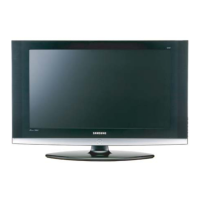

 To Next Page
 General