EasyManua.ls Logo

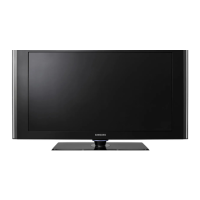
Samsung LN-T4066F - User Manual

Samsung LN-T4066F
178 pages
Print Icon
To Next Page IconTo Next Page
Loading...
Owners
Instructions
Register your product at www.samsung.com/global/register
Record your Model and Serial number here for future reference.
· Model __________ · Serial No. ____________
LN-T4066F
TFT-LCD TELEVISION
Contact SAMSUNG WORLD-WIDE
If you have any questions or comments relating to Samsung products, please contact the SAMSUNG
customer care center.
Contacte con SAMSUNG WORLD-WIDE
Si tiene alguna pregunta o comentario referente a nuestros productos, por favor contacte con nuestro Servicio de
Atención al Cliente.
Country
Customer Care Center
Web Site Address
CANADA 1-800-SAMSUNG (7267864) www.samsung.com/ca
Samsung Electronics Canada Inc., Customer
Service 55 Standish Court Mississauga,
Ontario L5R 4B2 Canada
Samsung Electronique Canada Inc.,
Service à la Clientèle 55 Standish Court
Mississauga, Ontario L5R 4B2 Canada
U.S.A 1-800-SAMSUNG (7267864) www.samsung.com
Samsung Electronics America, Inc.
105 Challenger Road
Ridgefield Park, NJ 07660-0511
BN68-01156F-00

BN68-01156F-Cover.indd 1 2007-02-15 �� 9:27:12

Table of Contents

Other manuals for Samsung LN-T4066F

Questions and Answers

  • M
    Michelle TurnerSep 10, 2025
    What does it mean if my Samsung LN-T4066F LCD TV screen is black and the power indicator light blinks?
    • P
      Paige RichardsonSep 10, 2025
      If your Samsung LCD TV screen is black and the power indicator light blinks steadily, check the power and signal cable connections on your computer. This indicates the TV is using its power management system. Try moving the computer's mouse or pressing any key on the keyboard.
  • R
    Rachel MartinAug 22, 2025
    How to resolve horizontal bars that flicker on my Samsung LCD TV?
    • P
      Paul ReedAug 23, 2025
      To resolve horizontal bars that flicker, jitter, or shimmer on the image of your Samsung LCD TV, adjust the Coarse tuning and then adjust the Fine tuning.
  • N
    Nicholas AndersonAug 25, 2025
    How to fix vertical bars that flicker on my Samsung LN-T4066F LCD TV?
    • P
      Patrick LewisAug 25, 2025
      To fix vertical bars that flicker, jitter, or shimmer on the image on your Samsung LCD TV, adjust the Coarse tuning and then adjust the Fine tuning.
  • S
    Steven RamirezAug 26, 2025
    How to fix poor picture quality on Samsung LCD TV?
    • L
      Lori BoyleAug 26, 2025
      To improve poor picture quality on your Samsung LCD TV, try switching to another channel, adjust the antenna, and check all wire connections to ensure they are properly connected.
  • M
    Michelle KingAug 27, 2025
    Why does my Samsung LN-T4066F LCD TV operate erratically?
    • J
      Jesus ShermanAug 27, 2025
      If your Samsung LCD TV is operating erratically, unplug the TV from the power outlet for 30 seconds, and then try operating it again.
  • L
    Laura DavilaAug 29, 2025
    What to do if my Samsung LCD TV remote control malfunctions?
    • A
      Anthony JonesAug 29, 2025
      If your Samsung LCD TV remote control is malfunctioning, try replacing the batteries. Additionally, clean the upper edge of the remote control, specifically the transmission window, and check the battery terminals to ensure they are properly aligned and free of corrosion.
  • L
    Linda StantonSep 18, 2025
    What to do if still image displayed for extended period of time on Samsung LN-T4066F LCD TV?
    • S
      Spencer HancockSep 18, 2025
      When you need to leave your Samsung LCD TV monitor unused for an extended period of time, adjust the residual settings so that the monitor automatically goes into energy saving mode or activates the screen saver to display moving images.
  • H
    Heidi SmithSep 12, 2025
    How to fix unstable image when computer connected to PC input on Samsung LCD TV?
    • J
      Joseph MartinezSep 12, 2025
      If the image is not stable and appears to vibrate when you have a computer connected to the PC input on your Samsung LCD TV, use your computer utility program to change the display settings.
  • H
    Heather TuckerSep 8, 2025
    Why does my Samsung LN-T4066F LCD TV picture have a Red/Green or Pink tint?
    • D
      Dr. Carolyn BennettSep 8, 2025
      If the picture on your Samsung LCD TV has a Red, Green, or Pink tint, make sure the Component cables are connected to the correct jacks.
  • S
    Steven StewartSep 5, 2025
    How to adjust brightness on Samsung LN-T4066F if the image is too light or too dark?
    • J
      Jessica SmithSep 5, 2025
      If the image on your Samsung LCD TV is too light or too dark, adjust the Brightness and Contrast. You can also adjust the Fine tuning.

Samsung LN-T4066F Specifications

General IconGeneral
Screen Size40 inches
Display TechnologyLCD
Aspect Ratio16:9
Brightness500 cd/m²
Response Time8 ms
HDMI Ports3
Component Video Inputs2
Composite Video Inputs1
Speakers2 x 10W
Resolution1920 x 1080
Digital Audio Output1 (Optical)
Viewing Angle178 degrees
InputsHDMI, Component, Composite

Related product manuals