EasyManua.ls Logo

Samsung MAX-440 - Disassembly Instruction

Samsung MAX-440
58 pages
Print Icon
To Next Page IconTo Next Page
To Previous Page IconTo Previous Page
Loading...
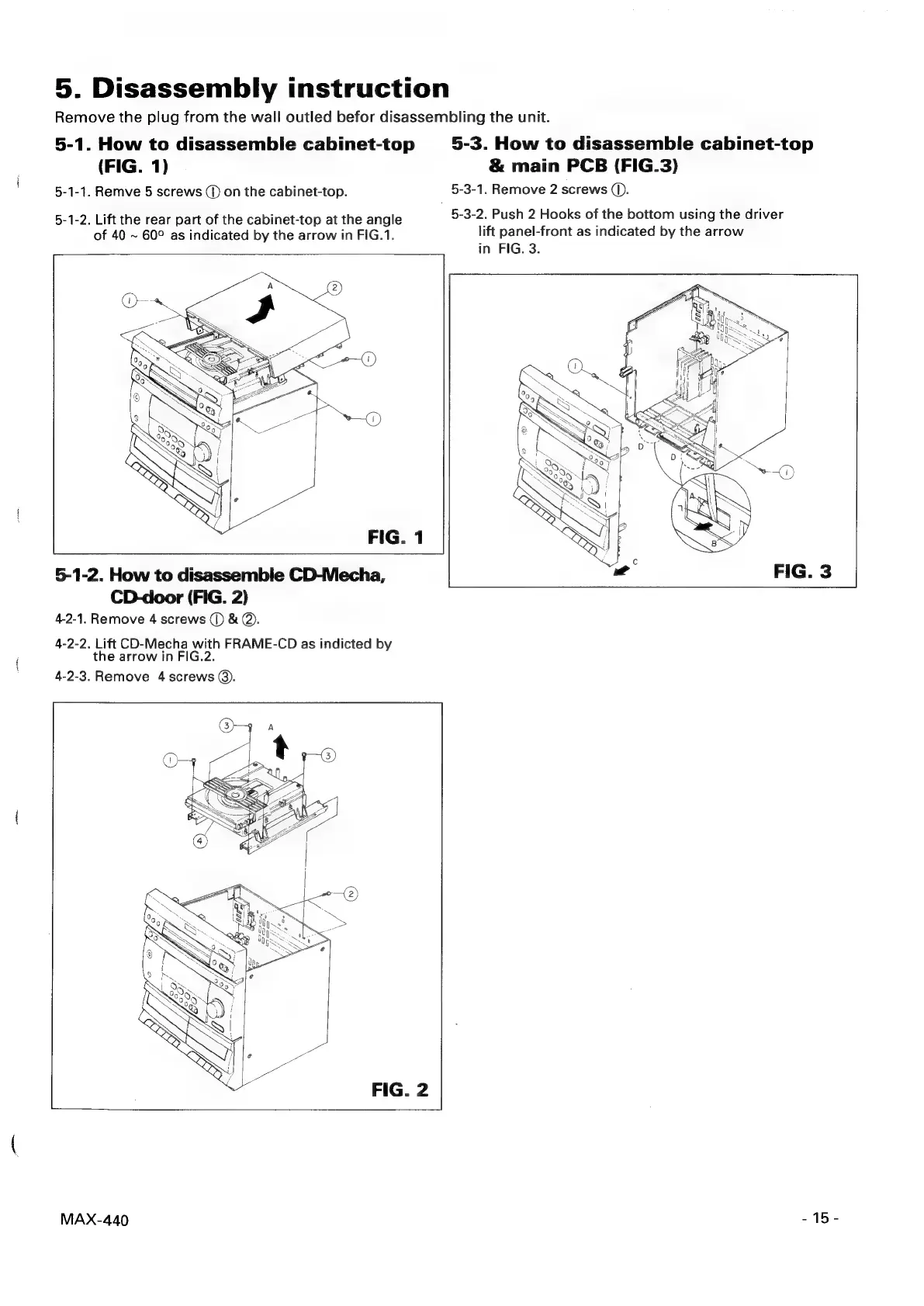
5.
Disassembly
instruction
Remove
the
plug
from
the
wall
outled
befor
disassembling
the
unit.
5-1.
How
to
disassemble
cabinet-top
5-3.
How
to
disassemble
cabinet-top
(FIG.
1)
&
main
PCB
(FIG.3)
5-1-1.
Remve
5
screws
(D
on
the
cabinet-top.
5-3-1.
Remove
2
screws
(1).
5-1-2.
Lift
the
rear
part
of
the
cabinet-top
at
the
angle
5-3-2.
Push
2
Hooks
of
the
bottom
using
the
driver
lift
panel-front
as
indicated
by
the
arrow
in
FIG.
3.
of
40
~
60°
as
indicated
by
the
arrow
in
FIG.1.
5-1-2.
How
to
disassemble
CD-Mecha,
CD-door
(FIG.
2)
4-2-1.
Remove
4
screws
(1)
&
@.
4-2-2.
Lift
CD-Mecha
with
FRAME-CD
as
indicted
by
the
arrow
in
FIG.2.
4-2-3.
Remove
4
screws
@).
-15-
MAX-440