EasyManua.ls Logo

Samsung MAX-G56 - System Overview (Continued); Rear Panel View (MAX-G56); Remote Control Operation

Samsung MAX-G56
26 pages
Print Icon
To Next Page IconTo Next Page
To Previous Page IconTo Previous Page
Loading...
ENG
5
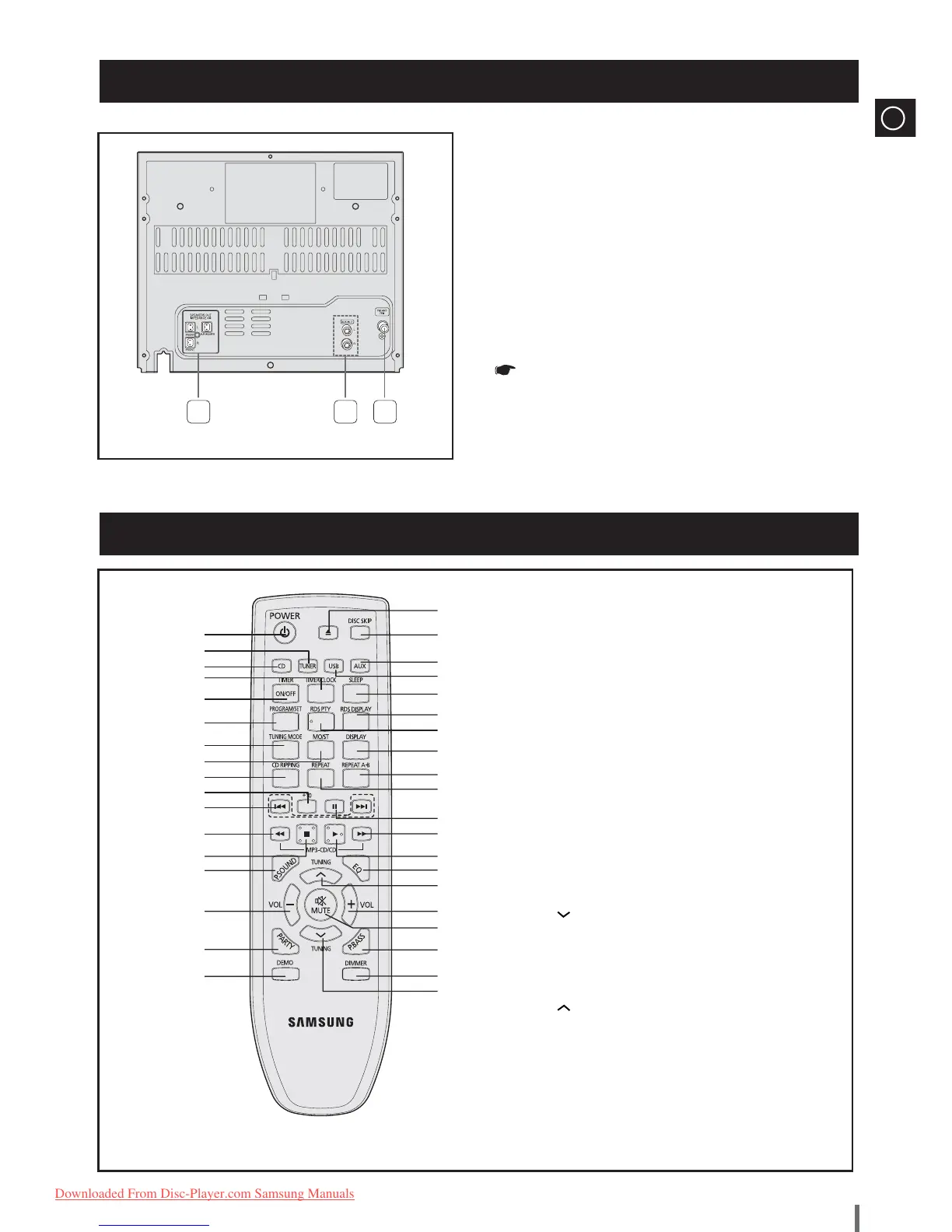
Rear Panel View(MAX-G56)
Remote Control
1 32
1. Speaker Connector Terminals
2. AUX IN 2 Terminals
3. FM Aerial Connector Terminal
All those pictures of Rear panel are based
on MODEL:MAX-G56
1. POWER/ECO
2. TUNER
3. CD
4. TIMER/CLOCK
5. TIMER ON/OFF
6. PROGRAM/SET
7. TUNING MODE
8. MO/ST
9. CD RIPPING
10. +10
11.
Skip and Search
12.
Fast-Rewind
13. STOP
14. POWER SOUND
15. VOLUME -
16. PARTY
17. DEMO
18. TUNING
19. DIMMER
20. POWER BASS
21. MUTE
22. VOLUME +
23. TUNING
24. EQ
25. PLAY
26. Fast-Forward
27. PAUSE
28. REPEAT
29. REPEAT A-B
30. DISPLAY
31. RDS PTY
32. RDS DISPLAY
33. SLEEP
34. USB
35. AUX
36. DISC SKIP
37. OPEN/CLOSE
34
3
35
2
36
37
1
33
4
32
5
31
6
30
7
29
8
28
9
27
10
26
11
25
12
24
13
23
14
22
15
21
16
20
17
19
18
MAX-G55-G56-RDS ENG.indd 5MAX-G55-G56-RDS ENG.indd 5 2009-4-11 9:49:112009-4-11 9:49:11
Downloaded From Disc-Player.com Samsung Manuals

Table of Contents