EasyManua.ls Logo

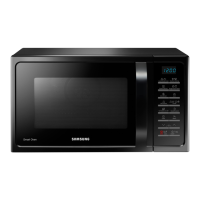
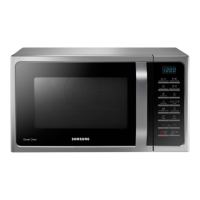
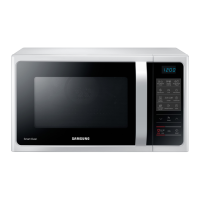
Samsung MC28H5015 Series - User Manual

Samsung MC28H5015 Series
42 pages
Print Icon
To Next Page IconTo Next Page
Loading...
imagine the possibilities
Thank you for purchasing this Samsung product.
To receive more complete service, please register
your product at
www.samsung.com/register
Microwave Oven
Owners instructions & Cooking guide
MC28H5015**
This manual is made with 100 % recycled paper.
Please be advised that the Samsung warranty does NOT cover service
calls to explain product operation, correct improper installation, or
perform normal cleaning or maintenance.
MC28H5015AK_EF_DE68-04234C-00_EN.indd 1 2013-12-17 �� 1:03:50

Other manuals for Samsung MC28H5015 Series

Questions and Answers

  • S
    Stephen SnyderJul 27, 2025
    What to do if my Samsung MC28H5015 stops in the middle of cooking?
    • B
      Barbara HutchinsonJul 27, 2025
      If your Samsung Microwave Oven unexpectedly stops during operation, it might be because the door was opened to turn food over. To resume, simply press the Start/+30s button again.
  • R
    Ronald OlsonAug 1, 2025
    Why Samsung MC28H5015 Microwave Oven is not working?
    • J
      John VillaAug 1, 2025
      If your Samsung Microwave Oven isn't working, first ensure that it's properly connected to a power source. Also, make sure the door is fully closed. If there's any debris or foreign material obstructing the door's safety mechanisms, remove it and try again.
  • D
    Dr. Randall MitchellAug 5, 2025
    Why does my Samsung MC28H5015 power off during operation?
    • K
      kelly08Aug 5, 2025
      The power of your Samsung Microwave Oven may turn off during operation due to several reasons. It could be due to extended cooking time, so allow the oven to cool down. Check if the cooling fan is working, ensure there's food inside during operation, and verify sufficient ventilation space around the oven. Also, make sure the oven is connected to a dedicated socket.
  • A
    Ann HarrisAug 11, 2025
    Why can't I press the buttons on my Samsung Microwave Oven?
    • E
      Emma BurnsAug 11, 2025
      If the buttons on your Samsung Microwave Oven aren't pressing properly, there might be foreign matter stuck between them; remove it. For touch models, wipe any moisture from the exterior. Also, check if the Child lock is activated and deactivate it if necessary.
  • R
    rhondatateAug 16, 2025
    Why is my Samsung Microwave Oven exterior too hot?
    • S
      Sheila ThompsonAug 16, 2025
      If the exterior of your Samsung Microwave Oven gets too hot during operation, ensure there is enough ventilation space around it, as there are intake/exhaust outlets on the front and rear. Also, remove any objects placed on top of the oven.
  • S
    Samuel GarrisonAug 20, 2025
    Why is the time not displayed on my Samsung Microwave Oven?
    • T
      Thomas JoyceAug 21, 2025
      If the time is not displayed on your Samsung Microwave Oven, it is possible that the Eco (power-saving) function is activated. To restore the display, turn off the Eco function.

Summary

Safety Information

Important Safety Instructions

Essential safety guidelines for using the appliance.

Installation, Cleaning, and Repair

Guidance on installing, cleaning, storing, and repairing the microwave oven.

Microwave Energy Exposure Precautions

Safety measures to prevent microwave energy exposure.

Quick Look-up Guide

Basic Cooking and Time Adjustment

Step-by-step guide for cooking and adding extra time.

Oven Features and Components

Oven Parts and Control Panel

Diagram of oven components and overview of the control panel.

Included Accessories

List and purpose of accessories supplied with the oven.

Oven Usage and Cooking Modes

Basic Oven Operation and Settings

How the oven works, checking operation, setting time, basic cooking, stopping, and energy save.

Specialized Cooking Programs

Instructions for Auto Reheat/Cook, Healthy Cooking, Dough Proof/Yogurt, and Power Defrost.

Advanced Cooking and Features

Using Convection, Grill, Combination, Crusty Cook, Steam, Spit-Roasting, and Multi-Spit functions.

Additional Controls and Features

Using Child Lock, Turntable On/Off, Deodorisation, and Beeper settings.

Cookware Guide

Cookware Suitability and Microwave Principles

Guide to choosing microwave-safe cookware and how microwaves cook food.

Cooking Best Practices

Tips on covering food and utilizing standing times for optimal results.

Troubleshooting and Technical Specifications

Troubleshooting Common Issues

Solutions for common operational problems and questions.

Error Codes and Technical Data

Explanations for error messages and an overview of technical specifications.

Samsung MC28H5015 Series Specifications

General IconGeneral
TypeConvection Microwave Oven
Capacity28 liters
Turntable Size318 mm
Cavity MaterialCeramic Enamel
Weight17.5 kg
Installation TypeCountertop
Display TypeLED
ColorBlack
Auto Cook MenuYes
Child LockYes
Defrost FunctionYes
Keep Warm FunctionYes
Power Output900W
Power Consumption (Microwave)1400 W
Power Consumption (Grill)1500 W

Related product manuals