EasyManua.ls Logo

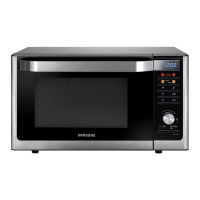
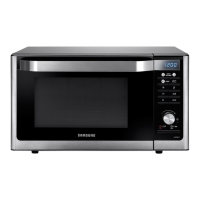
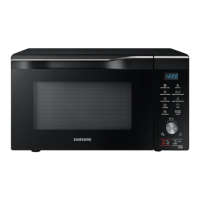
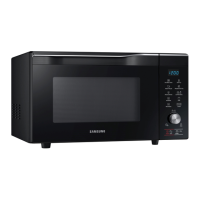
Samsung MC32J7055H Series - User Manual

Samsung MC32J7055H Series
176 pages
Go to English
Print Icon
To Next Page IconTo Next Page
Loading...
Lò vi sóng
Sách hướng dẫn sử dụng
MC32J7055H*
MC32J7055HT_SV_DE68-04319L-00_VN.indd 1 2015-03-05  4:33:25

Table of Contents

Questions and Answers

  • K
    Kelsey MillerSep 12, 2025
    What to do if there are sparks during cooking in my Samsung MC32J7055H Microwave Oven?
    • A
      Andrew SchwartzSep 12, 2025
      Sparks during cooking in your Samsung Microwave Oven indicate that metal containers are being used. Do not use metal containers during oven or thawing functions.
  • L
    Lawrence ParkerAug 25, 2025
    How to fix Samsung MC32J7055H buttons that are not working?
    • K
      Kevin LindseyAug 25, 2025
      If the buttons on your Samsung Microwave Oven cannot be pressed properly, it might be due to a few reasons. First, check if any foreign matter is caught between the buttons and remove it. Second, wipe any moisture from the exterior. If neither of these issues, check if the Child lock is activated and deactivate it.
  • D
    Debra LeeAug 25, 2025
    Why is my Samsung MC32J7055H not heating properly?
    • T
      Troy BlakeAug 26, 2025
      If the heating, including the Warm function, isn't working correctly on your Samsung Microwave Oven, put one cup of water in a microwave-safe container and run the microwave for 1-2 minutes to check whether the water is heated. Also, ensure you're not cooking too much food and use a cooking container with a flat bottom.
  • U
    uscottSep 23, 2025
    Why does the turntable come out of place or stop turning in my Samsung Microwave Oven?
    • J
      John SwansonSep 23, 2025
      If the turntable in your Samsung Microwave Oven comes out of place or stops turning, check if the roller ring is missing or not properly in place. Install the roller ring correctly and try again.
  • E
    Ethan PerrySep 12, 2025
    What to do if my Samsung MC32J7055H interior light is dim or does not turn on?
    • M
      mburgessSep 12, 2025
      If the interior light of your Samsung Microwave Oven is dim or does not turn on, it could be because the door has been left open for a long time and the Eco function has activated. Close and reopen the door, or press the Cancel button. Also, check if the interior light is covered by foreign matter and clean the inside of the oven.
  • A
    Autumn MillerSep 17, 2025
    Why is my Samsung Microwave Oven thaw function not working?
    • H
      holmesmargaretSep 17, 2025
      The thaw function on your Samsung Microwave Oven may not work if too much food is being cooked or if improper cookware is being used. Put one cup of water in a microwave-safe container and run the microwave for 1-2 minutes to check whether the water is heated. Reduce the amount of food and start the function again. Use a cooking container with a flat bottom.
  • A
    Annette YoungSep 5, 2025
    Why is my Samsung Microwave Oven making popping sounds?
    • M
      Maria GraySep 5, 2025
      The popping sounds during operation of your Samsung Microwave Oven could be caused by cooking sealed food or using a container with a lid. Do not use sealed containers as they may burst during cooking due to expansion of the contents.
  • Z
    Zachary GrahamSep 5, 2025
    How to level a Samsung Microwave Oven?
    • J
      John JacksonSep 6, 2025
      If your Samsung Microwave Oven is not level, make sure it is installed on a flat, stable surface.
  • P
    Paula RichmondSep 18, 2025
    Why is there water dripping from my Samsung Microwave Oven?
    • G
      Gary DonovanSep 18, 2025
      The dripping water from your Samsung Microwave Oven may be water or steam, depending on the food being cooked. This is not a malfunction. Let the oven cool and then wipe it with a dry dish towel.
  • A
    austin68Aug 30, 2025
    What to do if Samsung Microwave Oven door won't open?
    • A
      Angela GibsonAug 30, 2025
      If the door of your Samsung Microwave Oven cannot be opened properly, it might be due to food residue stuck between the door and the oven interior. Clean the oven and then try to open the door.

Samsung MC32J7055H Series Specifications

General IconGeneral
BrandSamsung
ModelMC32J7055H Series
CategoryMicrowave Oven
LanguageEnglish

Related product manuals