EasyManua.ls Logo

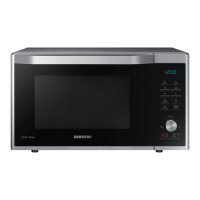
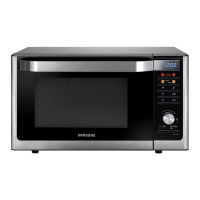
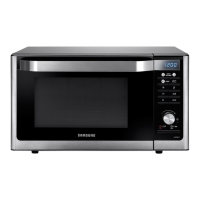
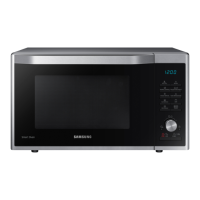
Samsung MC32K7056 Series - User Manual

Samsung MC32K7056 Series
128 pages
Print Icon
To Next Page IconTo Next Page
Loading...
Microwave Oven
User manual
MC32K7056
**
MC32K7056CB_TL_DE68-04545A-00_EN.indd 1 2018-04-18  12:25:53

Questions and Answers

  • J
    James EdwardsSep 4, 2025
    Why Samsung MC32K7056 exterior is too hot during operation?
    • C
      colleen79Sep 4, 2025
      If the exterior of your Samsung Microwave Oven gets too hot during operation, consider the following: * Ventilation: Ensure there's enough space around the oven for ventilation, referring to the installation guide for specific gap requirements. * Objects on top: Remove any items placed on top of the oven.
  • R
    Robert BraunSep 18, 2025
    What to do if there is a burning or plastic smell when using the Samsung Microwave Oven?
    • P
      Paul ElliottSep 18, 2025
      If you notice a burning or plastic smell when using your Samsung Microwave Oven, it's likely due to the use of plastic or non-heat-resistant cookware. Use glass cookware suitable for high temperatures instead.
  • L
    lamsherrySep 16, 2025
    What to do if Samsung Microwave Oven immediately starts to work when power is connected?
    • R
      Robert RojasSep 16, 2025
      If your Samsung Microwave Oven starts working as soon as you connect it to power, it means the door isn't properly closed. Close the door securely and check again.
  • H
    Hector SmallSep 14, 2025
    What to do if there is electricity coming from the Samsung Microwave Oven?
    • B
      brichardsSep 14, 2025
      If you feel electricity coming from your Samsung Microwave Oven, it indicates that the power or power socket isn't properly grounded. Make sure the power and power socket are properly grounded.
  • K
    Keith HowardSep 12, 2025
    What to do if Samsung Microwave Oven is not level?
    • M
      moralestylerSep 13, 2025
      If your Samsung Microwave Oven isn't level, it's probably sitting on an uneven surface. Ensure the oven is installed on a flat, stable surface.
  • B
    Brian BrownSep 12, 2025
    What to do if there are sparks during cooking in my Samsung MC32K7056?
    • J
      James AndersonSep 12, 2025
      If you notice sparks inside your Samsung Microwave Oven while cooking, it's likely because you're using metal containers. Do not use metal containers during the oven or thawing functions.
  • B
    beckkimberlySep 9, 2025
    Why is there a popping sound during operation, and the Samsung MC32K7056 Microwave Oven doesn't work?
    • R
      Randall SnyderSep 9, 2025
      The popping sound during operation of your Samsung Microwave Oven indicates that you might be cooking sealed food or using a container with a lid. Avoid using sealed containers, as they may burst due to the expansion of contents during cooking.
  • O
    oweeksSep 7, 2025
    Why Samsung Microwave Oven interior light is dim or does not turn on?
    • A
      Andrew WrightSep 7, 2025
      If the interior light of your Samsung Microwave Oven is dim or not turning on, it could be due to these reasons: * Door left open: The light may turn off automatically when the Eco function is active. Try closing and reopening the door, or press the STOP/ECO button. * Foreign matter: The light may be covered by foreign matter. Clean the inside of the oven and check again.
  • R
    Rachel WhiteSep 5, 2025
    Why is there a bad smell coming from inside my Samsung Microwave Oven?
    • G
      George SpencerSep 6, 2025
      If there's a bad smell coming from your Samsung Microwave Oven, it's likely due to food residue or melted plastic stuck inside. To resolve this, use the steam function and then wipe the interior with a dry cloth. For a quicker solution, you can also place a lemon slice inside and run the oven to help remove the odor.
  • J
    Joseph StewartAug 21, 2025
    Why Samsung MC32K7056 Microwave Oven is not working?
    • A
      Alexander HodgesAug 21, 2025
      Your Samsung Microwave Oven may not be working due to a few reasons: * Power supply: Ensure the oven is properly connected to a power source. * Door: Make sure the door is fully closed. * Safety Mechanisms: Verify that the door open safety mechanisms are free from any foreign matter. Remove any obstruction and try again.

Summary

Safety Instructions

Important Safety Instructions

Critical warnings and usage conditions for safe operation.

General Safety Precautions

Essential rules for appliance usage and maintenance.

Microwave Operation Safety

Specific safety measures to avoid microwave energy exposure.

Installation and Maintenance

Included Accessories

Lists and describes the oven's included accessories.

Proper Oven Installation

Guidance on correct oven placement and ventilation requirements.

Oven Cleaning and Care

Instructions for cleaning and long-term care of the oven.

Oven Operation Fundamentals

Control Panel Overview

Explains the buttons and display of the oven's control panel.

Microwave Cooking Basics

Basic explanation of how microwave cooking works.

Setting Time and Basic Cooking

Covers setting the clock and performing basic cooking/reheating.

Advanced Cooking Functions

Specialized Cooking Modes

Explains features like Hot Blast, Slim Fry, Indian Recipes, Masala/Sun Dry.

Defrosting and Combination Cooking

Details on Power Defrost, Microwave+Grill, and Microwave+Hot Blast modes.

Grilling and Hot Blast Modes

Specific instructions for using the Grill and Hot Blast functions.

Cooking Guides and Tips

Cookware Selection Guide

Guidelines on selecting appropriate cookware for the oven.

General Cooking and Reheating

Covers cooking techniques, reheating, and defrosting.

Specialty Cooking Guides

Guides for specific cooking types like Microwave+Grill and Hot Blast.

Cooking Tips and Tricks

Useful advice for melting, glazing, and browning.

Troubleshooting and Technical Information

Troubleshooting Common Issues

Solutions for problems encountered during oven operation.

Understanding Information Codes

Explanation of oven error codes.

Technical Specifications

Details on the oven's model, power, and dimensions.

Samsung MC32K7056 Series Specifications

General IconGeneral
Capacity32 L
Power Output (Microwave)1000 W
Control TypeTouch Control
Cavity InteriorCeramic Enamel
Display TypeLED Display
Auto Cook MenuYes
Child LockYes
ColorBlack
Power Level6 levels

Related product manuals