EasyManua.ls Logo

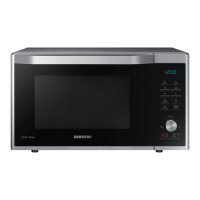
Samsung MC35R8088 Series - User Manual

Samsung MC35R8088 Series
44 pages
Print Icon
To Next Page IconTo Next Page
Loading...
Microwave Oven
User manual
MC35R8088**

Questions and Answers

  • J
    Juan RosalesSep 18, 2025
    What does it mean if water drips, steam emits through a door crack, or water remains in my Samsung MC35R8088 Microwave Oven?
    • E
      Eric BrownSep 19, 2025
      Water drips, steam emitting through a door crack, or water remaining in your Samsung Microwave Oven can occur depending on the food being cooked and is not an oven malfunction. Let the oven cool and then wipe it with a dry dish towel.
  • R
    Ruth HensonAug 25, 2025
    What to do if the buttons cannot be pressed properly on my Samsung Microwave Oven?
    • M
      Michelle HubbardAug 25, 2025
      If the buttons on your Samsung Microwave Oven cannot be pressed properly, remove any foreign matter that may be caught between them. For touch models, wipe any moisture from the exterior. Also, check if the Child lock is activated and deactivate it if necessary.
  • K
    katherine65Aug 25, 2025
    Why my Samsung MC35R8088 doesn't work?
    • U
      uortizAug 26, 2025
      If your Samsung Microwave Oven isn't working, ensure that it is properly connected to a power source. Also, make sure the door is completely closed. If there's any foreign material obstructing the door safety mechanisms, remove it before trying again.
  • E
    Edward WallaceAug 27, 2025
    How to fix buttons that cannot be pressed properly on Samsung MC35R8088?
    • K
      Kathryn EdwardsAug 27, 2025
      If you're having trouble pressing the buttons on your Samsung Microwave Oven, there might be foreign matter stuck between them; try removing it. For touch models, wipe off any moisture on the exterior. Also, check if the Child Lock is activated and deactivate it if necessary.
  • J
    Julie CaseySep 23, 2025
    Why does the brightness inside my Samsung MC35R8088 Microwave Oven vary?
    • R
      rebekah71Sep 23, 2025
      Brightness changes inside your Samsung Microwave Oven are normal and depend on power output changes according to the function being used. These power output changes during cooking are not malfunctions.
  • T
    Teresa HicksSep 23, 2025
    Why does my Samsung MC35R8088 cooling fan still run after cooking is finished?
    • J
      Johnny DavisSep 23, 2025
      The cooling fan in your Samsung Microwave Oven continues to run for about 3 minutes after cooking is complete to ventilate the oven. This is not a malfunction.
  • S
    Stephanie RodgersSep 10, 2025
    Why does my Samsung Microwave Oven not cook properly?
    • M
      Marie AndersonSep 12, 2025
      If your Samsung Microwave Oven isn't cooking properly, avoid frequently opening the door during cooking, as this lowers the interior temperature. Ensure the oven controls are correctly set. Verify that the grill or other accessories are correctly inserted and that you're using the right type and size of cookware with flat bottoms.
  • A
    alexmcclureSep 12, 2025
    Why is my Samsung MC35R8088 turn table rattles while turning and is noisy?
    • J
      Jane ShepardSep 12, 2025
      If the turntable in your Samsung Microwave Oven rattles and is noisy, it's likely due to food residue stuck to the bottom of the oven. Remove any food residue to resolve this issue.
  • C
    cristianwardSep 4, 2025
    How to turn on time display on Samsung MC35R8088?
    • C
      cdavisSep 4, 2025
      If the time isn't displayed on your Samsung Microwave Oven, the Eco (power-saving) function might be enabled. Try turning off the Eco function.
  • J
    Jose CalhounSep 1, 2025
    What to do if the turntable comes out of place or stops turning in my Samsung MC35R8088 Microwave Oven?
    • G
      Gary AllenSep 1, 2025
      If the turntable in your Samsung Microwave Oven comes out of place or stops turning, install the roller ring and then try again. Ensure the roller ring is properly in place.

Summary

Safety Instructions

Important Safety Instructions

Key safety warnings and precautions for proper oven operation and user protection.

General Safety

General precautions for installation, use, and maintenance of the microwave oven.

Microwave Warning

Specific warnings related to microwave heating of beverages and food.

Microwave Oven Precautions

Precautions for using microwave-safe utensils, avoiding arcing, and safe operation.

Installation

Installation Site

Guidelines for selecting a proper location for installing the oven.

Maintenance

Cleaning

Instructions for cleaning the oven's interior and exterior, including odor removal.

Operations

Control Panel

Overview and functions of the oven's control panel buttons and display.

Feature Overview

Summary of different cooking features and their temperature/time ranges.

Manual Mode

Step-by-step guide to using manual cooking modes for time, temperature, and preheat.

Hot Blast

Instructions for using the Hot Blast cooking mode.

Convection

Instructions for using the Convection cooking mode.

Convection Combo

Guide for using the combination of convection and microwave cooking.

Auto Mode

Overview of the oven's automatic cooking programs.

Cooking Smart

Troubleshooting

Checkpoints

General troubleshooting steps for common oven problems.

Technical Specifications

Information Codes

Explains error codes displayed on the oven and their solutions.

Technical Specifications

Lists the oven's technical details like power, dimensions, and weight.

Samsung MC35R8088 Series Specifications

General IconGeneral
Capacity35 L
Power SourceElectric
Output Power (Microwave)900 W
Power Consumption (Microwave)1450 W
Display TypeLED
TurntableYes
Turntable Diameter360 mm
Cavity InteriorCeramic Enamel
Installation TypeCountertop
ColorBlack
TypeConvection
Control MethodTouch

Related product manuals