18
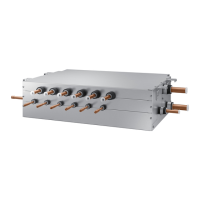
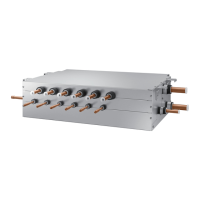
Setting MCU address and port
Process
1. MCU address
setting
Set MCU address by rotary switch.
Example> If you want to set MCU address to 21, set upside rotary switch to 2 and set bottom
rotary switch to 1
0
1
2
3
4
5
6
7
8
9
0
1
2
3
4
5
6
7
8
9
MCU Address
Setting MCU
adress to 21
Default
MCU Address
0
1
2
3
4
5
6
7
8
9
0
1
2
3
4
5
6
7
8
9
Rotary switch for MCU ADDRESS
2. DIP switch
setting for using
each port
Set using each port (connected to indoor unit) by DIP switch
Example>
If you want to connect indoor units at A,B,C,F port, set DIP switch 1,2,3,2 to 'ON'
DIP switch for indoor unit setting
(ON: Use, OFF: Not use)
1
ON
234 1
ON
2
1
ON
234 1
ON
2
DIP S/W
Default
Using A, B, C, F port
3. DIP switch
setting for using
Y-connetor
In case of using Y-connector to connect 2 port , Set DIP Switch S/W option
Example> If you want to connect A port and B port with Y-connector , set DIP switch 1 to 'ON'
DIP switch setting for using Y-connectorS/W Option
1
ON
234
1
ON
234
Default
Combination
of A+B port
Wiring works


 To Next Page
 Loading...