EasyManua.ls Logo

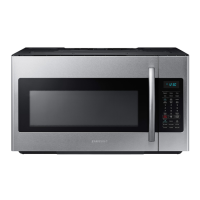
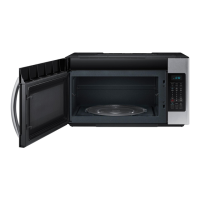
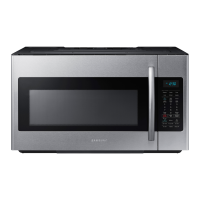
Samsung ME19CB704112A Series - User Manual

Samsung ME19CB704112A Series
32 pages
Print Icon
To Next Page IconTo Next Page
Loading...
imagine the possibilities
Thank you for purchasing this Samsung product.
Microwave Oven
user manual
ME19CB704112A*

Questions and Answers

  • J
    James IbarraAug 17, 2025
    What to do if my Samsung ME19CB704112A Microwave Oven display and/or the oven is not working?
    • S
      Shannon HayesAug 17, 2025
      If the display or the oven isn't working, ensure the plug is correctly connected to a grounded outlet. If the outlet is controlled by a wall switch, make sure the switch is on. Try removing the plug, waiting ten seconds, and plugging it back in. Also, check the circuit breaker or fuses and replace them if necessary. Test the outlet with another appliance, and if that doesn't work, contact a qualified electrician to repair the outlet. You can also try plugging the oven into a different outlet.
  • J
    Joseph SmithAug 20, 2025
    What to do if my Samsung ME19CB704112A display is working, but the power won’t come on?
    • E
      Elizabeth ShermanAug 20, 2025
      If the display of your Samsung Microwave Oven is working, but the power won’t come on, first ensure that the door is closed securely. Then, check for any packaging material or obstructions in the door seal. Also, inspect the door for any damage. If everything looks fine, touch the Cancel button twice and re-enter all the cooking instructions.
  • J
    Jennifer PalmerAug 22, 2025
    Why Samsung ME19CB704112A turntable makes noise or becomes stuck?
    • B
      Brandon DiazAug 23, 2025
      If the turntable in your Samsung Microwave Oven is making noise or getting stuck, clean the turntable, roller ring, and the oven floor. Also, ensure that the turntable and roller ring are positioned correctly.
  • J
    Jose LloydAug 26, 2025
    What to do if my Samsung Microwave Oven power going off before the set time has elapsed?
    • S
      Sergio GrahamAug 26, 2025
      If the power to your Samsung Microwave Oven is going off before the set time has elapsed, and the time indicator displays 88:88, it indicates a power outage. If no power outage occurred, remove the plug from the outlet, wait ten seconds, and plug it back in. Reset the clock and any cooking instructions. Also, check the circuit breaker or fuses and reset or replace them if necessary.
  • M
    Monica DouglasAug 28, 2025
    Why Samsung Microwave Oven turntable rotates improperly?
    • G
      gailwhiteAug 28, 2025
      The turntable in your Samsung Microwave Oven might rotate improperly if the food placed on it is too large or too heavy. Make sure you have not put too much food on the turntable.
  • J
    Joseph RodriguezAug 30, 2025
    What to do if my Samsung Microwave Oven has sparks or arcing?
    • D
      David WoodAug 30, 2025
      If your Samsung Microwave Oven is sparking or arcing, immediately remove any metallic utensils, cookware, or metal ties from the oven. If you are using foil, make sure to use only narrow strips and ensure there is at least one inch of space between the foil and the interior walls of the oven.
  • C
    colondawnSep 2, 2025
    Why Samsung ME19CB704112A Microwave Oven cooks food too slowly?
    • M
      Michael HillSep 2, 2025
      If your Samsung Microwave Oven is cooking food too slowly, it might be due to the oven sharing a circuit with another appliance, which can cause a voltage drop. To fix this, ensure the microwave oven is on its own dedicated 15 to 20 amp circuit line. If needed, move the oven to a separate circuit.
  • D
    Danny FinleySep 5, 2025
    Why Samsung ME19CB704112A causes TV or radio interference?
    • S
      stevensmichaelSep 5, 2025
      If your Samsung Microwave Oven is causing interference with your TV or radio, move the microwave oven (or the affected appliance) further away from the TV or radio.
  • S
    Savannah OrtegaSep 7, 2025
    Why Samsung Microwave Oven Vent Motor suction force is too weak?
    • A
      arielhardySep 7, 2025
      If the vent motor suction force in your Samsung Microwave Oven is too weak, set the vent mode to high. Remember that the vent fan will only operate in low speed mode while the microwave is working.
  • J
    jamesgordonSep 12, 2025
    Why Samsung ME19CB704112A Operating noise is too loud?
    • T
      Tracey MasonSep 12, 2025
      Your Samsung Microwave Oven makes noise during operation, and this is normal. However, if you hear an abnormal sound continuously, please contact the Samsung Call Center at 1-800-726-7864.

Summary

Safety Information

What You Need to Know About Safety Instructions

Key safety instructions and warnings for operating the microwave oven.

Precautions to Avoid Possible Exposure to Excessive Microwave Energy

Measures to prevent harmful exposure to microwave energy during oven operation.

Important Safety Symbols and Precautions

Meaning of Safety Icons and Signs

Explains the meaning of safety symbols and icons used in the manual.

FCC Notice

FCC statement regarding ISM frequency energy and potential interference.

Important Safety Instructions

IC Notice

Industry Canada notice regarding technical specifications and operation.

IC Radiation Exposure Statement

Statement on IC RSS-102 radiation exposure limits for uncontrolled environments.

Grounding and Extension Cord Usage

Grounding Instructions

Instructions for proper grounding to reduce electric shock risk.

Extension Cord Usage Guidelines

Guidelines for using extension cords safely with the appliance.

Installation and Usage Cautions

Installation Cautions

Cautions related to positioning the oven and handling the power cord.

Critical Usage Warnings

Critical warnings for safe operation, including fire and shock hazards.

Usage Cautions

California Proposition 65 Warning

Warning regarding cancer and reproductive harm from chemicals.

Setting Up Your Microwave Oven

Warranty and Service Information

Details on warranty registration, model/serial numbers, and service contact.

Checking the Parts

Guide to unpacking and verifying all included parts.

Initial Setup Steps

Step-by-step instructions for initial setup and installation.

Features Overview

Checking the Control Panel

Identifies and explains the various buttons and controls on the oven's panel.

Setting Up and Customizing Your Oven

Setting the Time

Instructions for setting the built-in clock on the microwave.

Child Lock Function

Explanation of how to activate and deactivate the child lock feature.

Oven Settings Customization

Details on customizing oven preferences like weight mode, sound, and Wi-Fi.

Connectivity and Voice Control

Connecting to Smart Devices

Steps to connect the microwave to a smart device via the SmartThings app.

Voice Control Setup

Instructions for using voice control with Bixby, Alexa, and Google Assistant.

Auto Connectivity Features

Auto Connectivity Setup

Explains how to connect the hood and cooktop via Wi-Fi.

Using Your Microwave Oven

Basic Button Functions

Explains the kitchen timer, +30 sec, vent, light, turntable, and eco mode buttons.

Eco Mode Operation

Instructions for activating Eco Mode to reduce standby power usage.

Advanced Cooking Functions

Sensor Cooking Operation

How to use sensor cooking presets for automatic cooking.

Sensor Cooking Utensil Guidance

Advice on selecting appropriate containers and covers for sensor cooking.

Reheat Button Usage

How to reheat precooked foods using the sensor reheat function.

Specialized Cooking Modes

Auto Defrost Function

How to use the auto defrost feature based on food weight.

Fit Choice Cooking Presets

How to use the Fit Choice presets for various food items.

Beverage and Soften;Melt Functions

Beverage Button Operation

How to heat beverages using the beverage button.

Soften;Melt Button Usage

How to soften butter, melt chocolate, or soften cream cheese.

Snack Cooking Presets

Snacks Button Operation

How to cook various snack items using presets.

Microwave Cooking Times and Power Levels

Setting Cooking Stages and Power

How to set cooking times and adjust power levels for optimal results.

Cookware Guide

Microwave-Safe Utensils Test

How to determine if cookware is microwave-safe using a simple test.

Cooking Guide

General Microwave Cooking Tips

Tips for effective and safe microwave cooking, including food properties and altitude effects.

Essential Cooking Techniques

Techniques like stirring, arrangement, shielding, turning, standing, adding moisture, and venting.

Cooking Meat

Guidelines and temperatures for cooking various types of meat.

Seafood and Poultry Cooking

Cooking Seafood

Instructions and times for cooking different types of seafood.

Cooking Poultry

Instructions and times for cooking whole chicken and chicken pieces.

Vegetable, Egg, and Recipe Guidance

Cooking Vegetables

Instructions for cooking various vegetables, including preparation and techniques.

Cooking Eggs Safely

Guidance on cooking eggs, with a caution about shells.

Sample Recipes

Provides recipes for dishes like beef and barley stew and broccoli and cheese casserole.

Cleaning and Maintaining Your Microwave Oven

Cleaning the Exterior Surfaces

How to clean the outside of the microwave using safe methods.

Cleaning Under the Oven

Instructions for cleaning the area beneath the microwave.

Cleaning the Control Panel

How to clean the control panel without causing damage.

Cleaning the Door and Seals

Proper methods for cleaning the door and ensuring seals are free of debris.

Interior Cleaning and Component Replacement

Cleaning the Oven Interior

Instructions for cleaning the oven cavity, including a steam cleaning method.

Cleaning Turntable and Roller Rings

How to clean the turntable and roller rings.

Storing and Repairing Guidance

Guidance on storing the microwave and advice against self-repair.

Replacing Cooktop;Night Light

Step-by-step guide for replacing the cooktop or night light bulb.

Oven Light and Filter Maintenance

Replacing the Oven Light Bulb

Instructions for replacing the interior oven light bulb.

Cleaning the Grease Filter

How to remove, clean, and re-install the reusable grease filter.

Troubleshooting Common Problems

Replacing the Charcoal Filter

Instructions for replacing the charcoal filter.

Appendix and US Warranty

Specifications Overview

Technical specifications including model, dimensions, power, and controls.

Samsung US Limited Warranty

Details the limited warranty for Samsung products purchased in the USA.

US Warranty Details

Exclusions of Implied Warranties

Details on limitations and exclusions for implied warranties.

Limitation of Remedies

Defines the exclusive remedies available to the consumer under the warranty.

Canadian Warranty Information

Samsung Canada Limited Warranty

Details the limited warranty for Samsung OTR microwave ovens purchased in Canada.

Samsung ME19CB704112A Series Specifications

General IconGeneral
Capacity1.9 cu. ft.
ColorStainless Steel
Child LockYes
Power1000 W
Control TypeTouch
Cooking ModesDefrost
Cooking Levels10
Turntable Diameter14.2 inches
Door Opening TypeHandle
TypeBuilt-in Microwave Oven

Related product manuals