EasyManua.ls Logo

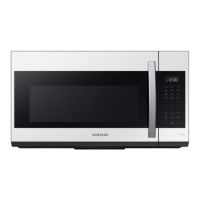
Samsung ME19CB704112AA - User Manual

Samsung ME19CB704112AA
32 pages
Print Icon
To Next Page IconTo Next Page
Loading...
imagine the possibilities
Thank you for purchasing this Samsung product.
Microwave Oven
user manual
ME19CB704112A*

Questions and Answers

  • L
    Laura WilsonAug 16, 2025
    What to do if my Samsung Microwave Oven display and/or the oven is not working?
    • M
      Mary CooperAug 17, 2025
      If the display or the oven isn't working, ensure the plug is correctly connected to a grounded outlet. If the outlet is controlled by a wall switch, make sure the switch is on. Try removing the plug, waiting ten seconds, and plugging it back in. Also, check the circuit breaker or fuses and replace them if necessary. Test the outlet with another appliance, and if that doesn't work, contact a qualified electrician to repair the outlet. You can also try plugging the oven into a different outlet.
  • J
    Jordan DouglasAug 19, 2025
    What to do if my Samsung Microwave Oven display is working, but the power won’t come on?
    • G
      Gerald MuellerAug 19, 2025
      If the display of your Samsung Microwave Oven is working, but the power won’t come on, first ensure that the door is closed securely. Then, check for any packaging material or obstructions in the door seal. Also, inspect the door for any damage. If everything looks fine, touch the Cancel button twice and re-enter all the cooking instructions.
  • L
    Laura ManningAug 22, 2025
    Why Samsung Microwave Oven turntable makes noise or becomes stuck?
    • D
      Daniel MorganAug 22, 2025
      If the turntable in your Samsung Microwave Oven is making noise or getting stuck, clean the turntable, roller ring, and the oven floor. Also, ensure that the turntable and roller ring are positioned correctly.
  • J
    James MichaelAug 25, 2025
    What to do if my Samsung Microwave Oven power going off before the set time has elapsed?
    • S
      Shelley HunterAug 25, 2025
      If the power to your Samsung Microwave Oven is going off before the set time has elapsed, and the time indicator displays 88:88, it indicates a power outage. If no power outage occurred, remove the plug from the outlet, wait ten seconds, and plug it back in. Reset the clock and any cooking instructions. Also, check the circuit breaker or fuses and reset or replace them if necessary.
  • K
    Kenneth StricklandAug 27, 2025
    Why Samsung ME19CB704112AA Microwave Oven turntable rotates improperly?
    • M
      Mary HaneyAug 27, 2025
      The turntable in your Samsung Microwave Oven might rotate improperly if the food placed on it is too large or too heavy. Make sure you have not put too much food on the turntable.
  • T
    Taylor GonzalezAug 30, 2025
    What to do if my Samsung Microwave Oven has sparks or arcing?
    • G
      George WrightAug 30, 2025
      If your Samsung Microwave Oven is sparking or arcing, immediately remove any metallic utensils, cookware, or metal ties from the oven. If you are using foil, make sure to use only narrow strips and ensure there is at least one inch of space between the foil and the interior walls of the oven.
  • R
    rmcdowellSep 2, 2025
    Why Samsung ME19CB704112AA cooks food too slowly?
    • T
      taylorcalebSep 2, 2025
      If your Samsung Microwave Oven is cooking food too slowly, it might be due to the oven sharing a circuit with another appliance, which can cause a voltage drop. To fix this, ensure the microwave oven is on its own dedicated 15 to 20 amp circuit line. If needed, move the oven to a separate circuit.
  • A
    Austin YoungSep 5, 2025
    Why Samsung Microwave Oven causes TV or radio interference?
    • S
      Steven WilkersonSep 5, 2025
      If your Samsung Microwave Oven is causing interference with your TV or radio, move the microwave oven (or the affected appliance) further away from the TV or radio.
  • L
    Latoya HullSep 7, 2025
    Why Samsung ME19CB704112AA Microwave Oven Vent Motor suction force is too weak?
    • J
      Jennifer StarkSep 8, 2025
      If the vent motor suction force in your Samsung Microwave Oven is too weak, set the vent mode to high. Remember that the vent fan will only operate in low speed mode while the microwave is working.
  • J
    jimmy24Sep 10, 2025
    Why Samsung ME19CB704112AA Operating noise is too loud?
    • A
      Alicia RodriguezSep 12, 2025
      Your Samsung Microwave Oven makes noise during operation, and this is normal. However, if you hear an abnormal sound continuously, please contact the Samsung Call Center at 1-800-726-7864.

Summary

Safety Information and Precautions

Key Safety Instructions

Essential information on safety instructions for microwave oven operation.

Microwave Energy Exposure Precautions

Guidelines to prevent harmful exposure to microwave energy during use.

Safety Symbols and Regulatory Notices

Explains safety symbols and provides FCC/IC compliance information.

Specific Safety Guidelines

Important Safety Instructions

General safety guidelines and precautions for operating the microwave oven.

IC Radiation Exposure Statement

Statement on radiation exposure limits according to IC standards.

Installation and Grounding Safety

Grounding Instructions

Proper grounding procedures to prevent electric shock.

Critical Installation Warnings

Important warnings related to the proper installation of the microwave oven.

Usage and Cleaning Safety

Installation Cautions

Specific cautions related to the installation process of the microwave oven.

Critical Usage Warnings

Essential warnings and precautions for safe operation of the microwave oven.

Advanced Safety and Warnings

Usage Cautions

Additional cautions for safe usage of the microwave oven.

Critical Cleaning Instructions

Specific instructions and warnings for cleaning the microwave oven safely.

Setting Up Your Microwave Oven

Checking the Parts

Guide to unpacking and verifying all included microwave oven parts.

Microwave Oven Features and Controls

Checking the Control Panel

Instructions on how to identify and understand the control panel elements.

Time, Lock, and Settings Configuration

Connectivity and Voice Control

Setting Up Voice Control

Guide to setting up voice control with Bixby, Alexa, or Google Assistant.

Defrost, Fit Choice, and Beverage Functions

Microwave Cooking Times and Power Levels

Cookware Guide

General Cooking Principles

Cooking Meats, Seafood, and Poultry

Cooking Meat

Instructions and temperatures for cooking various types of meat.

Cleaning and Maintaining Your Microwave Oven

Filter Replacement and Troubleshooting

Troubleshooting Common Problems

Solutions to common issues like display not working or slow cooking.

USA Warranty Information

Limited Warranty Details

Details on the limited warranty for parts and labor in the USA.

Warranty Exclusions and Limitations

Canada Warranty Information

Limited Warranty for Canadian Purchasers

Warranty terms and conditions for the original purchaser in Canada.

Samsung ME19CB704112AA Specifications

General IconGeneral
BrandSamsung
ModelME19CB704112AA
CategoryMicrowave Oven
LanguageEnglish

Related product manuals