EasyManua.ls Logo

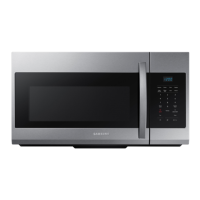
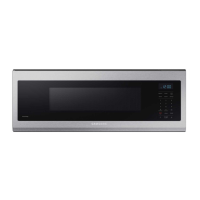
Samsung ME11A7510D - User Manual

Samsung ME11A7510D
42 pages
Print Icon
To Next Page IconTo Next Page
Loading...
Microwave Oven
User manual
ME11A7510D*

Questions and Answers

  • M
    Maureen OlsonSep 23, 2025
    Why is the cooling fan still running after cooking is finished in my Samsung ME11A7510D Microwave Oven?
    • M
      mriveraSep 23, 2025
      If the cooling fan continues to run in your Samsung Microwave Oven after cooking is finished, it's normal. The fan runs for about 3 minutes to ventilate the oven, and it's not a malfunction.
  • N
    Nicole Moore DDSAug 25, 2025
    What to do if my Samsung ME11A7510D Microwave Oven is not heating properly?
    • D
      Dr. Elizabeth MillerAug 25, 2025
      If your Samsung Microwave Oven isn't heating, it might be due to cooking too much food or using improper cookware. To test, place one cup of water in a microwave-safe container, put it in the oven, and run the microwave for 1-2 minutes. If the water heats up, reduce the amount of food and restart the function. Also, ensure you are using a cooking container with a flat bottom.
  • A
    Adrian FranklinAug 25, 2025
    What to do if Samsung ME11A7510D Microwave Oven buttons cannot be touched properly?
    • D
      Dr. Aaron PattersonAug 26, 2025
      If you're having trouble with the buttons on your Samsung Microwave Oven, check for any foreign matter caught between them and remove it. For touch models, wipe any moisture from the exterior. Also, ensure that the Child Lock is deactivated.
  • N
    Nicole Herrera MDAug 26, 2025
    What to do if Samsung ME11A7510D door cannot be opened properly?
    • J
      Jennifer FowlerAug 27, 2025
      If the door of your Samsung Microwave Oven cannot be opened properly, check for any food residue stuck between the door and the oven interior. Clean the oven to remove any obstructions, and then try opening the door again.
  • J
    Julie AdamsAug 27, 2025
    Why is Samsung Microwave Oven time not displayed?
    • D
      dbryanAug 27, 2025
      If the time isn't displayed on your Samsung Microwave Oven, first ensure that power is supplied by checking if the microwave is plugged in and that your fuses or circuit breakers are working. If power is supplied, check if the Eco (power-saving) function is activated and turn it off.
  • R
    rodriguezjoshuaSep 14, 2025
    What to do if there is electricity coming from my Samsung Microwave Oven?
    • E
      Eric GoodSep 14, 2025
      If you detect electricity coming from your Samsung Microwave Oven, it indicates that the power source or power outlet is not properly grounded. Ensure that both the power source and the outlet are correctly grounded.
  • E
    Edwin TorresSep 12, 2025
    Why my Samsung ME11A7510D interior light is dim or does not turn on?
    • S
      Sean BassSep 12, 2025
      If the interior light of your Samsung Microwave Oven is dim or doesn't turn on, it might be because the door has been left open for a long time, which can cause the light to turn off automatically when the Eco function operates. Try closing and reopening the door or touching the STOP button. Also, check if the interior light is covered by any foreign matter and clean the inside of the oven.
  • R
    Rachel WrightSep 13, 2025
    What to do if Samsung ME11A7510D Microwave Oven starts to work immediately when power is connected?
    • L
      Lori LangSep 13, 2025
      If your Samsung Microwave Oven starts working immediately when power is connected, it's likely that the door is not properly closed. Ensure the door is fully closed and check again.
  • J
    Jessica WilliamsSep 5, 2025
    What to do if my Samsung Microwave Oven is not level?
    • D
      David HollandSep 5, 2025
      If your Samsung Microwave Oven is not level, ensure it's installed on a flat, stable surface.
  • E
    Eric RobertsSep 2, 2025
    Why Samsung Microwave Oven turn table comes out of place or stops turning?
    • J
      john67Sep 2, 2025
      If the turntable in your Samsung Microwave Oven comes out of place or stops turning, it's likely because the roller ring is either missing or not properly installed. Make sure the roller ring is correctly installed and try again.

Summary

Safety Instructions and Precautions

Precautions to Avoid Excessive Microwave Energy

Safety measures to prevent exposure to microwave energy.

Safety Symbols and Precautions

Explains warning symbols and their importance.

General Safety Precautions

Fundamental safety rules for using electrical appliances.

Grounding and Extension Cord Safety

Proper grounding procedures and advice on extension cords.

Critical Installation Warnings

Highlights severe risks associated with improper installation.

Installation and Usage Cautions

Cautions for installation and general usage.

Usage Cautions and Prohibitions

Lists items and actions to avoid during operation.

Critical Cleaning Instructions

Essential guidelines for safely cleaning the appliance.

Setting Up Your Microwave Oven

Checking the Parts

Verifies that all necessary parts are included after unpacking.

Control Panel Overview

Identifies and explains control panel buttons.

Smart Control Connectivity

How to connect the microwave to a smart device via app.

Voice Control Setup

Details how to enable and use voice commands.

Using Your Microwave Oven

Cooking Guide

Cleaning and Maintenance

Troubleshooting Common Issues

Basic Problem Checks

Addresses issues like buttons not working or oven stopping.

Appendix and Specifications

Technical Specifications Overview

Provides detailed technical data.

Samsung ME11A7510D Specifications

General IconGeneral
Power1000W
TurntableYes
GrillNo
ConvectionNo
Auto Cook MenuYes
Child LockYes
ColorStainless Steel
Capacity1.1 cu. ft.
Control TypeTouch
Dimensions (W x D x H)23.4 x 19.9 x 13.8 inches
Turntable Diameter12.5 inches
Dimensions (W x H x D)29.88" x 16.44" x 16.50"

Related product manuals