EasyManua.ls Logo

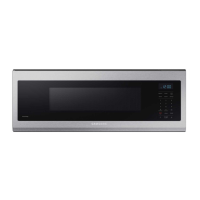
Samsung ME11A7510 Series - User Manual

Samsung ME11A7510 Series
42 pages
Print Icon
To Next Page IconTo Next Page
Loading...
Microwave Oven
User manual
ME11A7510** / ME11CB7510**

Table of Contents

Other manuals for Samsung ME11A7510 Series

Questions and Answers

  • S
    suzanne68Jul 28, 2025
    Why does my Samsung ME11A7510 Microwave Oven power turn off during operation?
    • W
      Willie JohnsonJul 28, 2025
      If your Samsung Microwave Oven turns off during operation, several factors could be at play. It might be due to prolonged cooking time, requiring the oven to cool down. A faulty cooling fan could also be the culprit, so listen to check if it's running. Operating the oven empty can trigger this issue; ensure food is inside. Insufficient ventilation around the oven, caused by improper spacing from walls or cabinets, can lead to overheating. Lastly, too many appliances sharing the same outlet can overload the circuit. Try unplugging other devices.
  • T
    Theresa LopezAug 5, 2025
    What to do if my Samsung ME11A7510 does not work?
    • L
      Lee ValentineAug 5, 2025
      If your Samsung Microwave Oven isn't working, start by ensuring it's properly plugged in and that the outlet is receiving power. Check your fuses or circuit breakers. Also, make sure the door is fully closed and that nothing is obstructing the door's safety mechanisms. Remove any foreign matter and try again.
  • J
    Jeffrey ChavezAug 12, 2025
    How to fix unresponsive buttons on a Samsung ME11A7510?
    • J
      Jamie BanksAug 12, 2025
      If the buttons on your Samsung Microwave Oven aren't responding properly, there might be something stuck between them. Remove any foreign matter and try again. For touch models, wipe away any moisture on the exterior. Also, check if the Child Lock is activated and, if so, deactivate it.
  • J
    Jennifer LoveAug 20, 2025
    Why is there no power to my Samsung ME11A7510 Microwave Oven?
    • D
      Duane BlairAug 20, 2025
      If there's no power to your Samsung Microwave Oven, first, make sure that the microwave is plugged in. Then, check your fuses or circuit breakers to ensure they are functioning correctly.

Summary

Important Safety Instructions

What You Need to Know About Safety

General safety information and the user's responsibility for safe operation.

Preventing Excessive Microwave Energy Exposure

Specific precautions to avoid harmful exposure to microwave energy.

Safety Symbols and Precautions

Explanation of icons and signs used in the manual for safety awareness.

California Proposition 65 Warning

Warning about chemicals known to cause cancer and birth defects.

Grounding Instructions

Essential steps for safely grounding the microwave oven.

Critical Installation Warnings

Key warnings and requirements for proper microwave installation.

Critical Usage Warnings

Important warnings related to the safe operation and use of the microwave.

Additional Usage Cautions

Further precautions and warnings for everyday use of the microwave.

Additional Cleaning Instructions

More specific guidance on cleaning the appliance safely and effectively.

Setting Up Your New Microwave Oven

Initial Microwave Setup

Step-by-step instructions for initial physical setup of the microwave.

Control Panel Overview

Explanation of each button and its function on the microwave's control panel.

Smart Control Setup

Information on connecting and using the microwave's smart features via a mobile app.

Voice Control Setup

Instructions for enabling and using voice commands with the microwave oven.

Using Your Microwave Oven

Auto Cook Function

How to use the Auto Cook feature for various food items.

Reheat Function

Guide to reheating foods using the dedicated preset function.

Defrost Function

Instructions for thawing frozen foods using the defrost function.

Cookware Guide

One-Stage Cooking

Steps for single-stage cooking with time and power level settings.

Multi-Stage Cooking

How to set up cooking with two sequential stages and power levels.

Cooking Guide

Cooking Techniques

Techniques like stirring, arrangement, shielding, and turning for optimal cooking.

Cleaning and Maintaining Your Microwave Oven

Troubleshooting

Troubleshooting Check Points

Initial checks and common solutions for operational problems.

Heating Performance Issues

Diagnosing and fixing issues with heating performance.

Appendix

Information Codes

Explains error codes displayed on the oven and their solutions.

Product Specifications

Technical details and dimensions of the microwave oven.

Warranty (USA)

Limited Warranty for US Purchasers

Details of the limited warranty for US purchasers.

Warranty (CANADA)

Limited Warranty for Canadian Purchasers

Details of the limited warranty for Canadian purchasers.

Samsung ME11A7510 Series Specifications

General IconGeneral
Capacity1.1 cu. ft.
Power Output1000 W
TurntableYes
Sensor CookYes
Number of Power Levels10
Display TypeLED
ColorStainless Steel
Convection CookingNo
Grill FunctionNo
Child LockYes
Auto DefrostYes
Preset ProgramsYes
Turntable Diameter12.5 inches
Control TypeElectronic Touch Control

Related product manuals