EasyManua.ls Logo

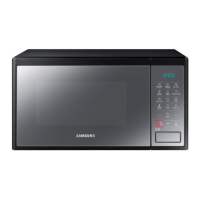
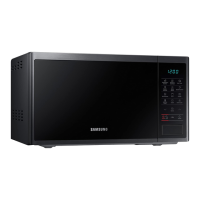
Samsung MG23J5133 Series - User Manual

Samsung MG23J5133 Series
360 pages
Go to English
Print Icon
To Next Page IconTo Next Page
Loading...
Kuchenka mikrofalowa
Instrukcja obsługi
MG23J5133**
MG23J5133AM_EO_DE68-04328J-00_PL_V2.indd 1 6/13/2015 1:15:10 PM

Table of Contents

Questions and Answers

  • M
    Mark JohnsonSep 3, 2025
    Why does my Samsung Microwave Oven smell like burning plastic?
    • Z
      zkingSep 3, 2025
      If you smell a burning or plastic smell when using your Samsung Microwave Oven, it indicates that plastic or non-heat-resistant cookware is being used. Switch to glass cookware suitable for high temperatures.
  • J
    Jade CollinsAug 25, 2025
    What to do if my Samsung Microwave Oven is not working?
    • R
      Ryan RobinsonAug 25, 2025
      If your Samsung Microwave Oven isn't working, first ensure that it's receiving power. Also, check that the door is fully closed and try again. If the door open safety mechanisms are covered in foreign matter, remove it and try again.
  • J
    jeffrey13Sep 23, 2025
    Why is there smoke coming from my Samsung MG23J5133 Microwave Oven?
    • J
      Joshua CookSep 23, 2025
      During initial operation of your Samsung Microwave Oven, smoke may come from the heating elements. This is not a malfunction and should stop after running the oven 2-3 times. Also, ensure food is not on the heating elements, too close to the grill, or improperly prepared. Let the oven cool and then remove the food from the heating elements. Put the food a suitable distance away while cooking. Make sure food is properly prepared and arranged.
  • K
    Kristen HuntSep 9, 2025
    Why does my Samsung Microwave Oven have a bad smell?
    • W
      Wendy CalhounSep 9, 2025
      A bad smell in your Samsung Microwave Oven often indicates food residue or melted plastic stuck inside. Try using the steam function and then wipe with a dry cloth. For a quicker solution, put a lemon slice inside and run the oven.
  • M
    Margaret PhelpsSep 16, 2025
    Why is my Samsung MG23J5133 exterior so hot?
    • T
      Thomas HarperSep 16, 2025
      If the exterior of your Samsung Microwave Oven is too hot during operation, ensure there is sufficient ventilation space around the oven, keeping the gaps specified in the product installation guide. Also, remove any objects placed on top of the oven.
  • S
    Sharon GriffinSep 6, 2025
    Why is the interior light dim or does not turn on in my Samsung MG23J5133 Microwave Oven?
    • N
      Nicole SantanaSep 6, 2025
      If the interior light of your Samsung Microwave Oven is dim or not turning on, it could be because the door has been left open for an extended period, and the Eco function has automatically turned off the light. Try closing and reopening the door or pressing the STOP/ECO button. Also, check if the interior light is covered by foreign matter and clean the inside of the oven.
  • K
    Kim HernandezAug 31, 2025
    What to do if heating including the Warm function does not work properly on my Samsung MG23J5133?
    • I
      Ian PalmerAug 31, 2025
      If the heating, including the Warm function, isn't working properly on your Samsung Microwave Oven, put one cup of water in a microwave-safe container and run the microwave for 1-2 minutes to check if the water heats up. If not, reduce the amount of food you're trying to cook and try the function again. Also, ensure you are using a cooking container with a flat bottom.
  • J
    John KaneSep 22, 2025
    Is steam through the door crack of my Samsung MG23J5133 normal?
    • T
      Tara GeorgeSep 22, 2025
      Steam coming through a crack in the door of your Samsung Microwave Oven is normal depending on the food being cooked and does not indicate a malfunction. Let the oven cool, and then wipe it with a dry dish towel.
  • C
    Christopher HawkinsSep 12, 2025
    Why is my Samsung Microwave Oven cooling fan still running after cooking?
    • L
      lisareeseSep 13, 2025
      If the cooling fan in your Samsung Microwave Oven continues to run after cooking, it is normal. The cooling fan continues to run for about 3 minutes after cooking is complete to ventilate the oven.
  • J
    John MichaelAug 27, 2025
    What to do if my Samsung Microwave Oven buttons are not working?
    • S
      Steven DavisAug 27, 2025
      If the buttons on your Samsung Microwave Oven are not working, check for and remove any foreign matter caught between the buttons. For touch models, wipe any moisture from the exterior. Also, ensure that the Child lock is deactivated.

Summary

User Manual Introduction and Safety

Understanding the User Manual

Guidance on how to use the manual effectively for product operation.

Essential Safety Instructions

Critical safety guidelines for preventing hazards and ensuring safe operation.

Detailed Safety Precautions

Further safety instructions covering general use, specific functions, and child safety.

Product Information and Disposal

Product classification details and environmentally responsible disposal methods.

Installation and Maintenance

Accessories Overview

Details the included accessories and their primary functions.

Installation Site Guidelines

Specifies the correct placement and environmental conditions for installation.

Turntable Installation

Instructions for assembling the roller ring and turntable within the oven.

Cleaning Procedures

Methods for cleaning the oven's interior, exterior, and specific components.

Repair and Storage Advice

Information on handling repairs and maintaining the oven during periods of inactivity.

Quick Look-Up and Oven Operation

Quick Start Guides

Simplified steps for common cooking, defrosting, grilling, and time adjustment.

Oven Components and Controls

Identification of oven parts and explanation of control panel functions.

Basic Oven Functions

How the microwave works, checking operation, setting the clock, and basic cooking.

Advanced Cooking Modes

Guides for Healthy Cooking, My Plate, Power Defrost, Keep Warm, and Deodorisation features.

Grilling, Standing Time, and Child Lock

Instructions for grilling, setting standing time, and using the child safety lock.

Cooking Guides and Tips

Cookware Compatibility

Lists recommended and unsafe cookware for microwave use.

Food Specific Cooking Guides

Detailed instructions for cooking vegetables, rice, pasta, and reheating meals.

Defrosting Guide

Comprehensive instructions for defrosting different food items like meat and poultry.

Cooking Tips and Tricks

Useful advice for melting, cooking jams, puddings, and browning ingredients.

Troubleshooting and Support

General Problem Solving

Solutions for common issues like unresponsive buttons, no power, or incorrect operation.

Specific Troubleshooting Scenarios

Addresses problems with the turntable, grill, oven smells, and cooking performance.

Information Codes and Contacting Support

Explains error codes and provides information for customer service.

Technical Specifications

Product Specifications Summary

Lists key technical details including dimensions, power consumption, and weight.

Samsung MG23J5133 Series Specifications

General IconGeneral
TypeSolo Microwave Oven
Capacity23 L
Power Output800 W
Grill Power1000 W
Control TypeMechanical
Cavity MaterialCeramic Enamel
Power Levels6
TurntableYes
Turntable Diameter288 mm
Display TypeLED
ClockYes
Eco ModeYes
Defrost FunctionYes
Child Safety LockYes
ColorBlack
GrillYes
ConvectionNo

Related product manuals