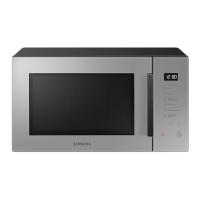
This document is a user manual for the Samsung MG30T5018A* microwave oven, providing instructions in Arabic, French, and English.
Function Description
The Samsung MG30T5018A* is a microwave oven designed for household use, offering various cooking and reheating functionalities. It utilizes high-frequency electromagnetic waves (microwaves) to cook or reheat food without altering its form or color. The energy generated by the magnetron is reflected off the oven walls and distributed evenly by a rotating turntable, ensuring uniform cooking. The appliance also features a grill function for quick heating and browning, and a combination mode (microwave + grill) for simultaneous cooking and browning.
Important Technical Specifications
- Model: MG30T5018A*
- Power Source: 230 V ~ 50 Hz AC
- Power Consumption:
- Maximum Power: 2900 W
- Microwave: 1400 W
- Grill (heating element): 1500 W
- Output Power: 100 W / 900 W - 6 levels (IEC-705)
- Operating Frequency: 2450 MHz
- Dimensions (W x H x D):
- Outside (Including Handle): 517.0 x 297.3 x 425.3 mm
- Oven Cavity: 357 x 255 x 357 mm
- Volume: 30 liters
- Weight (Net): Approximately 15.9 kg
- Energy Efficiency Class: (as indicated by the asterisk in the model name)
Usage Features
The microwave oven offers a range of features to facilitate cooking and reheating:
- Cooking/Reheating: Users can cook or reheat food by selecting the "Microwave" function, adjusting the power level (from 100 W to 900 W across six levels), and setting the desired cooking time (up to 60 minutes). The turntable ensures even cooking.
- Power Levels and Time Variations: Six power levels are available: High (100% / 900 W), Medium High (67% / 600 W), Medium (50% / 450 W), Medium Low (33% / 300 W), Defrost (20% / 180 W), and Low (11% / 100 W). Cooking times vary based on the selected power level and food properties.
- Adjusting Cooking Time: The cooking time can be increased by 30-second increments using the "START/+30s" button or adjusted more precisely using the "Decrease/Increase" buttons during a cooking cycle.
- Stopping the Cooking: Cooking can be temporarily paused by opening the door or pressing "STOP/Eco". To resume, close the door and press "START/+30s". To stop completely, press "STOP/Eco" twice.
- Energy Save Mode: The appliance features an energy save mode, activated by pressing "STOP/Eco", which turns off the control panel display. It automatically returns to standby after 25 minutes of inactivity or if the door is left open for 5 minutes.
- Power Defrost: This function allows for rapid defrosting of meat, poultry, fish, bread, and cake. The defrost time and power level are automatically set based on the food type and weight selected by the user. The manual provides a detailed program description with quantities, standing times, and recommendations.
- Auto Cook: With 32 pre-programmed settings, Auto Cook eliminates the need to manually set cooking times or power levels. Categories include "Healthy Cooking" and "Home Dessert," covering various dishes like ready meals, vegetarian meals, broccoli florets, rice, pasta, and different types of cakes and beverages.
- Grilling: The grill function provides quick heating and browning without microwaves. It operates with the door closed and the turntable rotating for even browning. Preheating the grill for 3-5 minutes is recommended for faster browning.
- Combining Microwaves and Grill: This mode combines microwave cooking with grilling for quick cooking and browning. Three combination modes are available: 600 W + Grill, 450 W + Grill, and 300 W + Grill.
- Child Lock: A special child lock program prevents accidental operation by locking the control panel. It is activated by pressing and holding "START/+30s" for 3 seconds, and deactivated by pressing and holding it again for 3 seconds.
- Turntable On/Off: This function allows the turntable to stop rotating, enabling the use of larger dishes that fill the entire oven cavity.
- Switching the Beeper Off: The beeper sound can be turned off or on by simultaneously pressing the "Decrease" and "Increase" buttons.
- Setting the Time: The clock can be set to either 12-hour or 24-hour format upon initial installation or after a power failure.
Maintenance Features
- Cleaning: Regular cleaning of the microwave oven, including the door, door seals, turntable, and roller ring, is essential to prevent impurity buildup. Mild detergent and a soft cloth are recommended. For stubborn odors, heating a cup of diluted lemon juice in the oven at max power for 10 minutes, then cleaning the chamber after it cools, is suggested.
- Replacement (Repair): The microwave oven has no user-removable parts. For any issues with hinges, seals, door, light bulb, or outer housing, users are advised to contact a qualified technician or a local Samsung service center. Self-repair is not recommended due to safety hazards.
- Care Against Extended Disuse: If the oven is not used for a long period, it should be unplugged and stored in a dry, dust-free location to prevent dust and moisture from affecting its performance.
The manual also includes a comprehensive troubleshooting guide and information codes to help users resolve common issues.

 Need help?
 General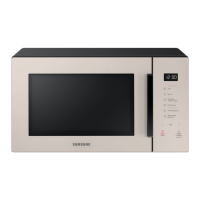



 To Next Page