EasyManua.ls Logo

Samsung MG30T5018C Series - User Manual

Samsung MG30T5018C Series
44 pages
Print Icon
To Next Page IconTo Next Page
Loading...
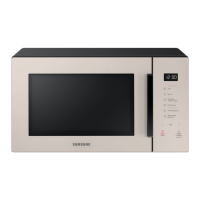
Microwave Oven
User manual
MG30T5018C*
MG30T5018CC_TC_DE68-04591X-00_EN.indd 1 2020-07-27 오후 12:04:50

Questions and Answers

  • K
    Kimberly BryantSep 23, 2025
    Why is there electricity coming from my Samsung MG30T5018C Microwave Oven?
    • G
      Gregory FlynnSep 23, 2025
      If you detect electricity coming from your Samsung Microwave Oven, the power or power socket is not properly grounded. Ensure both the power and power socket are correctly grounded.
  • K
    Kristy ObrienAug 23, 2025
    What to do if Samsung MG30T5018C buttons cannot be pressed properly?
    • C
      cyoungAug 23, 2025
      If the buttons on your Samsung Microwave Oven are not working, there might be foreign matter stuck between them; remove any obstruction and try again. For touch models, wipe any moisture from the exterior. Also, check if the Child lock is activated and deactivate it.
  • S
    Susan PerkinsAug 25, 2025
    What to do if the door of my Samsung MG30T5018C Microwave Oven cannot be opened properly?
    • J
      Jacqueline RobertsonAug 26, 2025
      If the door of your Samsung Microwave Oven is stuck, food residue might be lodged between the door and the interior. Clean the microwave oven thoroughly and then try opening the door again.
  • K
    kmurphyAug 27, 2025
    Why is the time not displayed on my Samsung Microwave Oven?
    • R
      rglassAug 27, 2025
      If the time isn't displayed on your Samsung Microwave Oven, the Eco (power-saving) function might be activated. Turn off the Eco function to display the time.
  • K
    Kevin VazquezAug 27, 2025
    Why does my Samsung MG30T5018C power turn off during operation?
    • C
      Corey JohnsonAug 27, 2025
      Your Samsung Microwave Oven might be turning off during operation due to several reasons. It may have been cooking for too long and needs to cool down. Ensure the cooling fan is working. Make sure you have food inside while operating. Also, ensure there's sufficient ventilation space around the microwave, following the installation guide's specifications. Avoid using the same socket with multiple power plugs; dedicate one socket solely for the microwave oven.
  • M
    mercadojonSep 18, 2025
    Why does my Samsung Microwave Oven start working immediately when power is connected?
    • R
      Ryan JohnsonSep 18, 2025
      If your Samsung Microwave Oven starts working immediately when power is connected, the door might not be properly closed. Ensure the door is fully closed and check again.
  • W
    William MendezSep 15, 2025
    Why is my Samsung MG30T5018C Microwave Oven making popping sounds and not working?
    • S
      swhiteSep 15, 2025
      The popping sounds during operation of your Samsung Microwave Oven might be caused by cooking sealed food or using a container with a lid. Do not use sealed containers, as they may burst during cooking due to the expansion of the contents.
  • W
    willisamySep 16, 2025
    How to level my Samsung MG30T5018C Microwave Oven?
    • N
      Nicole MilesSep 16, 2025
      If your Samsung Microwave Oven is not level, it's likely installed on an uneven surface. Ensure the microwave oven is placed on a flat, stable surface.
  • J
    Jessica BrownSep 6, 2025
    Why is the exterior of my Samsung MG30T5018C too hot during operation?
    • E
      Edward Foley DDSSep 6, 2025
      If the exterior of your Samsung Microwave Oven is too hot, it could be due to insufficient ventilation space. Ensure there's adequate space around the intake/exhaust outlets on the front and rear, following the product installation guide. Also, remove any objects placed on top of the microwave oven.
  • R
    robin01Sep 4, 2025
    Why does my Samsung MG30T5018C not heat?
    • R
      randall69Sep 4, 2025
      If your Samsung Microwave Oven does not heat, check if the door is open. Close the door and try again.

Summary

Microwave Oven

Safety Instructions

Important Safety Instructions

Critical warnings and precautions for safe operation of the microwave oven.

General Safety

Covers safe installation, usage, and maintenance to prevent hazards.

Microwave Operation Precautions

Guidelines to prevent exposure to microwave energy and ensure safe operation.

Installation

Microwave Oven Use

Cooking;Reheating

Step-by-step guide on how to cook or reheat food using the microwave.

Power Levels and Time Variations

Explains how to adjust power levels and their impact on cooking times.

Using Power Defrost

Guide to using the Power Defrost function for thawing various food items.

Using Grill Fry

Instructions for using the Grill Fry function with pre-programmed settings.

Using Auto Cook

Instructions for using the Auto Cook feature with its 33 pre-programmed settings.

Grilling

How to use the grill function for heating and browning food without microwaves.

Combining Microwaves and Grill

Instructions on using the combined microwave and grill modes for faster cooking and browning.

Cooking Guide

Reheating

Guidelines and times for reheating various foods quickly in the microwave.

Defrosting

Instructions and guidelines for safely and effectively defrosting frozen food.

Microwave + Grill

Details how to combine microwave and grill functions for enhanced cooking results.

Troubleshooting and Information Code

Troubleshooting

Lists common problems, their causes, and recommended solutions for the microwave oven.

Samsung MG30T5018C Series Specifications

General IconGeneral
Display TypeLED
TurntableYes
Auto CookYes
Child Safety LockYes
Door Opening TypeHandle
ColorBlack
Capacity30L
Installation TypeFreestanding

Related product manuals