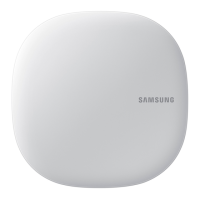
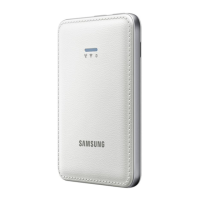
This document serves as a user and installation manual for the Samsung Multi Wi-Fi kit, an accessory designed for Samsung Smart Air conditioners to enable Smart Home Service. The kit, identified by model numbers MIM-H03N, MIM-H03, MIM-H03RN, and MIM-H03R, facilitates remote control and monitoring of air conditioning units through a smartphone application.
Function Description
The Samsung Multi Wi-Fi kit integrates Samsung system air conditioners into the Samsung Smart Home ecosystem. It allows users to control and monitor their air conditioning units remotely via the Samsung Smart Home App. Key functions include:
- Remote Control and Monitoring: Users can turn units on/off, adjust fan speed, set desired temperature, control wind-free mode, and manage indoor unit and ERV operation modes.
- Energy Monitoring: The kit provides real-time electricity consumption and total electricity usage.
- Scheduling: Users can create, add, and delete schedules for their air conditioners.
- Group Control: Multiple air conditioners can be grouped for simultaneous control, and temperature adjustment ranges can be set for heating.
- Multi-tenant Function: The kit supports multi-tenant functionality, allowing different users to control specific indoor units. Up to 5 users can be registered per Wi-Fi kit, and each mobile phone account can be registered with a maximum of 4 Wi-Fi kits.
- Tracking Function: This feature automatically searches and recognizes devices connected to the Wi-Fi kit, enabling monitoring and control of the system air conditioner. Manual tracking can be performed if the indoor or outdoor unit configuration changes.
Important Technical Specifications
- Dimensions: The Wi-Fi kit measures 120 mm (4 3/4 inches) in width, 124 mm (4 7/8 inches) in height, and 29 mm (1 1/8 inches) in depth.
- Connectivity:
- Wi-Fi Standard: Supports Wi-Fi 2.4 GHz only, adhering to IEEE802.11 b/g/n communication protocol. Samsung Electronics recommends using IEEE802.11n.
- Wireless Router Compatibility: Compatible with wired/wireless routers supporting Open, WPA/TKIP, or WPA2/AES cipher modes. WPA2/AES mode is recommended for 802.11n.
- DHCP Support: The product supports DHCP (Dynamic Host Configuration Protocol); the DHCP server function of the wired/wireless router must be activated.
- Frequency Range: 2412 – 2472 MHz.
- Transmitter Power (Max): 20 dBm.
- Indoor Unit Capacity: A maximum of 16 indoor units can be connected to a single Wi-Fi kit.
- Wiring:
- Communication and Power Wiring Length: Maximum 50 m (164 feet).
- Wire Range for U-terminal Connection: AWG 22-16 (0.25-1.65 mm²).
- Screw Tightening Torque: Less than 6 N·cm for PCB terminal screws.
- Smartphone App Compatibility:
- Android: Android operating system 4.0 (ICS) or higher.
- iPhone: iOS 7 or higher.
- SD Card Compatibility for Updates:
- SD: 128MB ~ 2GB
- SDHC: 4GB ~ 32GB
- Micro SDHC: 4GB ~ 8GB
Usage Features
- Installation Flexibility: The Wi-Fi kit can be installed in an open space without obstacles for smooth operation. It supports various wiring configurations for single outdoor units, multiple outdoor units, and ERV products.
- User-Friendly Setup: The manual provides detailed steps for disassembling the Wi-Fi kit, connecting power and communication wires, and reassembling the unit.
- LED Display Information: The kit features an LED indicator that provides status information, including initialization, normal operation, AP connection status, air conditioner search status, Wi-Fi modem status, network inspection, and token request.
- Easy Data Initialization: Users can reset the Wi-Fi kit to factory default settings by pressing and holding a button for 5 seconds, which deletes all user data.
- Firmware Updates via SD Card: The Wi-Fi kit supports firmware updates using an SD card, allowing users to keep their device software current.
- Smart Home App Integration: The Samsung Smart Home App, available on Play Store, GALAXY Apps, and iPhone App Store, provides an intuitive interface for controlling the air conditioner. Users can log in with their Samsung account or create a new one.
- Centralized Control: The kit can be integrated with other controllers like the Touch centralized controller and DMS for comprehensive system management.
Maintenance Features
- Troubleshooting Guide: The manual includes a comprehensive troubleshooting section to help users diagnose and resolve common issues, such as app connectivity problems, Wi-Fi kit lamp status, and indoor unit mode display.
- Error Checking for Updates: During SD card updates, the system checks for errors in the update image file, SD card, and PBA, providing guidance for resolution.
- Service Center Contact: For persistent issues or disposal of the Wi-Fi kit, users are advised to contact the Samsung service center.
- Open Source Announcement: Samsung provides access to the complete corresponding open source code for the software included in the product, ensuring transparency and compliance with open source licenses.
The Samsung Multi Wi-Fi kit is designed to enhance the user experience of Samsung Smart Air conditioners by providing convenient remote control and monitoring capabilities through a robust and integrated Smart Home platform.

 Need help?
 General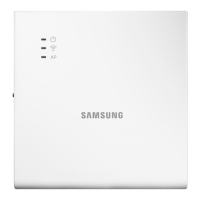

 To Next Page