Need help?
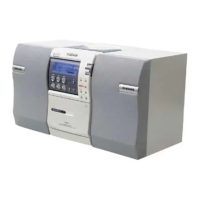
Do you have a question about the Samsung MM-ZB9 and is the answer not in the manual?
Description of Class 1 Laser Product and related precautions.
Warnings regarding electric shock, water exposure, and proper plug usage.
Instructions for connecting the UK power plug, including fuse and wire color coding.
Advice on placement, ventilation, and speaker positioning for optimal performance.
Steps for plugging the system into a mains socket and powering it on.
Instructions for connecting devices like TVs or players via AUX input.
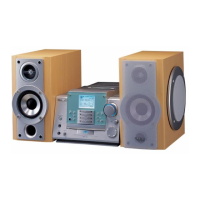
Guidance on connecting main and subwoofer speakers to the system.
Information on using the CD DIGITAL OUT jack with an optical cable.
Instructions for connecting the AM aerial for long and medium wave reception.
Guide on connecting the FM aerial for improved radio reception.
How to access and browse system features using the Demo button.
Step-by-step guide to setting the system's internal clock for automatic functions.
Steps for loading and playing standard CDs and MP3 discs.
Methods for choosing specific tracks or albums on CDs and MP3-CDs.
Explanation of MP3 technology and file compatibility.
Information on playing recordable and rewritable CDs.
How albums and tracks are organized and displayed for playback.
How to use the +10 button to advance through tracks.
Instructions for setting repeat playback for single tracks or the entire disc.
Steps to create a custom playback sequence for CD tracks.
How to review or change programmed track selections.
Guide to finding and saving FM, MW, and LW stations.
How to recall and play back saved radio stations.
Tips for improving signal quality, including mono/stereo selection.
Explanation of the Radio Data System and its information display.
How to view station names, text, and clock time via RDS.
Explanation of program type codes for FM stations.
How to search for stations based on program type.
Steps for inserting and playing audio cassettes.
Explanation of single-side, auto-reverse, and continuous playback modes.
How to record CDs to cassette automatically synchronized with the music.
Methods for direct recording from CD or radio programs.
Guide to setting automatic on/off times for playback.
How to disable the timer function.
How to temporarily silence the audio output and adjust volume.
Adjusting bass levels and selecting sound equalization presets.
Activating the Power Surround for amplified sound.
Setting the system to switch off automatically after a set period.
Guide to using headphones with the system.
Important warnings for operating and moving the unit safely.
Instructions for cleaning the outer casing, CD player, and tape deck.
Guidelines for handling and storing CDs.
Tips for using and caring for audio cassettes.
Solutions for problems like no sound, timer not working, or poor reception.
 General
| Brand | Samsung |
|---|---|
| Model | MM-ZB9 |
| Category | Stereo System |
| Bluetooth | Yes |
| USB Port | Yes |
| FM Radio | Yes |
| Remote Control | Yes |
| Speaker Type | 2-Way |

 To Next Page