EasyManua.ls Logo

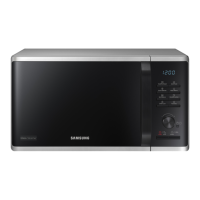
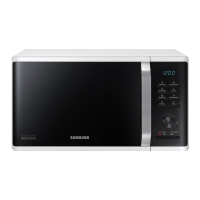
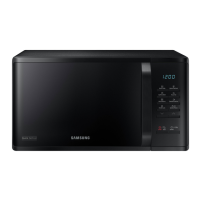
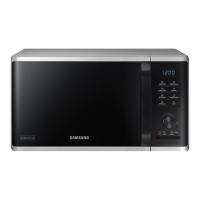
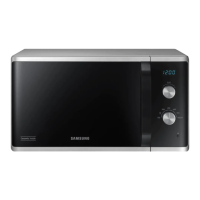
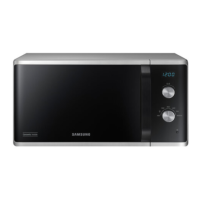
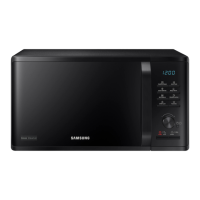
Samsung MS23K3555 series - User Manual

Samsung MS23K3555 series
32 pages
Print Icon
To Next Page IconTo Next Page
Loading...
Microwave Oven
User manual
MS23K3555
**
MS23K3555EK_EU_DE68-04422B-00_EN.indd 1 2016-02-25 �� 2:01:35

Questions and Answers

  • D
    Destiny MunozSep 23, 2025
    Why is there a popping sound during Samsung MS23K3555 Microwave Oven operation, and the oven doesn't work?
    • Y
      youngjenniferSep 23, 2025
      A popping sound during operation of your Samsung Microwave Oven that is not working could be caused by cooking sealed food or using a container with a lid. Do not use sealed containers as they may burst during cooking due to expansion of the contents.
  • L
    Lisa KhanAug 25, 2025
    How to fix Samsung Microwave Oven buttons that cannot be pressed properly?
    • A
      Allison LeblancAug 25, 2025
      If the buttons on your Samsung Microwave Oven cannot be pressed properly, it may be due to a few reasons. First, check for any foreign matter stuck between the buttons and remove it. If it's a touch model, wipe off any moisture on the exterior. Also, make sure that the Child lock is deactivated.
  • A
    Andrew BakerAug 25, 2025
    What to do if the Samsung MS23K3555 Microwave Oven door cannot be opened properly?
    • D
      danielkimAug 26, 2025
      If your Samsung Microwave Oven door cannot be opened properly, it might be due to food residue stuck between the door and the oven interior. Clean the oven to remove any residue, and then try opening the door again.
  • J
    jenkinsstevenAug 26, 2025
    How to fix buttons that won't press on my Samsung MS23K3555?
    • R
      Russell JohnsonAug 27, 2025
      If the buttons on your Samsung Microwave Oven aren't pressing properly, the issue might be due to foreign matter stuck between the buttons. Remove any foreign matter and try again. Also, wipe any moisture from the exterior. Finally, ensure that the Child Lock feature is deactivated.
  • A
    abbottaaronAug 27, 2025
    What to do if my Samsung MS23K3555 power turns off during operation?
    • D
      dcastroAug 27, 2025
      If your Samsung Microwave Oven turns off during operation, it could be due to several reasons. It may be because the oven has been cooking for too long, in which case you should let it cool down. Check if the cooling fan is working. Also, ensure you have food inside the oven during operation. Make sure there's enough ventilation space around the oven, keeping the gaps specified in the product installation guide, and that the oven is connected to its own designated socket.
  • M
    mooreruthSep 13, 2025
    Why is my Samsung MS23K3555 Microwave Oven not level?
    • M
      Ms. Amanda Alvarado PhDSep 13, 2025
      If your Samsung Microwave Oven is not level, it is likely installed on an uneven surface. Ensure the oven is placed on a flat, stable surface.
  • D
    dodsonandrewSep 12, 2025
    Why does my Samsung MS23K3555 immediately start to work when power is connected?
    • T
      Tamara WilsonSep 12, 2025
      If your Samsung Microwave Oven immediately starts to work when power is connected, it indicates that the door is not properly closed. Ensure the door is fully closed and check again.
  • S
    Stephanie GarzaSep 12, 2025
    Why is the interior light dim or not turning on in my Samsung MS23K3555 Microwave Oven?
    • T
      tleeSep 12, 2025
      If the interior light of your Samsung Microwave Oven is dim or does not turn on, it could be because the door has been left open for an extended period. The interior light may automatically turn off when the Eco function operates, so close and reopen the door or press the Cancel button. Alternatively, the interior light may be covered by foreign matter, so clean the inside of the oven and check again.
  • M
    Michael HughesSep 4, 2025
    Why is my Samsung MS23K3555 exterior too hot during operation?
    • V
      Victoria Butler DDSSep 4, 2025
      If the exterior of your Samsung Microwave Oven gets too hot during operation, it could be due to insufficient ventilation space. Ensure you keep the clearances specified in the product installation guide around the intake/exhaust outlets on the front and rear of the oven. Also, remove any objects placed on top of the oven.
  • N
    norma75Sep 2, 2025
    Why is the time not displayed on my Samsung Microwave Oven?
    • G
      gary31Sep 2, 2025
      If the time is not displayed on your Samsung Microwave Oven, the Eco (power-saving) function might be activated. Turn off the Eco function to display the time.

Summary

Safety instructions

IMPORTANT SAFETY INSTRUCTIONS

Crucial warnings and guidelines for safe operation and maintenance of the microwave oven.

General safety

Covers modifications, repairs, installation location, grounding, and cord safety.

Microwave warning

Alerts to potential hazards like delayed eruptive boiling of beverages.

Installation

Maintenance

Oven features

Control panel

Identifies and explains the function of each button on the control panel.

Oven use

Cooking;Reheating

Step-by-step guide for cooking or reheating food using the microwave.

Power levels and time variations

Explains different power levels and their impact on cooking time.

Using the auto cook features

Guide to using the 20 pre-programmed auto cook options.

Using the quick defrost features

How to use the quick defrost function for various food types.

Quick Defrost programmes

Details on defrosting meat, poultry, fish, vegetables, and bread.

Cookware guide

Cookware guide

Table indicating which cookware is microwave-safe and how to use it.

Cooking guide

Reheating Liquids and Food

Provides guidelines for power levels and times for reheating liquids and food.

Troubleshooting and information code

Troubleshooting

Lists common problems, their causes, and solutions for the oven.

The thaw function does not work.

Solutions for problems encountered with the defrost function.

Technical specifications

Samsung MS23K3555 series Specifications

General IconGeneral
Capacity23 L
Power Output (Microwave)800 W
Dimensions (W x H x D)489 x 275 x 374 mm
Weight12 kg
Turntable Diameter288 mm
Display TypeLED
Installation TypeCountertop
Power Levels6
ColorBlack
Power Consumption (Microwave)1250W
Power Source230V, 50Hz

Related product manuals