
 To Next Page
D
donaldrushSep 8, 2025
How to level my Samsung MS23K3515AW Microwave Oven?
- CcdavisSep 8, 2025
If your Samsung Microwave Oven is not level, it may be installed on an uneven surface. Ensure the oven is placed on a flat, stable surface.

How to level my Samsung MS23K3515AW Microwave Oven?
If your Samsung Microwave Oven is not level, it may be installed on an uneven surface. Ensure the oven is placed on a flat, stable surface.
How to fix Samsung MS23K3515AW Microwave Oven buttons that are not responding?
If the buttons on your Samsung Microwave Oven are not pressing properly, there might be foreign matter caught between them; remove any debris and try again. For touch models, wipe any moisture from the exterior. Also, check if the Child lock is activated and deactivate it.
Why is my Samsung MS23K3515AW not heating properly?
If your Samsung Microwave Oven, including the Warm function, isn't heating properly, test it by putting one cup of water in a microwave-safe container and running the microwave for 1-2 minutes. See if the water heats up. If not, reduce the amount of food you're cooking and try again. Also, ensure you're using a cooking container with a flat bottom.
Why is the time not displayed on my Samsung MS23K3515AW Microwave Oven?
If the time is not displayed on your Samsung Microwave Oven, the Eco (power-saving) function may be activated. Turn off the Eco function to display the time.
Why does my Samsung Microwave Oven beep during cooking?
If your Samsung Microwave Oven beeps during cooking while using the Auto Cook function, it indicates it's time to turn over the food during thawing. After turning the food, press the START/+30s button again to restart operation.
Why is the cooling fan still running after cooking in my Samsung Microwave Oven?
The cooling fan in your Samsung Microwave Oven continues to run for about 3 minutes after cooking is complete to ventilate the oven. This is normal operation.
Why is there water dripping, steam emitting, or water remaining in my Samsung MS23K3515AW?
The presence of water or steam in your Samsung Microwave Oven can occur depending on the food being cooked and is not necessarily a malfunction. Let the oven cool and then wipe it with a dry dish towel.
Why does the brightness vary inside my Samsung MS23K3515AW Microwave Oven?
Brightness changes inside your Samsung Microwave Oven during cooking are due to power output changes, according to the function being used, and are not a malfunction.
Why is the outside of my Samsung MS23K3515AW Microwave Oven getting so hot?
If the exterior of your Samsung Microwave Oven is getting too hot, it may not have sufficient ventilation space. Ensure there are adequate gaps around the intake/exhaust outlets, as specified in the product installation guide. Also, remove any objects placed on top of the oven.
Why does the turntable in my Samsung Microwave Oven stop turning or come out of place?
If the turntable in your Samsung Microwave Oven comes out of place or stops turning, it may be due to the absence of the roller ring or improper placement. Install the roller ring correctly and try again.
Essential guidelines for safe operation and handling of the microwave oven.
General precautions for operating and maintaining the microwave oven safely.
Specific warnings related to heating liquids and potential hazards.
Precautions for operating the microwave oven safely and correctly.
Information regarding Samsung's warranty terms and conditions for the product.
Guidelines for responsible disposal of the product and electronic accessories.
Lists and describes the accessories included with the microwave oven.
Recommended placement and ventilation requirements for the oven.
Instructions on how to clean the oven interior, exterior, and specific parts.
Guidance on when to contact service for repairs and parts replacement.
Advice on storing the oven if it will not be used for a long time.
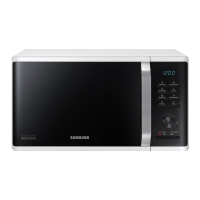
Diagram identifying the main parts of the microwave oven.
Explanation of the buttons and functions on the oven's control panel.
Explains the basic principles of microwave cooking technology.
A simple procedure to verify the oven's functionality before use.
Step-by-step guide for cooking or reheating food using the microwave.
Instructions on how to set the oven's clock and timer functions.
Details on adjusting power levels and their impact on cooking time.
Methods for increasing or decreasing the cooking duration.
How to temporarily or completely stop the cooking process.
Information on activating and deactivating the oven's energy-saving feature.
Guide to using pre-programmed cooking options for various foods.
Instructions for using the quick defrost function for different food types.
How to use pre-programmed settings for softening butter or melting ingredients.
Instructions on saving and using custom cooking settings.
How to activate and deactivate the child lock to prevent accidental operation.
Guide to turning the oven's audible beeps on or off.
Information on choosing suitable cookware for microwave cooking.
Explanation of how microwave energy cooks food.
General advice and principles for cooking food using the microwave.
Guidelines for reheating various liquids and food items with power and time suggestions.
Solutions for common problems encountered while operating the oven.
Troubleshooting steps related to the oven's turntable not functioning correctly.
Explains error codes or informational messages displayed by the oven.
Provides country-specific phone numbers and website links for Samsung support.
 General
| Turntable | Yes |
|---|---|
| Door hinge | Left |
| Control type | Rotary, Touch |
| Display type | LED |
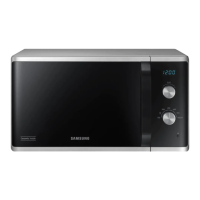
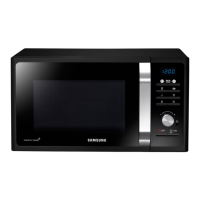
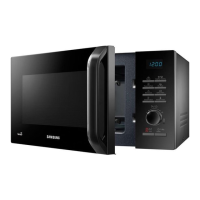
| Product type | Solo microwave |
| Product color | Black, White |
| Turntable size | 288 mm |
| Microwave power | 800 W |
| Appliance placement | Countertop |
| Inverter technology | No |
| Number of power levels | 6 |
| Connected load | 1150 W |
| AC input voltage | 230 V |
| AC input frequency | 50 Hz |
| Package depth | 423 mm |
| Package width | 552 mm |
| Package height | 326 mm |
| Package weight | 13500 g |
 Weight and Dimensions
| Depth | 374 mm |
|---|---|
| Width | 489 mm |
| Height | 275 mm |
| Weight | 12000 g |
| Interior dimensions (W x D x H) | 330 x 211 x 324 mm |