EasyManua.ls Logo

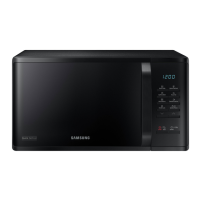
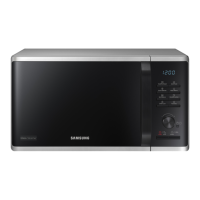
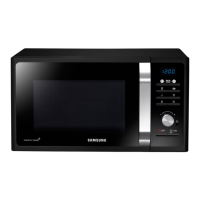
Samsung MS23H3125 Series - User Manual

Samsung MS23H3125 Series
32 pages
Print Icon
To Next Page IconTo Next Page
Loading...
Microwave Oven
Owners Instructions & Cooking Guide
MS23H3125**
imagine the possibilities
Thank you for purchasing this Samsung product.
This manual is made with 100 % recycled paper.
Please be advised that the Samsung warranty does NOT cover service
calls to explain product operation, correct improper installation, or
perform normal cleaning or maintenance.
MS23H3125AK_EU_DE68-04241A-01_EN.indd 1 2014-04-07 �� 1:48:33

Questions and Answers

  • C
    Corey WaltersJul 27, 2025
    How to fix a Samsung Microwave Oven that won't heat up?
    • G
      Gloria ColeJul 27, 2025
      If your food is not cooking at all in your Samsung Microwave Oven, please check: * Make sure you have correctly set the timer and pressed the START/+30s button. * Ensure the door is fully closed. * Verify that you haven't overloaded the electrical circuit, causing a fuse to blow or a breaker to trip.
  • K
    Kaitlyn EvansJul 31, 2025
    What does the “SE” message mean on a Samsung Microwave Oven?
    • D
      David FreemanJul 31, 2025
      If your Samsung Microwave Oven displays an “SE” message: * Clean the keys and check for water on the surface around them. * Turn off the microwave oven and try setting it again.
  • S
    swallAug 5, 2025
    How to get rid of new smell in Samsung MS23H3125?
    • A
      April WoodAug 6, 2025
      If you notice smoke and a bad smell when initially operating your Samsung Microwave Oven, put lemon formation or lemon juice in the cabinet while operating the microwave oven to remove the smell more quickly.
  • S
    Samantha HansenAug 10, 2025
    Why is my Samsung MS23H3125 Microwave Oven overcooking or undercooking food?
    • N
      nchangAug 11, 2025
      If your food is consistently overcooked or undercooked in your Samsung Microwave Oven, check the following: * Ensure you are setting the appropriate cooking time for the type of food you are preparing. * Verify that you have selected an appropriate power level for the food.
  • C
    Charles GeorgeAug 15, 2025
    Why does my Samsung MS23H3125 Microwave Oven interfere with my TV?
    • M
      manuel60Aug 15, 2025
      If your Samsung Microwave Oven is causing interference with radios or televisions: * Install the oven away from televisions, radios, and aerials. * Disconnect the power plug and reconnect it, then reset the time.
  • B
    Brett MosleyAug 20, 2025
    What does error code E-12 mean on Samsung MS23H3125 Microwave Oven?
    • T
      turnermariaAug 21, 2025
      The “E-12” message on your Samsung Microwave Oven indicates high humidity in the cavity, usually occurring when operating the microwave oven again shortly after a previous operation. Turn off the microwave oven and try setting it again.

Summary

Safety Information

Using This Instruction Booklet & Symbols

Guidance on effectively using the manual and understanding warning symbols.

Important Safety Instructions

Critical safety precautions to be observed at all times before and during oven use.

Precautions for Excessive Microwave Energy

Measures to prevent harmful exposure to microwave energy during operation.

General Warnings and Precautions

Comprehensive warnings regarding operation, installation, and general safety.

Product Disposal Guidelines

Instructions for the correct and environmentally responsible disposal of the product.

Installation and Wiring Instructions

Important Installation Notes

Key information regarding the mains lead, fuse, and plug suitability.

Wiring and Earthing Procedures

Guidance on proper earthing and wire connections for safe operation.

Circuit and Electrical Safety

Advice on separate circuits and general electrical safety for the oven.

Cooking Instructions

Food Packaging Symbols

Explanation of oven and packaged food symbols for cooking guidance.

Understanding Cooking Ratings

How to use IEC power ratings and categories for cooking instructions.

Quick Look Up Guide

Cooking Food

Step-by-step instructions for cooking general food items.

Auto Power Defrost Function

Guide for using the auto power defrost function for frozen food.

Adding Extra Cooking Time

Method to add 30-second increments to the current cooking time.

Oven Features Overview

Oven Component Identification

Identifies and labels the main parts of the microwave oven.

Control Panel Functions

Details and labels all buttons and the dial knob on the control panel.

Included Accessories

Lists and explains the purpose of included accessories like roller ring and turntable.

Oven Usage Details

Microwave Oven Working Principle

Explains the principle of microwave energy and how it cooks food.

Verifying Oven Operation

Procedure to verify the microwave oven is functioning correctly.

Setting the Oven Time

Instructions for setting the oven's clock in 12-hour or 24-hour format.

Cooking and Reheating Procedures

Step-by-step guide for cooking or reheating food using the microwave function.

Advanced Oven Functions

Power Levels and Time Adjustment

Details power levels and methods for adjusting cooking time.

Stopping and Resuming Cooking

How to temporarily stop, resume, or completely stop the cooking process.

Energy Save Mode

Information on activating and deactivating the energy saving mode.

Deodorisation and Kitchen Timer

Using deodorisation and kitchen timer features for odor removal and alerts.

Sensor Cook and Healthy Cooking

Using pre-programmed sensor cook and healthy cooking settings.

Specialised Cooking Guides

Auto Power Defrost

Using auto defrost for meat, poultry, and fish based on weight.

My Plate and Soften;Melt Features

Using pre-programmed settings for ready meals, vegetarian meals, and softening/melting.

Power Steam Cooking Guide

Guide for using the power steamer accessory for fast, healthy cooking.

Beeper and Safety Lock

Switching the Beeper Off

Steps to turn the oven's audible beeper on or off.

Safety-Locking the Oven

How to lock and unlock the oven using the child safety program.

Cookware Guide

Cookware Suitability

Lists various cookware types and their microwave-safe status.

Reheating Liquids and Food

Instructions for reheating liquids and food using power levels and times.

Troubleshooting and Specifications

Troubleshooting Common Issues

Solutions for common problems like food not cooking or interference.

Error Codes and Causes

Details specific error messages like 'SE' and 'E-12' and their solutions.

Technical Specifications

Lists key technical specifications of the microwave oven model.

Customer Support

Questions or Comments

Provides contact phone numbers and website addresses for customer support.

Samsung MS23H3125 Series Specifications

General IconGeneral
TypeSolo
Capacity23 L
Power Output800 W
Weight12 kg
ColorBlack
Power Level6
TurntableYes
Turntable Diameter288 mm
GrillNo
ConvectionNo
Auto Cook MenuYes
Child LockYes
Display TypeDigital
Cavity InteriorEnamel

Related product manuals