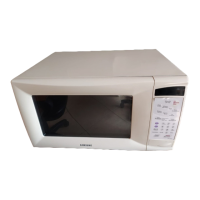
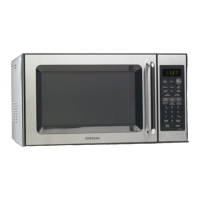
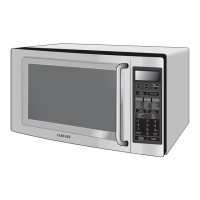
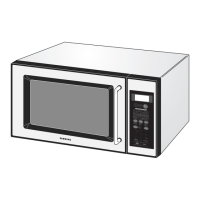
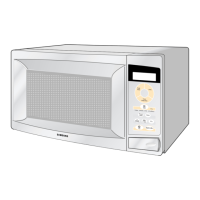
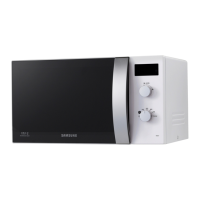
This document is an owner's manual for a Samsung Microwave Oven, covering several models including MW1030WA, MW1060WA, MW1060SA, MW1230WA, MW1230BA, MW1255WA, MW1255BA, MW1260WA, MW1260BA, MW1430WA, MW1430BA, MW1455WA, MW1455BA, MW1460WA, MW1460BA, MW1660WA, MW1660BA, MW1960WA, and MW1960BA. The manual provides essential information for safe and effective operation, maintenance, and troubleshooting of the microwave oven.
Function Description
The Samsung Microwave Oven is designed primarily for heating, cooking, and drying food. It utilizes microwave energy to prepare a variety of dishes efficiently. The oven offers multiple cooking stages, allowing users to set different power levels and cooking times for complex recipes. It also includes specialized functions for defrosting, reheating, and instant cooking of popular foods. The appliance is intended for household use and is not designed for industrial or laboratory applications.
Usage Features
The microwave oven features a user-friendly control panel with various buttons for different functions. Key usage features include:
- Power On and Weight Selection: Upon initial plug-in or after a power interruption, the display shows "88:88," prompting the user to select the preferred weight system (pounds or kilograms) by pressing "0" repeatedly.
- Clock Setting: Users can set the current time using the "Clock" button and number buttons. The clock blinks to indicate it is set. The time can be checked even during cooking.
- Pause/Cancel Button: This versatile button allows users to pause the cooking cycle to check food, stop cooking, erase instructions, or correct mistakes. Pressing it once pauses, pressing "Start" resumes. Pressing it twice stops cooking and clears instructions.
- One Minute+ Button: This feature provides a convenient way to heat food in one-minute increments at High power. It can also add minutes to a program already in progress.
- Instant Cook Buttons: Dedicated buttons for popular foods like Popcorn, Potato, Beverage, Boil Water, Fresh Vegetables, Frozen Vegetables, Frozen Breakfast, Frozen Dinner, Pizza Reheat, Bacon, Baby Food, and Soften Ice Cream. Users select the food type and serving size, and the oven automatically begins cooking. The display cycles through available serving sizes.
- Auto Reheat: This function allows users to reheat various dishes by selecting the dish type and number of servings. The microwave automatically calculates the reheating time. Available options include "Plate of Food," "Casserole," and "Sopas/Salsas."
- Auto Defrost: To thaw frozen food, users select the food's weight, and the microwave automatically sets the defrosting time, power level, and standing time. The oven beeps twice during defrosting to prompt the user to turn the food over.
- Setting Cooking Times & Power Levels: The oven supports up to two different cooking stages, each with its own time length and power level. Power levels range from Warm (1) to High (0), allowing precise control over heating intensity. For single-stage cooking, the power level defaults to High unless manually adjusted.
- Multi-stage Cooking: For recipes requiring different temperatures, users can set multiple cooking stages by entering the time for the first stage, pressing "Power Level," setting the power level for the second stage, and then pressing "Start."
- More/Less Button: This button adjusts pre-set cooking times for "Auto Reheat" and "Instant Cook" functions. "More" (button 9) increases time, and "Less" (button 1) reduces it. It is not compatible with the "Baby Food" key.
- Adjusting the Volume: The "Sound" button allows users to adjust the volume of the microwave's chime sound, with options to turn it on or off.
- Kitchen Timer: A standalone timer function allows users to set a desired duration using number buttons, with the display counting down and beeping upon completion.
- Demonstration Mode: This mode allows users to see how the microwave oven operates without actually heating, activated by pressing "0" and "1" simultaneously.
- Child Protection Lock: To prevent unsupervised use by children, the oven can be locked by pressing "0" and "2" simultaneously. Repeating the action unlocks it.
Maintenance Features
Proper maintenance ensures the longevity and efficiency of the microwave oven. The manual provides guidelines for care and cleaning:
- General Cleaning: The inside of the oven should be kept clean, as food particles and spilled liquids can reduce efficiency. Spills should be wiped up immediately with a damp cloth and mild soap, avoiding harsh detergents or abrasives.
- Loosening Baked-on Food: For stubborn baked-on food, heating two cups of water (with lemon juice for freshness) in a four-cup measuring glass at High power for five minutes until boiling, then letting it stand for one or two minutes, helps loosen residue.
- Glass Tray Care: The glass tray should be removed for cleaning. It should be handled carefully, especially when hot, and washed in warm sudsy water or in a dishwasher.
- Exterior Cleaning: The outside surface of the oven should be cleaned with soap and a damp cloth, then dried with a soft cloth. Care should be taken to prevent water from seeping into openings.
- Door Window Cleaning: The door window should be cleaned with very mild soap and water, using a soft cloth to avoid scratching.
- Condensation Management: If steam accumulates inside or outside the oven door, it should be wiped with a soft cloth. This is normal in high humidity and does not indicate microwave leakage.
- Operating Without Food: The oven should never be operated empty, as this can damage the magnetron tube or glass tray. Keeping a cup of water in the oven when not in use can prevent accidental damage.
- Turntable Maintenance: The turntable and roller ring should be cleaned regularly and ensured to be positioned correctly to prevent noises or sticking.
Safety Precautions
The manual emphasizes several safety precautions:
- Microwave Energy Exposure: Never operate the oven with the door open, tamper with safety interlocks, or place objects between the door and the oven face. Do not operate a damaged oven, especially if the door, hinges, latches, or seals are compromised. Repairs should only be performed by qualified service personnel.
- Grounding Instructions: The appliance must be properly grounded using a three-prong power cord plugged into a grounded 115-120 voltage, 60 Hz outlet. Improper grounding can lead to electric shock.
- Extension Cords: If an extension cord is used, it must be a grounding-type 3-wire cord, have an electrical rating at least as great as the appliance, and be arranged to prevent tripping hazards.
- General Safety: Read all safety instructions before use. Avoid heating whole eggs or sealed containers, as they may explode. Use the appliance only for its intended purpose (heating, cooking, drying food). Close supervision is necessary when children are present. Do not operate with a damaged cord or plug. Do not cover or block openings.
- Fire Prevention: Do not overcook food. Remove wire twist-ties from plastic cooking bags. If materials inside the oven ignite, keep the door closed, turn off the oven, and disconnect power. Do not use the oven compartment for storage.
- Utensil Safety: Use only microwave-safe utensils. Avoid metal utensils, glass jars, paper bags (except popcorn bags), Styrofoam, and plastic storage containers that can melt. Test unknown dishes for microwave safety.
- Food Handling: Pierce foods with non-porous skin (potatoes, eggs, hot dogs) to prevent bursting. Avoid frying with heating oil or fat. Be aware that some ingredients heat faster than others. Home canning is not recommended. Always use pot holders when removing hot food.
This comprehensive manual ensures users can safely and effectively utilize their Samsung Microwave Oven for various cooking needs.

 Need help?
 General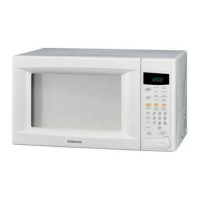

 To Next Page