02 Getting Started
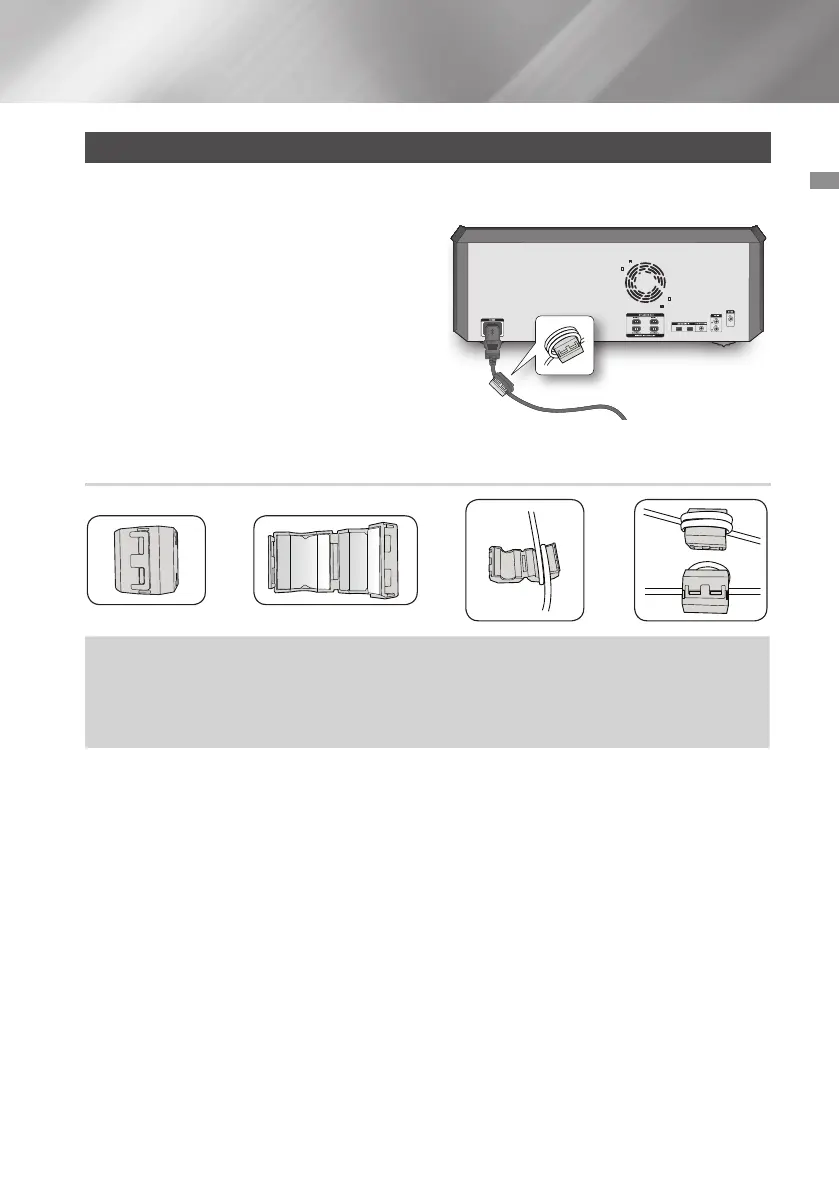
Attaching the toroidal ferrite core to the power cord
Attaching the Toroidal ferrite core to the power cord helps prevent RF interference from radio
signals.
1. Pull the fixing tab of the Toroidal ferrite core to
open it.
2. Make two loops around the core with the
power cable. See the illustration below.
3. Attach the Toroidal ferrite core to the power
cord as shown in the illustration below, and
then press it until it clicks.
Looping the power cable around the toroidal core
Lift up to release
the lock and
open the core.
Make two loops around the
core with the power cable.
(Start winding 5 to 10 cm
[2 - 4 in.] away from the
core).
Close the lock.
➜ ➜ ➜
11 English



 To Next Page