EasyManua.ls Logo

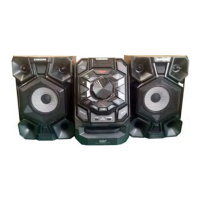
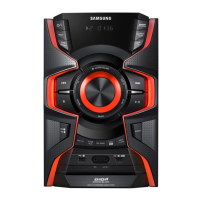
Samsung MX-JS9000 - User Manual

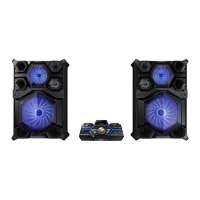
Samsung MX-JS9000
62 pages
Print Icon
To Next Page IconTo Next Page
Loading...
PREMIUM HI-FI Component System
user manual
MX-JS9000
imagine the possibilities
Thank you for purchasing this Samsung product.
To receive more complete service,
please register your product at
www.samsung.com/register
[MX-JS9000-XA]AH68-02850D-00ENG.indd 1 2015-03-23 오전 11:09:35

Table of Contents

Questions and Answers

  • M
    Monica WoodJul 27, 2025
    Why can't my Samsung MX-JS9000 receive radio broadcast?
    • B
      Brandon HernandezJul 27, 2025
      If your Samsung Stereo System can't receive radio broadcasts, ensure the antenna is connected properly. If the antenna signal is weak, install an external FM antenna in an area with good reception.
  • P
    Paul NguyenAug 4, 2025
    Why is no sound produced by my Samsung Stereo System?
    • J
      James JohnsonAug 4, 2025
      Sound may not be produced during fast playback, slow playback, and step motion playback. Also, check if the speakers are connected properly and the speaker setup is correctly customized. Finally, the disc may be severely damaged.
  • Z
    zmunozAug 11, 2025
    Why does the remote control not work for my Samsung Stereo System?
    • T
      tgreeneAug 11, 2025
      If the remote control for your Samsung Stereo System doesn't work, it may be due to the remote control being operated outside of its operational angle and distance range, or the batteries may be drained.
  • D
    Danielle VillaAug 18, 2025
    What to do if playback does not start immediately on my Samsung Stereo System?
    • C
      Cody GibsonAug 19, 2025
      If playback doesn't start immediately when you press the Play/Pause button on your Samsung Stereo System, it might be caused by a deformed or scratched disc. Try wiping the disc clean.

Summary

Safety Information

Warning

Instructions to reduce risk of electric shock and other hazards.

Precautions

General safety guidelines and warnings for product usage.

Getting Started

Remote Control

Explains the functions and buttons of the remote control.

Functions

Playing a CD

Instructions for loading, playing, and selecting tracks on a CD.

Playing USB Devices

How to connect and play music from USB storage devices.

Connecting to Bluetooth Devices

Step-by-step guide for pairing with Bluetooth devices.

TV SoundConnect

How to stream TV audio to the Hi-Fi system.

Timer Function

Setting the system to turn on or off automatically.

The Recording Function

Overview and steps for recording audio from various sources.

Appendix

Troubleshooting

Common problems and their solutions for product malfunction.

Specifications

Technical details and measurements of the Hi-Fi system.

Samsung MX-JS9000 Specifications

General IconGeneral
Type-
Cassette deckNo
Product colorBlack
Optical disc playerYes
Number of optical discs1 discs
RMS rated power3400 W
Number of speakers2
Peak Music Power Output (PMPO)37400 W
Subwoofer driver diameter (imperial)15 \
Tuner typeDigital
Supported radio bandsFM
USB 2.0 ports quantityUSB 2.0 ports have a data transmission speed of 480 Mbps, and are backwards compatible with USB 1.1 ports. You can connect all kinds of peripheral devices to them.
Disc types supportedCD-DA, CD-R, CD-RW
Audio formats supportedMP3, WMA
Power sourceAC
Power consumption (standby)0.45 W
Power consumption (typical)127 W
Display typeVFD
Weight and Dimensions IconWeight and Dimensions
Depth408 mm
Width525 mm
Height238 mm
Weight8300 g
Package weight77400 g

Related product manuals