EasyManua.ls Logo

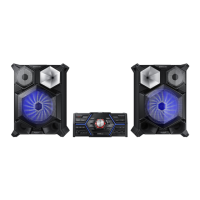
Samsung MX-JS8000 - User Manual

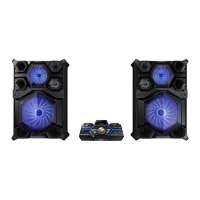
Samsung MX-JS8000
66 pages
Print Icon
To Next Page IconTo Next Page
Loading...
PREMIUM HI-FI Component System
user manual
MX-JS8000
imagine the possibilities
Thank you for purchasing this Samsung product.
To receive more complete service,
please register your product at
www.samsung.com/register
SAMSUNG AUDIO REMOTE
ANDROID APP ON
MX-JS8000-ZC_ENG-0412.indd 1MX-JS8000-ZC_ENG-0412.indd 1 2016-04-12  10:16:082016-04-12  10:16:08

Table of Contents

Questions and Answers

  • C
    Christopher TorresJul 27, 2025
    What to do if my Samsung Stereo System produces no sound?
    • K
      Kari HamiltonJul 27, 2025
      If your Samsung Stereo System isn't producing sound, check the following: * Ensure the speakers are connected properly and the speaker setup is correctly customized. * Verify if the disc is severely damaged. Note that no sound is heard during fast playback, slow playback, and step motion playback.
  • M
    Makayla SimpsonAug 4, 2025
    Why is my Samsung MX-JS8000 remote control not working?
    • T
      Timothy FaulknerAug 4, 2025
      If the remote control for your Samsung Stereo System isn't working, ensure it's within the operational angle and distance range. Also, check if the batteries are drained and replace them if needed.
  • N
    Nicholas RaymondAug 12, 2025
    How to fix Samsung MX-JS8000 that can't receive radio broadcast?
    • A
      Alyssa JohnsonAug 12, 2025
      If your Samsung Stereo System isn't receiving radio broadcasts, first ensure the antenna is properly connected. If the antenna's input signal is weak, consider installing an external FM antenna in an area with good reception.
  • J
    Jimmy BryanAug 18, 2025
    Why Samsung MX-JS8000 Stereo System playback doesn't start immediately?
    • P
      Phillip Henderson IIAug 19, 2025
      If playback on your Samsung Stereo System doesn't start immediately when you press the Play/Pause button, it could be due to a deformed or scratched disc. Try wiping the disc clean.

Summary

Safety Information

Warning and Caution Statements

Safety warnings and cautions regarding electric shock, laser product, and product use.

Important Safety Instructions

Essential guidelines for safe operation and handling of the Hi-Fi component.

Getting Started

Front Panel Overview

Overview of the buttons and indicators located on the front panel.

Functions

CD Playback Operations

Loading, playing, pausing, and selecting tracks from various CD formats.

USB Device Playback

Connecting and playing music files from USB storage devices.

Bluetooth Connectivity

Pairing and connecting Bluetooth devices for wireless audio streaming.

Recording to USB Storage

Procedures for recording audio from various sources to a USB storage device.

Appendix

Troubleshooting Guide

Common issues, symptoms, and remedies for product malfunctions.

Specifications

Samsung MX-JS8000 Specifications

General IconGeneral
TypeHome audio mini system
Cassette deckNo
Product colorBlack
Optical disc playerYes
Number of optical discs1 discs
RMS rated power2400 W
Number of speakers2
Peak Music Power Output (PMPO)26400 W
Supported radio bandsFM
Preset stations quantity15
Display typeVFD
Apple docking-
Headphone connectivity3.5 mm
USB 2.0 ports quantityUSB 2.0 ports have a data transmission speed of 480 Mbps, and are backwards compatible with USB 1.1 ports. You can connect all kinds of peripheral devices to them.
Disc types supportedCD-DA, CD-R, CD-RW
Audio formats supportedMP3, WMA
Power sourceAC
Power consumption (standby)0.45 W
Power consumption (typical)132 W
Weight and Dimensions IconWeight and Dimensions
Depth382.5 mm
Width460 mm
Height209 mm
Weight5400 g

Related product manuals