EasyManua.ls Logo

Samsung NP-R20 series - User Manual

Samsung NP-R20 series
126 pages
Print Icon
To Next Page IconTo Next Page
Loading...
*The items marked with this symbol are optional items
that are supported depending on the computer model
SAMSUNG R20
FEATURES
SERVICE
Manual
SAMSUNG
R20/R21
NP-R20xxxx/xxx
NP-R21xxxx/xxx
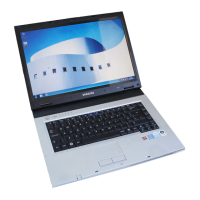
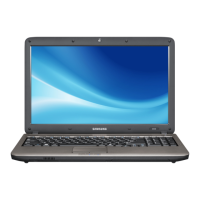
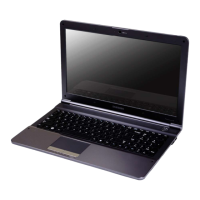
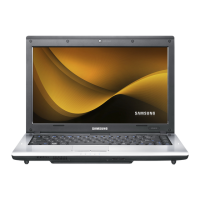
1. High Performance Notebook Computer
-. Intel Core™2 Duo processor, ntel Core™
Duo/Solo Processor . DDR II Memory
-. wireless LAN,Bluetooth
-. 14.1'' WXGA LCD
-. Windows Vista/XP Premium Supportable.
2. Easy-To-Use
Play AVStation and AVStation Now
(optional)are provided to easily play various
multimedia files.
3.Sophisticated Design for increased Usability
-. AVNowandvariousshortcutkeysonthe
keyboard
-. Multi card slot
-. Luxurious design with increased usability

Questions and Answers

  • L
    Leslie WrightSep 23, 2025
    Why is a disc not recognized on my Samsung NP-R20?
    • J
      James LewisSep 23, 2025
      If a disc is not recognized or read by your Samsung Laptop, check if the ODD module and the main board are properly connected with the 50 pin connector. If necessary, replace the ODD.
  • Z
    zrobinsonAug 23, 2025
    What to do if Samsung NP-R20 Laptop does not boot?
    • E
      Erin BassAug 25, 2025
      If your Samsung Laptop is not booting or immediately turns off after being turned on, disconnect the power immediately, disassemble the system, and check for conducting foreign objects like screws inside, as this may indicate a short circuit. Check the connection between the CPU and the RHE. Replace the memory module to ensure it is working correctly. Reset the RTC Reset terminal next to the memory socket.
  • D
    duarteaudreyAug 25, 2025
    How to boot Samsung NP-R20 Laptop from USB?
    • K
      Karen AguilarAug 26, 2025
      If you cannot boot up your Samsung Laptop with a USB floppy drive or from USB memory, check if the diskette is bootable. Also, change the booting priority in the BIOS SETUP.
  • M
    Megan MartinAug 27, 2025
    Why is my Samsung NP-R20 screen dark or colors distorted?
    • D
      Dale MurphyAug 27, 2025
      If your Samsung Laptop screen is dark or the colors are distorted, check the connection between the LCD module and cable, the LCD cable and the main board LCD connector, and the LCD cable and the LCD inverter. If connections are good, consider replacing the LCD cable or LCD inverter. Also, inspect the LCD for any bent or broken parts due to impact.
  • H
    hkaufmanAug 27, 2025
    What to do if no picture appears on Samsung Laptop screen?
    • S
      Sarah RussellAug 27, 2025
      If no picture appears on your Samsung Laptop screen, check the connection between the LCD module and the LCD cable, the LCD cable and the main board LCD connector, and the LCD cable and the LCD inverter. Also, check if the System LED on the main board is blinking. Verify that the memory module is working correctly and that the Power button can be pressed normally.
  • K
    Kevin WilliamsSep 16, 2025
    How to fix 'CMOS Checksum error' on Samsung NP-R20?
    • R
      rebeccamartinezSep 16, 2025
      If your Samsung Laptop displays the 'CMOS Checksum error’ message, replace the battery with a new one of the same type and set up the BIOS SETUP according to your system environment.
  • A
    Alicia Hernandez DDSSep 13, 2025
    What to do if the fan is not working on Samsung Laptop?
    • B
      Brian MoraSep 13, 2025
      If the Fan on your Samsung Laptop is not working correctly, check if the Thermal is locked tightly and ensure the Fan cable is properly connected.
  • E
    Elizabeth ButlerSep 14, 2025
    What to do if Express card is not inserted in Samsung Laptop?
    • M
      Matthew MyersSep 15, 2025
      If the Express card is not inserted or the Eject button does not work on your Samsung Laptop, this may be due to the insulator within the Express card slot being enwrapped. Consider replacing the Express card slot frame to resolve this issue.
  • B
    Benjamin TuckerSep 5, 2025
    How to fix Samsung Laptop when HDD is not recognized?
    • S
      Sabrina WelchSep 6, 2025
      If your Samsung Laptop is not recognizing the HDD, start by checking the connection status of the HDD connector. If the connection is proper, try to fixup the HDD and check whether the system can be found. If the problem persists, change the connector on the motherboard and check again.
  • A
    Alicia MorenoSep 3, 2025
    Why can't I hear sound through headphones on my Samsung NP-R20?
    • J
      James MooreSep 3, 2025
      If you cannot hear sound through headphones on your Samsung Laptop, first, check if the sound is muted in Windows. Next, turn the volume up. If the issue persists, the main board may need to be replaced.

Summary

Precautions

General After-Sales Service Precautions

Guidelines for product repair and handling by customers.

Safety Precautions

Essential safety measures during handling and repair.

Ground

Procedures for proper grounding to prevent electrical hazards.

Static Electricity Precautions

Measures to prevent damage from static discharge.

Introduction and Specification

Specification

Detailed technical specifications of the notebook.

Optional Parts List

List of optional components available for the system.

Disassembly and Reassembling

Disassembly and Reassembly of R20

Step-by-step guide for disassembling and reassembling the R20 model.

Main System Disassembly

Procedures for taking apart the main system components.

LCD Assy Disassembly

Steps for disassembling the LCD assembly.

TOP Assy Disassembly

Procedures for disassembling the top assembly.

Troubleshooting

Debugging Flow Chart

Visual guide for diagnosing system issues.

System Diagnosis

Methods for diagnosing system problems.

Hardware Troubleshooting

Specific steps for troubleshooting hardware failures.

Device Settings Related Software Diagnosis

Troubleshooting software and device settings.

Exploded view

Exploded view of R20

Visual breakdown of the R20 model's components.

Schematic

System Block Diagram

Part list

SYSTEM

Comprehensive list of system parts and their details.

Samsung NP-R20 series Specifications

General IconGeneral
LAN10/100 Ethernet
Battery6-cell Li-Ion
Weight2.4 kg (5.29 lbs)
ChipsetIntel 945GM Express
Memory1GB DDR2 (upgradable to 2GB)
Display14.1" WXGA (1280x800)
GraphicsIntel GMA 950
Hard Drive120GB 5400RPM SATA
Optical DriveDVD
Wireless802.11b/g
Ports3x USB 2.0, VGA, headphone, mic, RJ-45
Card ReaderMMC
Operating SystemWindows Vista Business

Related product manuals