Disassembly and Assembly
32
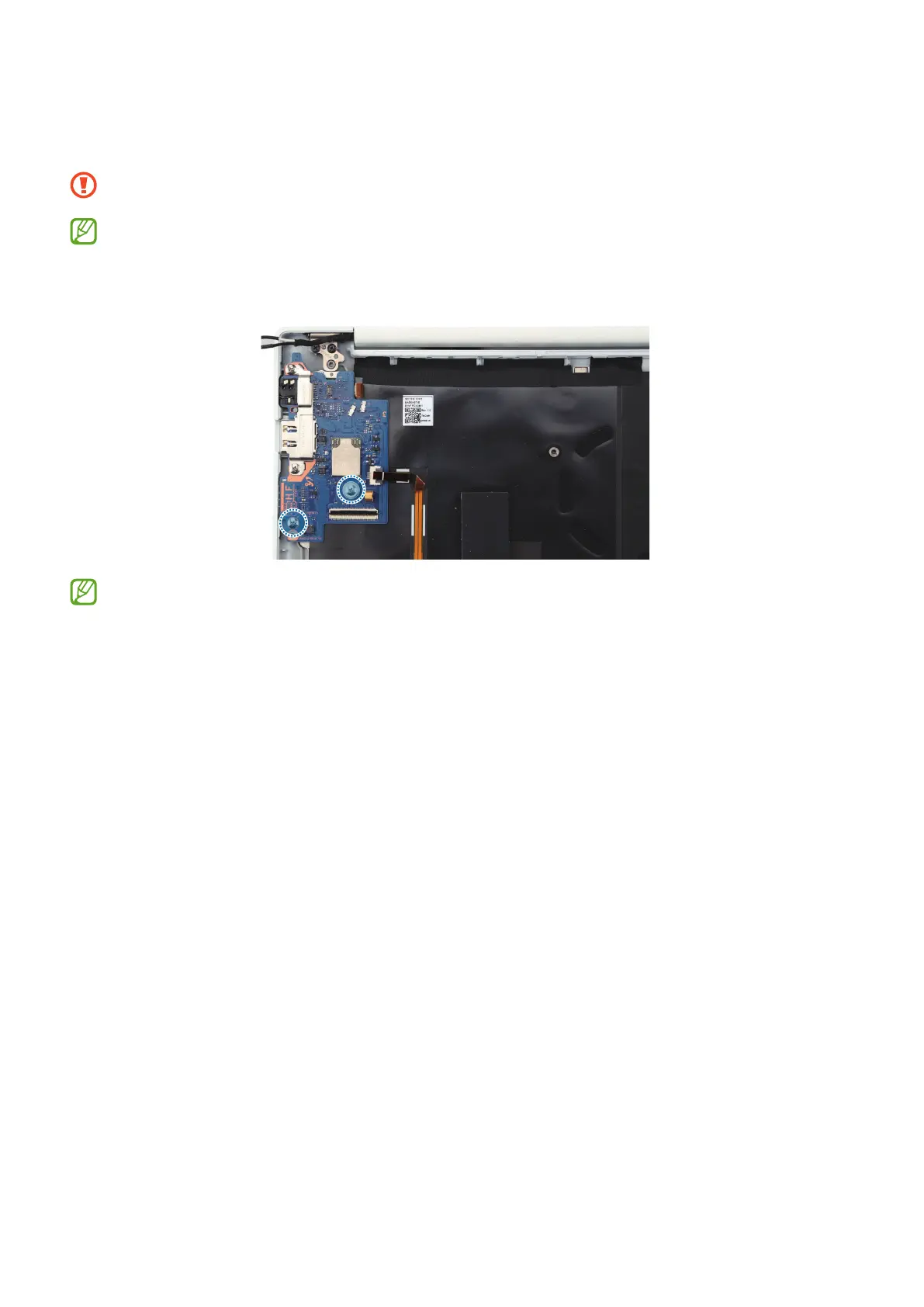
5 Using a cross-head screwdriver, remove the 2 screws on the sub board and lift the
sub board up to separate it.
Be careful not to damage the near components.
Check the number of screws that have been removed, and store them carefully
to make sure that no unassembled screws are left inside the computer during
assembly.
After you finish disassembling, refer to Sub Board Assembly for how to
reassemble.






 To Next Page