EasyManua.ls Logo

Samsung NQ5B6753C Series - User Manual

Samsung NQ5B6753C Series
54 pages
Print Icon
To Next Page IconTo Next Page
Loading...
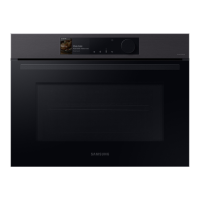
Microwave Oven
User manual
NQ5B6753C**

Questions and Answers

  • G
    ghughesSep 9, 2025
    Why does my Samsung NQ5B6753C start automatically?
    • J
      johnjohnsSep 9, 2025
      If your Samsung Microwave Oven starts working immediately when power is connected, it indicates that the door is not properly closed. Ensure the door is fully closed and check again.
  • M
    Monica AlexanderAug 25, 2025
    How to open a stuck Samsung NQ5B6753C door?
    • K
      Kelly SotoAug 25, 2025
      If your Samsung Microwave Oven door won't open properly, it's likely due to food residue stuck between the door and the oven interior. Clean the oven thoroughly, and then try opening the door again.
  • V
    victoriawashingtonAug 25, 2025
    What to do if my Samsung Microwave Oven is not heating?
    • B
      Brian WalterAug 26, 2025
      If your Samsung Microwave Oven isn't heating, it could be due to a few reasons. First, ensure the door is fully closed. If that's not the issue, test the oven by placing a cup of water in a microwave-safe container and running it for 1-2 minutes. If the water doesn't heat, there may be a different problem. Also, check if you are cooking too much food or using improper cookware. Reduce the amount of food and make sure to use a cooking container with a flat bottom.
  • M
    Mary PhillipsSep 23, 2025
    Why is my Samsung Microwave Oven leaking steam from the door?
    • D
      Daniel MooreSep 23, 2025
      Steam leaking from the door of your Samsung Microwave Oven may be normal depending on the food. This is not an oven malfunction. Let the oven cool and then wipe with a dry dish towel.
  • J
    Jack SextonSep 9, 2025
    Why is my Samsung NQ5B6753C Microwave Oven giving off electricity?
    • X
      xmullinsSep 9, 2025
      If you notice electricity coming from the oven, it's likely that the power or power socket isn't properly grounded. Ensure that the power and power socket are correctly grounded.
  • M
    mccartymichaelSep 14, 2025
    Why is my Samsung NQ5B6753C Microwave Oven interior light dim?
    • R
      Ronald WeberSep 14, 2025
      If the interior light of your Samsung Microwave Oven is dim or doesn't turn on, it might be because the door has been left open for an extended period. The light may automatically turn off. Try closing and reopening the door or pressing the "Light" button. Also, check if the interior light is covered by foreign matter; if so, clean the inside of the oven.
  • J
    Jennifer MillerSep 4, 2025
    Why is the thaw function not working on my Samsung Microwave Oven?
    • T
      Tina SmithSep 4, 2025
      If the thaw function isn't working on your Samsung Microwave Oven, it could be due to the oven not working correctly, cooking too much food, or using improper cookware. Put one cup of water in a microwave-safe container and run the microwave for 1-2 minutes to check whether the water is heated. Reduce the amount of food and start the function again. Use a cooking container with a flat bottom.
  • R
    Raymond GarzaSep 4, 2025
    Why is my Samsung Microwave Oven smoking during preheating?
    • R
      richard24Sep 4, 2025
      If you notice smoke coming from your Samsung Microwave Oven during preheating, especially during initial use, it might be due to the heating elements. This is usually not a malfunction and should stop after running the oven 2-3 times. Also, check if food is on the heating elements; let the oven cool before removing it.
  • C
    Chad AndersonSep 23, 2025
    Why is there a burning or plastic smell when using my Samsung Microwave Oven?
    • V
      Victoria BakerSep 23, 2025
      If you notice a burning or plastic smell when using your Samsung Microwave Oven, it's likely due to plastic or non-heat-resistant cookware being used. Use glass cookware suitable for high temperatures.
  • T
    thowardAug 29, 2025
    Why doesn't the time show on my Samsung NQ5B6753C Microwave Oven?
    • L
      Lance WilsonAug 29, 2025
      The time not being displayed on your Samsung Microwave Oven is caused by the power not being supplied. Make sure power is supplied. It can also be due to the display option being off. Turn the display option on. Note that it is normal for the current time to disappear a few minutes after the display option has been turned on.

Summary

Safety Instructions

General Safety & Precautions

Covers general safety, microwave warnings, and operation precautions.

Product Info, Disposal & Packaging

Includes warranty, product definition, disposal, and food packaging instructions.

Installation

Unpacking & Accessories

Details on oven parts, accessories, and an overview diagram.

Installation Procedures & Technicals

Covers technical specs, safety, electrical connection, and cabinet installation.

Mounting the Oven

Step-by-step guide for physically installing the oven into its designated space.

Before You Start

Control Panel & Initial Settings

Overview of controls, settings, language, and connectivity setup.

Microwave Usage Guidance

Information on side racks, microwave energy, and cookware suitability.

Operations

Oven & Microwave Modes

Instructions for using different oven and microwave cooking modes.

Special Functions & Auto Programs

Covers Special Functions, Auto Cook, Auto Defrost, and Speed Cook.

Timer, Cleaning & Settings

How to use Timer, Cleaning, Deodorisation, and adjust Settings.

Cooking Smart

Auto Cook Programmes

Detailed guide to 31 Auto Cook recipes and programmes.

Manual Cooking & Reheating

Guidelines for manual cooking, fresh vegetables, and reheating.

Advanced Cooking Modes

Instructions for defrost, convection, grilling, combination cooking, and Pro Steamer.

Air Fry & Quick Recipes

Instructions for Air Fry, multi-level cook, and simple quick recipes.

Maintenance

Cleaning & Rack Handling

Procedures for cleaning the oven and managing side racks.

Repairs & Long-Term Storage

Guidance on repairs and care for extended periods of non-use.

Troubleshooting

Common Problems & Solutions

A comprehensive guide to diagnosing and resolving oven issues with tables.

Technical Specifications

Error Codes & Key Specs

Explains error codes, power, dimensions, and other technical details.

Appendix

Power Usage & Compliance

Details on standby power, WiFi, and regulatory compliance.

Samsung NQ5B6753C Series Specifications

General IconGeneral
BrandSamsung
ModelNQ5B6753C Series
CategoryMicrowave Oven
LanguageEnglish

Related product manuals