EasyManua.ls Logo

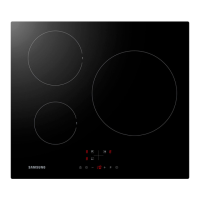
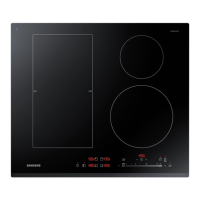
Samsung NZ64R1705CK - User Manual

Samsung NZ64R1705CK
31 pages
Print Icon
To Next Page IconTo Next Page
Loading...
Induction Hob
User & installation manual
NZ64R1705CK/EG

Questions and Answers

  • L
    Linda AndersonAug 10, 2025
    Why does my Samsung Hob make a clicking sound during cooking?
    • I
      Ian GallagherAug 11, 2025
      The noises from saucepans or clicking sounds from your Samsung Hob during cooking are normal for induction hobs. This occurs due to the energy transfer between the hob and the cookware. This operation is normal, and there is no risk to your hob or cookware.
  • J
    James GonzalezAug 18, 2025
    What to do if my Samsung NZ64R1705CK Hob switches off and 'F' flashes?
    • A
      Alan TranAug 18, 2025
      If your Samsung Hob switches off while in use and an 'F' flashes on each display, it means the controls are damp or an object is resting on them. To resolve this, dry the controls or remove the object.
  • B
    briangonzalesAug 27, 2025
    Why does the 'U' symbol light up on my Samsung NZ64R1705CK Hob?
    • L
      Luke HillAug 27, 2025
      If the 'U' symbol lights up on the display of a cooking zone on your Samsung Hob, it indicates that either there is no pan on the cooking zone, or the pan is unsuitable. To fix this, simply use a suitable pan.
  • U
    ulevySep 2, 2025
    How to fix a blacked-out display on a Samsung NZ64R1705CK Hob?
    • W
      wbaileySep 2, 2025
      If the display of your Samsung Hob control card is blacked out and the hob or cooking zones cannot be switched on, it indicates there is no power supply. Check the household fuse for the appliance and check whether there is a power cut by trying other electronic appliances.

Samsung NZ64R1705CK Specifications

General IconGeneral
BrandSamsung
ModelNZ64R1705CK
CategoryHob
LanguageEnglish

Related product manuals