EasyManua.ls Logo

Samsung PC4NUDMAN - User Manual

Samsung PC4NUDMAN
32 pages
Print Icon
To Next Page IconTo Next Page
Loading...
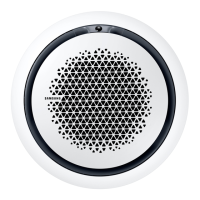
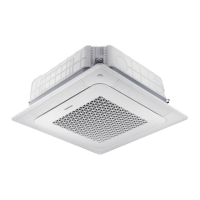
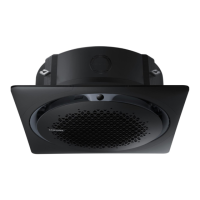
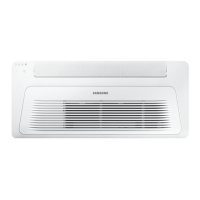
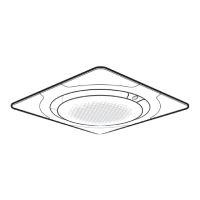
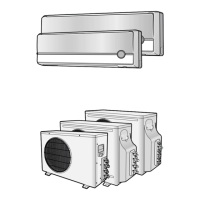
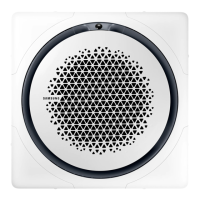
Fan Coil Unit
User manual
ĘߢUk²ࢥĘߥUç²ࢥĘߥťç²
Thank you for purchasing this Samsung fan coil unit.
Before operating this unit, please read this user manual carefully and retain it for future reference.

Other manuals for Samsung PC4NUDMAN

Questions and Answers

  • D
    Dana TurnerAug 19, 2025
    Why the temperature does not change on my Samsung Air Conditioner?
    • D
      David WongAug 19, 2025
      If the temperature on your Samsung Air Conditioner isn't changing, it might be running in Fan mode. In Fan mode, the fan coil unit controls the set temperature automatically, preventing you from manually adjusting it.
  • M
    mary18Aug 30, 2025
    What to do if my Samsung PC4NUDMAN Air Conditioner fan coil unit does not operate at all?
    • D
      Dr. Brittany Mcguire DVMAug 30, 2025
      If your Samsung Air Conditioner's fan coil unit isn't operating, first check if the power plug is properly connected. Also, verify that the auxiliary power switch (MCCB, ELB) is turned on. The unit won't work if this switch is off, even if you press the Power button. Finally, if the unit was turned off by the Timed off function, press the Power button again to turn it back on.
  • T
    Tracie CharlesNov 9, 2025
    Why is my Samsung PC4NUDMAN not cool or warm enough?
    • J
      Joshua EvansNov 10, 2025
      If the air from your Samsung Air Conditioner isn't cool enough in Cool mode, ensure the set temperature is lower than the current temperature. For MR-EH00 remote controls, repeatedly press the Temperature button until the set temperature is at least 18°C. For AR-KH00E remote controls, press the Temperature button and rotate the Wheel until the set temperature is at least 18°C. If the air isn't warm enough in Heat mode, make sure the set temperature is higher than the current temperature. For MR-EH00 remote controls, repeatedly press the Temperature button until the set temperature is at most 30°C. For AR-KH00E remote controls, press the Temperature button and rotate the Wheel until the set temperature is at most 30°C. Also, a dirty air filter, direct sunlight, or open windows and doors can...

Summary

Safety Information

For Cleaning

Safety precautions and instructions related to cleaning the appliance.

Fan Coil Unit Overview

Operation Features

Operating Temperature and Humidity

Details the recommended indoor temperature and humidity ranges for operation.

Cleaning and Maintaining

Cleaning the Fan Coil Unit

Instructions for cleaning the exterior surfaces of the fan coil unit.

Cleaning the Air Filter

Step-by-step guide on how to detach, clean, and reassemble the air filter.

Periodical Maintenance

Schedule and requirements for routine maintenance tasks.

Troubleshooting

Technical Specifications

Samsung PC4NUDMAN Specifications

General IconGeneral
BrandSamsung
ModelPC4NUDMAN
CategoryAir Conditioner
LanguageEnglish

Related product manuals