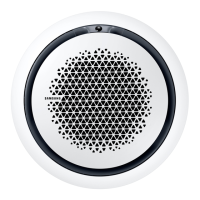
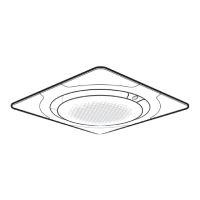
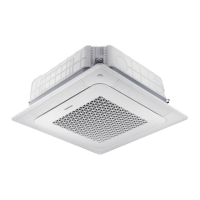
This document is an installation manual for a Samsung 4 Way Cassette Wind-Free Panel air conditioner, model PC4NUFMAN. It provides instructions for the proper installation of the panel, including connecting it to the indoor unit and securing it to the ceiling.
Function Description:
The Samsung 4 Way Cassette Wind-Free Panel is an accessory for a Samsung air conditioner, designed to provide Wind-Free cooling. The Wind-Free function is a key feature, allowing for a gentle and comfortable airflow without direct drafts. The panel integrates with a higher-level controller (such as DMS, Touch Centralized Controller, or Wi-Fit kit) to enable and manage its functions. The installation process involves several steps to ensure the panel is correctly attached, electrically connected, and securely mounted, preventing issues like air leakage or improper operation of the air flow blades.
Important Technical Specifications:
- Model: PC4NUFMAN
- Bolt Type for Installation: M5 machine bolt (with thread length > 20 mm) and a circular washer.
- Tightening Torque for M5 Screw: 2.0 to 3.0 N·m (20 to 30 kgf-cm). This specification is crucial for ensuring the panel is securely fastened without overtightening or damaging the components.
- Electrical Connections: The panel requires connection of four cables to the indoor unit. These cables are identified by their pin counts: White (10 PIN), White (13 PIN), White (4 PIN), and a Blue cable. Correct connection based on pin count is emphasized to ensure proper electrical functionality.
- RoHS Compliant: The product adheres to Restriction of Hazardous Substances (RoHS) directives, indicating its compliance with environmental standards regarding hazardous materials.
Usage Features:
- Wind-Free Functionality: The primary feature is the Wind-Free cooling, which provides a comfortable environment by minimizing direct air drafts.
- Integration with Higher-Level Controllers: The panel is designed to work with various Samsung higher-level controllers (DMS, Touch Centralized Controller, Wi-Fit kit, or other devices). This integration allows for centralized control and management of the air conditioning system.
- Adjustable Height (Installation): During installation, the height of the indoor unit can be adjusted through holes in the panel's corners. However, the pipe connecting area does not allow for such adjustment.
- Air Flow Blade Control: The air flow blades are an integral part of the panel. If their angle is altered by the user (e.g., during maintenance), it is necessary to reset the circuit breaker to ensure they return to their correct positions and function properly. Failure to do so may result in uneven blade angles or blades not closing correctly when the unit is off.
Maintenance Features:
- Grille Access for Maintenance: The front grille can be opened by pulling two hooks, providing access to the interior components for maintenance or cleaning.
- Electrical Component Box Access: The electrical component box cover can be opened by untightening screws, sliding it in the direction of an arrow, and pulling it down. This allows access to the electrical connections for installation or servicing.
- Bolt Replacement: If the supplied M5 bolt is lost, a replacement can be purchased from a retail hardware store, provided it meets the specified length and type (M5 machine bolt with thread length more than 20 mm).
- Software Updates: For the Wind-Free function to be visible and operational on the higher-level controller, the controller's software must be the latest version. If not, an update is required. In cases where the software is updated but the function is still not visible, tracking on the controller or a power reset is recommended.
- User Instruction: After installation, it is important to explain to the user how to operate and maintain the air conditioner, ensuring they understand its features and proper usage.
- Regular Checks: The manual emphasizes checking that the panel is tightly fixed to the indoor unit and the ceiling, and that no discharge vents are blocked, to prevent air leakage and ensure optimal performance.

 Need help?
 General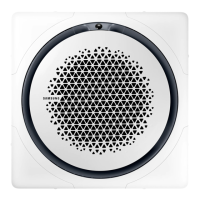


 To Next Page