EasyManua.ls Logo

Samsung PL43F4900 - User Manual

Samsung PL43F4900
45 pages
Print Icon
To Next Page IconTo Next Page
Loading...
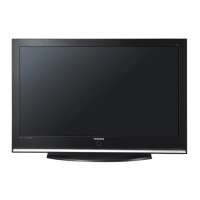
Plasma TV
user manual
E-MANUAL
© 2013 Samsung Electronics Co., Ltd. All rights reserved.
Thank you for purchasing this Samsung product.
To receive more complete service, please register
your product at
www.samsung.com/register
Model _____________Serial No. _____________
If you have any questions, please call us at 1-800-SAMSUNG (1-800-726-7864) for assistance.
Contact SAMSUNG WORLDWIDE
If you have any questions or comments relating to Samsung products, please contact the SAMSUNG customer care center.
Contacte con SAMSUNG WORLD WIDE
Si desea formular alguna pregunta o comentario en relación con los productos de Samsung, comuníquese con el centro de atención al
cliente de SAMSUNG.
Country
Customer Care Center
Web Site
MEXICO 01-800-SAMSUNG (726-7864) www.samsung.com
Dirección: GENERAL MARIANO ESCOBEDO 476 PISO 8
COL. ANZURES, DELEGACIÓN MIGUEL HIDALGO MÉXICO, DISTRITO FEDERAL C.P. 11590
ARGENTINE 0800 333 3733 www.samsung.com.ar
URUGUAY 000 405 437 33 www.samsung.com
PARAGUAY 009 800 542 0001 www.samsung.com.py
BRAZIL 0800-124-421 (Demais cidades e regiões)
4004-0000 (Capitais e grandes centros)
www.samsung.com.br
CHILE 800-SAMSUNG(726-7864) www.samsung.com/cl
BOLIVIA 800-10-7260 www.samsung.com
COLOMBIA 01 8000 112 112
Bogotá 600 12 72
www.samsung.com/co
COSTA RICA 0-800-507-7267 www.samsung.com/latin (Spanish)
www.samsung.com/latin_en (English)
DOMINICA 1-800-751-2676 www.samsung.com/latin (Spanish)
www.samsung.com/latin_en (English)
ECUADOR 1-800-10-7267 www.samsung.com/latin (Spanish)
www.samsung.com/latin_en (English)
EL SALVADOR 800-6225 www.samsung.com/latin (Spanish)
www.samsung.com/latin_en (English)
GUATEMALA 1-800-299-0013 www.samsung.com/latin (Spanish)
www.samsung.com/latin_en (English)
HONDURAS 800-27919267 www.samsung.com/latin (Spanish)
www.samsung.com/latin_en (English)
JAMAICA 1-800-234-7267 www.samsung.com
NICARAGUA 001-800-5077267 www.samsung.com/latin (Spanish)
www.samsung.com/latin_en (English)
PANAMA 800-7267 www.samsung.com/latin (Spanish)
www.samsung.com/latin_en (English)
PERU 0-800-777-08 www.samsung.com/pe
PUERTO RICO 1-800-682-3180 www.samsung.com
TRINIDAD & TOBAGO 1-800-SAMSUNG (726-7864) www.samsung.com
VENEZUELA 0-800-100-5303 www.samsung.com/ve
(MEXICO Only)
IMPORTADO POR : SAMSUNG ELECTRONICS MÉXICO S.A. DE C.V.
GENERAL MARIANO ESCOBEDO 476 PISO 8
COL. ANZURES, DELEGACIÓN MIGUEL HIDALGO MÉXICO, DISTRITO FEDERAL C.P. 11590
TEL : 01 (55) 5747-5100 / 01 800 726 7864

BN68-04800B
BN68-04800B-05
0_BN68-04800B-05L02-Cover.indd 2-3 2013-07-29  11:04:14

Questions and Answers

  • C
    Colleen GreenSep 16, 2025
    How to fix “Mode Not Supported” on Samsung PL43F4900?
    • D
      dianehicksSep 16, 2025
      If a “Mode Not Supported” message appears on your Samsung Plasma TV, check the supported resolution of the TV and adjust the external device’s output resolution accordingly.
  • C
    Calvin HarrisAug 25, 2025
    What to do if there is no picture on my Samsung PL43F4900 Plasma TV?
    • S
      Shelia RothAug 25, 2025
      If there is no picture or video on your Samsung Plasma TV, check the cable connections. Remove and reconnect all cables connected to the TV and external devices.
  • J
    jennifer61Aug 25, 2025
    How to troubleshoot sound problems on a Samsung PL43F4900 Plasma TV?
    • A
      Alexander NelsonAug 26, 2025
      If you are experiencing sound problems with your Samsung Plasma TV, first, perform the Sound Test to determine if your TV audio is operating properly.
  • H
    Howard FordAug 27, 2025
    Why is there no sound on my Samsung Plasma TV?
    • S
      Stacey FieldsAug 27, 2025
      If there is no sound or the sound is too low at maximum volume on your Samsung Plasma TV, please check the volume of the device (Cable/Sat Box, DVD, Blu-ray, etc.) connected to your TV.
  • K
    Kaitlyn ConleySep 18, 2025
    Why is the caption option greyed out on my Samsung PL43F4900?
    • B
      Brian ChandlerSep 18, 2025
      You cannot select Caption in the TV menu on your Samsung Plasma TV when watching content from a device connected via HDMI or Component.
  • E
    esparzasamanthaSep 23, 2025
    How to remove the POP ad on my Samsung Plasma TV?
    • P
      Patrick LawsonSep 23, 2025
      To remove the POP (the TV’s internal banner ad) that appears on the screen of your Samsung Plasma TV, go to MENU ? Support ? Use Mode, and then select Home Use.
  • S
    susanmullenSep 8, 2025
    Why is the color off on my Samsung PL43F4900 Plasma TV?
    • H
      Heather GarciaSep 9, 2025
      If the color is wrong or missing on your Samsung Plasma TV, and you’re using a Component connection, make sure the component cables are connected to the correct jacks.
  • R
    Rachael DavisSep 9, 2025
    How to fix poor color on Samsung Plasma TV?
    • B
      brian21Sep 9, 2025
      If there is poor color or brightness on your Samsung Plasma TV, adjust the Picture options in the TV menu.
  • K
    kimberlytorresSep 2, 2025
    How to adjust brightness on Samsung PL43F4900 Plasma TV?
    • B
      Brett TranSep 3, 2025
      If you find that the colors on your Samsung Plasma TV are correct but just a little too dark or bright, try adjusting the settings in the Picture option of the Main menu.
  • J
    Jordan OrtegaSep 1, 2025
    How to turn off auto shut off on Samsung Plasma TV?
    • D
      Desiree SmithSep 1, 2025
      If your Samsung Plasma TV turns off automatically, make sure the Sleep Timer is set to Off in the System menu.

Samsung PL43F4900 Specifications

General IconGeneral
Screen Size43 inches
Display TypePlasma
Resolution1024 x 768
HDMI Ports2
USB Ports1
Aspect Ratio16:9
Input PortsComponent Video, Composite Video
Sound Output20 W

Related product manuals