092
Starting PC mode
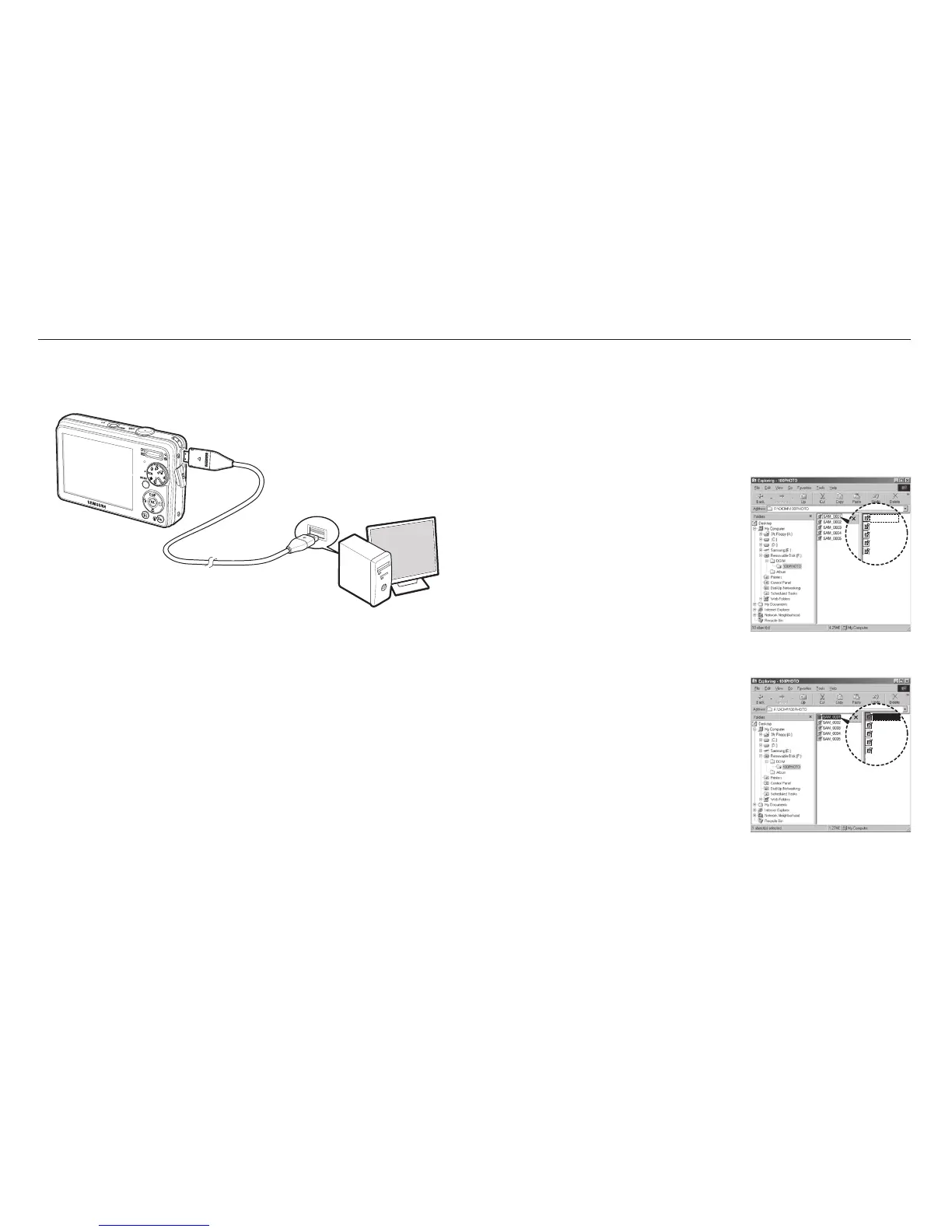
Connecting the camera to a PC
Disconnecting the camera and PC
Refer to page 94 (Removing the removable disk).
Downloading stored images
You can download the still images stored on the camera to your PC's
hard disk and print them or use a photo editing software to edit them.
1. Connect the camera to your PC with the USB cable.
2. On your computer's desktop display,
select [My computer] and double
click [Removable Disk
DCIM
100PHOTO]. The image files will then
be displayed.
3. Select an image and press the right
mouse button.
SAM_0001
SAM_0002
SAM_0003
SAM_0004
SAM_0005


 To Next Page