EasyManua.ls Logo

Samsung PN43F4500 - User Manual

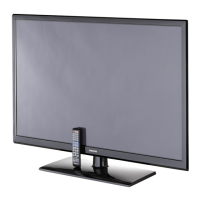
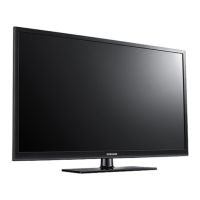
Samsung PN43F4500
24 pages
Print Icon
To Next Page IconTo Next Page
Loading...
Plasma TV
user manual
E-MANUAL
© 2014 Samsung Electronics Co., Ltd. All rights reserved.
Contact SAMSUNG WORLD WIDE
If you have any questions or comments relating to Samsung products, please contact the SAMSUNG customer care
center.
Country Customer Care
Center
Web Site Address
CANADA 1-800-SAMSUNG
(726-7864)
www.samsung.com/ca (English)
www.samsung.com/ca_fr (French)
Samsung Electronics Canada Inc., Customer
Service 55 Standish Court Mississauga,
Ontario L5R 4B2 Canada
U.S.A 1-800-SAMSUNG
(726-7864)
www.samsung.com/us Samsung Electronics America, Inc. 85
Challenger Road Ridgefield Park, NJ 07660
Thank you for purchasing this Samsung product.
To receive more complete service, please register
your product at
www.samsung.com/register
Model ____________ Serial No. _____________
If you have any questions, please call us at 1-800-SAMSUNG (1-800-726-7864) for assistance.
This Nanum Gothic Eco font is provided by NAVER.
BN68-05661A-00
[PH4500-5000-ZA]BN68-05661A-00ENG.indb 1 2014-01-03  10:30:38

Questions and Answers

  • A
    Angela ReidJul 31, 2025
    Why does my Samsung PN43F4500 keep turning off by itself?
    • A
      Alan WilliamsJul 31, 2025
      If your Samsung Plasma TV appears to turn off by itself, the Sleep Timer may be set accidentally. Another reason may be that you have engaged the No Signal Power Off or Auto Power Off feature.
  • S
    Steven HendersonAug 6, 2025
    What to do if my Samsung PN43F4500 Plasma TV has trouble powering on?
    • T
      Tim SalinasAug 6, 2025
      If you are having trouble powering on your Samsung Plasma TV, there are a few things to check. If you're using the TV as a monitor and the stand-by light only blinks briefly when you press the power button, your PC may be in sleep mode. If your power cord, remote control, and PC are working, you might have a cable issue. If you have a cable or satellite box, your TV may appear off because the box isn't sending a signal.
  • N
    Nicholas HendersonAug 12, 2025
    What to do if my Samsung Plasma TV screen color is not correct?
    • J
      Jack GilbertAug 12, 2025
      If the color on your Samsung Plasma TV’s screen is not correct or is black and white, first, run a Self Diagnosis on the TV to ensure there are no device issues. If the problem does not appear in the Test Picture, ensure your connections are consistent and that you have connected your devices to the correct jacks.
  • P
    Patricia MccartyAug 18, 2025
    How to fix flickering and dimming on Samsung PN43F4500?
    • C
      corey35Aug 18, 2025
      If your Samsung Plasma TV is flickering or dimming sporadically, try disabling some of its energy-efficient features, such as the Eco Sensor or the Energy Saving feature.
  • M
    mgarrisonAug 25, 2025
    How to find a channel on Samsung PN43F4500 Plasma TV?
    • C
      Christina CookAug 25, 2025
      To find a channel on your Samsung Plasma TV, re-run Setup by going to Menu - System - Setup, or run Auto Program by going to MENU - Broadcasting - Auto Program.

Summary

Plasma TV User Manual

Important Safety Instructions

Electrical Safety and Warnings

Precautions regarding electrical hazards, opening the product, and symbols.

General Operational Safety

Essential rules for safe operation, placement, and ventilation of the TV.

Ventilation and Installation Guidelines

Proper Ventilation Requirements

Ensuring adequate airflow around the TV to prevent overheating.

Important User Information

Making Connections

Connecting HDMI and External Devices

Instructions for connecting devices via HDMI and other ports.

Remote Control Operations

Remote Control Button Functions

Detailed explanation of each button on the remote control.

Remote & Initial Setup

Remote Battery Installation & Source Selection

Installing batteries, changing sources, and customizing input names.

Menu Navigation & TV Controller

Navigating TV Menus and OSD

Guide to using the remote and on-screen display for menu operations.

Viewing the e-Manual

Accessing and Navigating the e-Manual

Steps to find and browse content within the TV's e-Manual.

Troubleshooting: Picture & Power Issues

Picture Anomalies: Flicker, Dimming, Color

Resolving problems related to screen flicker, dimming, and incorrect colors.

Power & Channel Reception Issues

Solutions for TV not turning on, auto-off, and poor channel reception.

Troubleshooting: Picture Quality & Sound

Picture Distortion, Pixels & Color

Fixing macroblocks, dots, pixelization, and other picture distortions.

Display Settings & Sound Problems

Adjusting settings and resolving audio issues like no sound or noise.

Troubleshooting: Connections & Noise

Troubleshooting: Remote, Menus & Playback

Installing the Wall Mount (Optional)

Securing the TV to the Wall

Samsung PN43F4500 Specifications

General IconGeneral
Screen Size43 inches
Display TechnologyPlasma
HDMI Ports2
USB Ports1
Weight42.5 lbs
Display TypePlasma
3DNo
Refresh Rate600Hz
Component Video Input1
Composite Video Input1
Digital Audio Output (Optical)1
Wireless ConnectivityNo
Aspect Ratio16:9
Viewing Angle178 degrees
Speaker Output Power20W (10W x 2)
InputsHDMI, USB, Component, Composite

Related product manuals