EasyManua.ls Logo

Samsung PN42C450 - User Manual

Samsung PN42C450
58 pages
Print Icon
To Next Page IconTo Next Page
Loading...
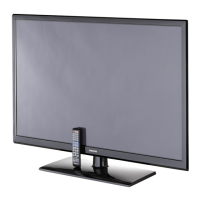
Plasma TV
user manual
imagine the possibilities
Thank you for purchasing this Samsung product.
To receive more complete service, please register
your product at
www.samsung.com/register
Model _____________ Serial No. _____________

Other manuals for Samsung PN42C450

Questions and Answers

  • D
    David CollinsJul 26, 2025
    Why is Anynet+ not working on my Samsung Plasma TV?
    • S
      Susan MckenzieJul 26, 2025
      There could be several reasons why Anynet+ is not working. Ensure that the device is an Anynet+ device, as the system only supports these. Only one receiver (home theater) can be connected. Verify that the Anynet+ device power cord and the Video/Audio/HDMI cable connections are properly connected. Check if Anynet+ (HDMI-CEC) is set to On in the Anynet+ setup menu and that the TV remote control is in TV mode and is Anynet+ compatible. Also, Anynet+ doesn’t work during channel searching, operating Media Play (USB), or Plug & Play (initial setup). After connecting or removing the HDMI cable, search for devices again or turn your TV off and on. Finally, check if the Anynet+ Function of the Anynet+ device is set on.
  • B
    Brenda JenkinsAug 2, 2025
    How to start Anynet+ on my Samsung Plasma TV?
    • D
      Danielle LivingstonAug 2, 2025
      To start Anynet+, check that the Anynet+ device is properly connected to the TV and that Anynet+ (HDMI-CEC) is set to On in the Anynet+ Setup menu. You can also press the TOOLS button to display the Anynet+ menu and select the menu you want.
  • T
    Tracy RodgersAug 9, 2025
    How to exit Anynet+ on my Samsung PN42C450?
    • X
      xmcgeeAug 9, 2025
      To exit Anynet+, select View TV in the Anynet+ menu. Alternatively, press the SOURCE button on the TV remote control and select a non-Anynet+ device. You can also press ?, PRE-CH, and FAV.CH to change the TV mode, but note that the channel button operates only when a tuner-embedded Anynet+ device is not connected.
  • D
    David LynnAug 17, 2025
    What does the message 'Connecting to Anynet+ device...' mean on my Samsung Plasma TV?
    • M
      Mary GlennAug 17, 2025
      When the message 'Connecting to Anynet+ device...' appears, you cannot use the remote control while Anynet+ is configuring or switching to a view mode. Wait until the Anynet+ setting or switching to view mode is complete before using the remote control.

Summary

Important Warranty Information and User Precautions

Television Format Viewing Guidelines

Guidance on optimal TV format usage to prevent image retention.

Screen Image Retention and Burn-in Prevention

How to prevent and manage screen image retention and burn-in.

Normal Operating Characteristics and Pixel Defects

Explains normal phenomena like heat, cracking, and minor pixel defects.

After-images and Temperature Warnings

Tips to reduce after-images and warnings about low temperature operation.

Getting Started

List of Features and Accessories

Overview of TV features and a list of included accessories.

Stand Installation and Control Panel

Guides on installing the stand and identifying TV controls.

Remote Control and Initial Setup

Details remote control functions and initial TV setup.

Antenna Connection

Instructions for connecting an antenna or coaxial cable.

Connections

Connecting AV, Audio, and PC Devices

Steps for connecting various external devices like AV, audio, and PC.

Changing the Input Source

How to select different connected input sources.

Basic Features

Menu Navigation

Explains how to navigate the TV's on-screen menu system.

Channel Menu Operations

Covers channel list management, favorites, and memorization.

Picture Menu Adjustments

Detailed instructions for adjusting picture settings.

Sound Menu Adjustments

Detailed instructions for adjusting sound settings.

Advanced Features

Media Play and USB Connectivity

How to use the Media Play feature with USB devices.

Anynet+ Functionality

Using Anynet+ to control connected Samsung devices.

Other Information and Safety

Wall Mounting and Installation Safety

Instructions for mounting the TV on a wall.

Securing the TV to the Wall

Safety instructions for securing the TV to prevent falls.

Troubleshooting

Picture and Sound Issues

Solutions for common picture and sound quality problems.

Connectivity and Other Troubleshooting

Solutions for connectivity, PC, and general TV problems.

Specifications and Compliance

Product Specifications and Dimensions

Technical details, dimensions, and weight of the TV.

Regulatory Compliance Statements

Information regarding FCC and other regulatory compliance.

Samsung PN42C450 Specifications

General IconGeneral
BrandSamsung
ModelPN42C450
CategoryPlasma TV
LanguageEnglish

Related product manuals