Using the Samsung Universal Print Driver_ 11
Setting the printer search option
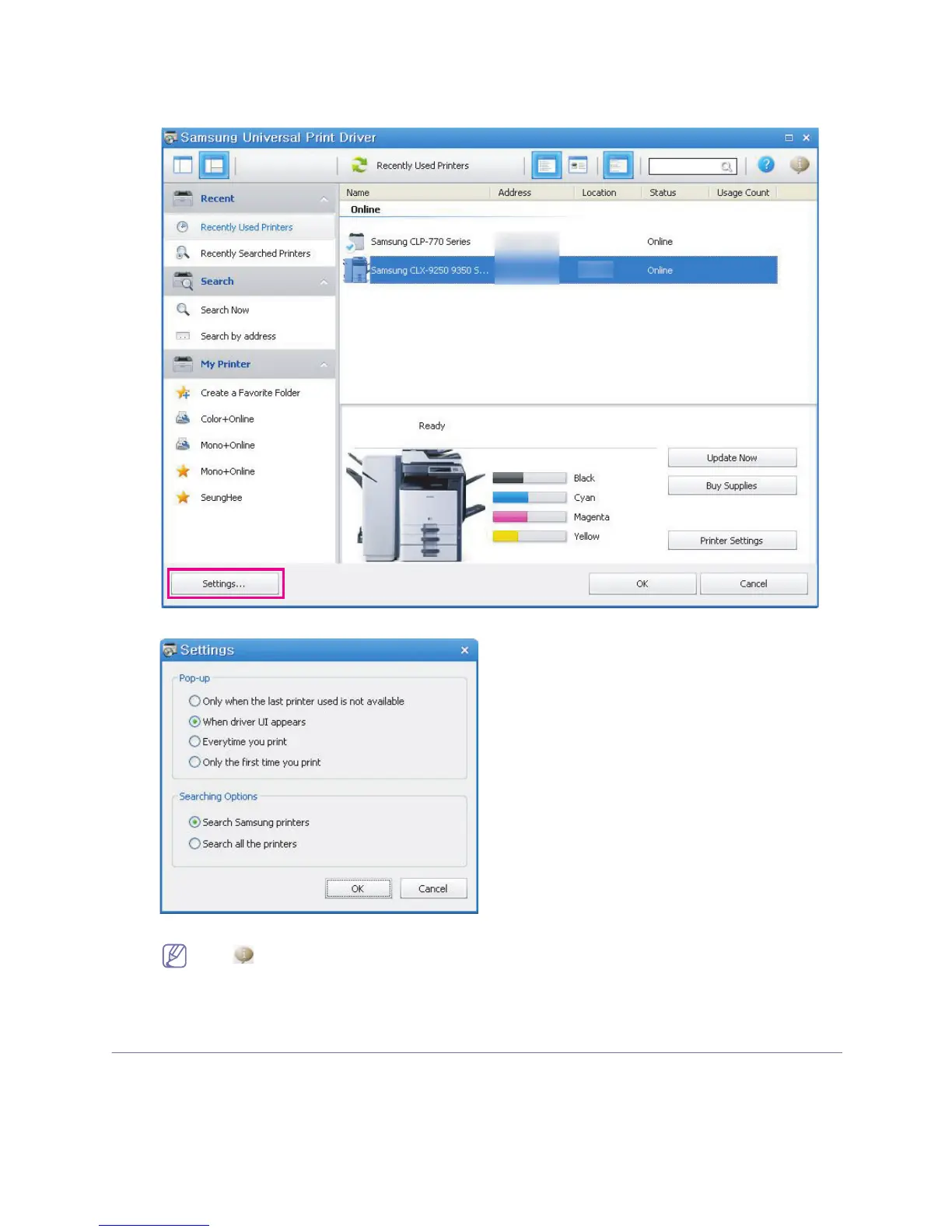
To set the search options for the Samsung Universal Print Driver, follow the steps below:
1. Click the Settings button on the bottom left corner.
2. See the Searching Options below:
• Search Samsung printers : Searches only Samsung printers connected.
Click to see the supported Samsung device list
• Search all the printers : Searches all connected printers.
3. Click OK.
Searching print devices
Search Now
If you don’t know the TCP/IP address of the print device you want to use, you can use the Search Now option to search for
the device. Follow the steps below:
1. From the Windows Start menu, select Printers and Faxes.
2. Right-click Samsung Universal Print Driver.







 To Next Page