Using the Samsung Universal Print Driver_ 13
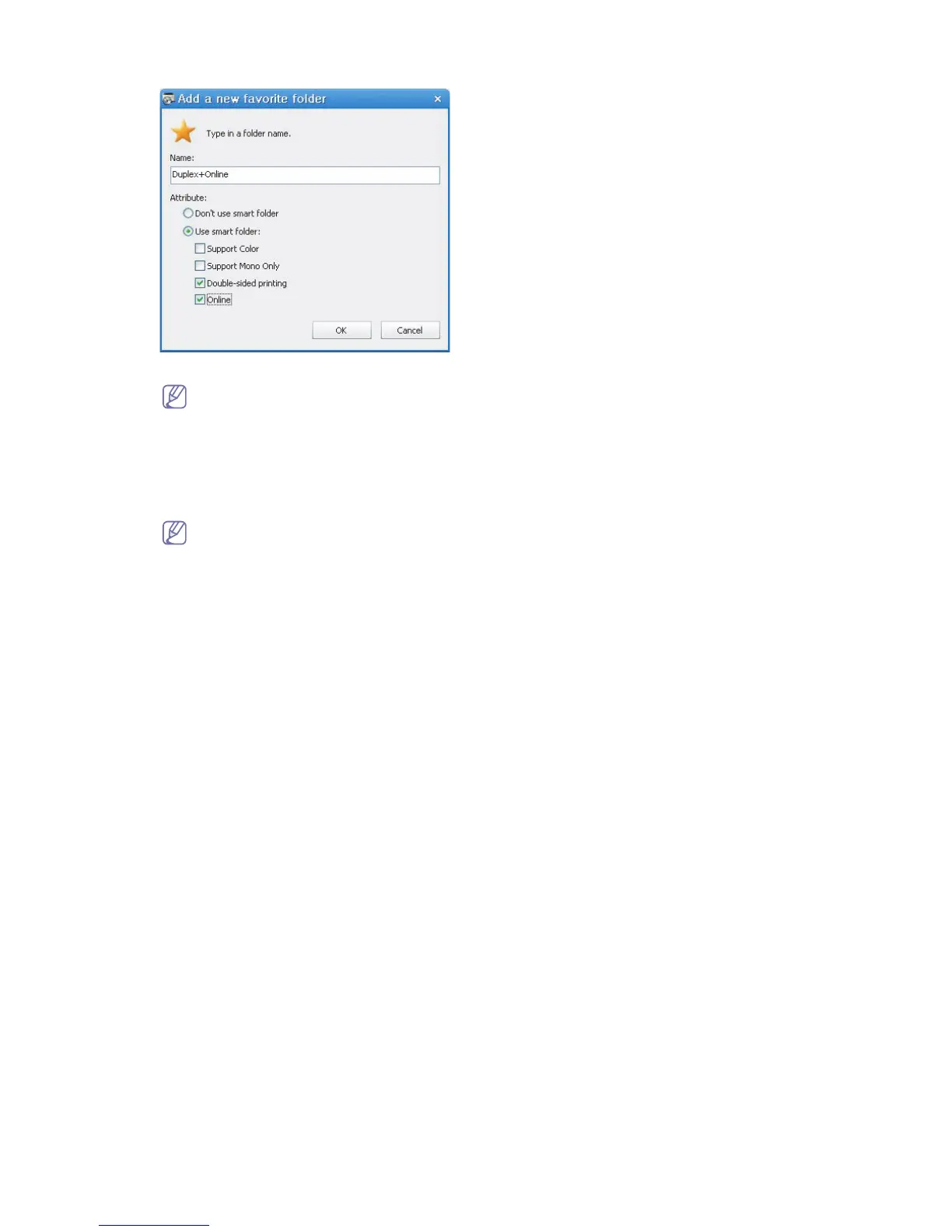
2. Type in a folder name and set the attributes.
• Don’t use smart folder : Adds a general folder.
To add printers to a folder under My Printer, you can drag-and-drop the print from the list to the folder or
right-click the printer in the list and select Move or Copy.
• Use smart folder : Adds a special folder to show the printers dynamically that match the following properties:
- Support Color
- Support Mono Only
- Double-sided printing
- Online : Includes devices that the current status is online.
The folder using smart filter scans devices automatically, so users cannot manually add/remove printers
to/from the folder.
3. Click OK.
A new folder is added under My Printer.







 To Next Page