EasyManua.ls Logo

Samsung PS-WK360 - User Manual

Samsung PS-WK360
35 pages
Print Icon
To Next Page IconTo Next Page
Loading...
Wireless Audio - Soundbar
Imagine the possibilities
Thank you for purchasing this Samsung product.
To receive more complete service, please register your product at
www.samsung.com/register
User manual
HW-K360
HW-KM36
HW-KM36C
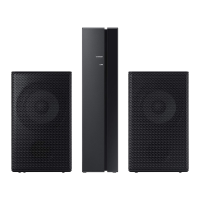
Wireless Subwoofer (PS-WK360)

Questions and Answers

  • M
    Mark BurtonSep 10, 2025
    What to do if the subwoofer isn't producing sound on my Samsung PS-WK360?
    • J
      Jerry WilliamsonSep 12, 2025
      If the blue indicator on the rear of your Samsung Speaker System's subwoofer isn't lit and no sound is coming from it, first ensure the main unit is powered on and the power cord is correctly plugged in. The subwoofer will be in standby mode if the main unit is off. If that doesn't resolve the issue, try reconnecting the subwoofer.
  • M
    Melissa RodgersAug 23, 2025
    How to fix no sound on Samsung Soundbar?
    • S
      Sandy CraigAug 23, 2025
      If your Samsung Soundbar isn't producing sound, ensure that the Mute function is off by pressing the (Mute) button. Also, check that the volume isn't set to the minimum and adjust it accordingly.
  • M
    Mrs. Lisa Wood MDAug 25, 2025
    Why is there no sound coming from my Samsung PS-WK360?
    • V
      Victor MorganAug 25, 2025
      If your Samsung Speaker System isn't producing sound, ensure that the Mute function is off by pressing the (Mute) button. Also, check that the volume isn't set to the minimum and adjust it accordingly.
  • P
    Paige ByrdAug 26, 2025
    How to fix Samsung Speakers when no sound is produced?
    • K
      Kimberly SuttonAug 27, 2025
      If your Samsung Speakers are not producing sound, ensure that the Mute function is off by pressing the (Mute) button. Also, check that the volume isn't set to the minimum and adjust it accordingly.
  • J
    James HaleAug 28, 2025
    Why is my Samsung Soundbar TV SoundConnect failing?
    • S
      Steven FreemanAug 28, 2025
      If TV SoundConnect (TV pairing) failed on your Samsung Soundbar, first ensure that your TV supports TV SoundConnect (available on some Samsung TVs released from 2012). Update your TV to the latest firmware. If an error occurred when connecting, contact the Samsung Call Center. You can also reset the TV SoundConnect connection by pressing and holding the p button for 5 seconds and then try connecting again.
  • C
    Courtney JamesAug 29, 2025
    What to do if the Samsung Soundbar subwoofer blue indicator is not lit?
    • S
      Sherri RileyAug 29, 2025
      If the blue indicator on the rear of your Samsung Soundbar subwoofer isn't lit and there's no sound, check the power cord to ensure it's properly connected. Also, verify that the main unit is powered on. If the main unit is in standby mode, the subwoofer will also be in standby mode. Try to connect your subwoofer again.
  • C
    Cole TerrySep 18, 2025
    What to do if a button on my Samsung Speakers doesn't work?
    • T
      Travis MurphySep 18, 2025
      If a function on your Samsung Speakers isn't working when you press the button, it could be due to static electricity. Try disconnecting the power plug and connecting it again.
  • J
    James FloresSep 12, 2025
    Why is my Samsung PS-WK360 Speaker System remote control not working?
    • W
      William CarlsonSep 12, 2025
      If your Samsung Speaker System's remote control isn't working, replace the batteries with new ones. Also, ensure you are close enough to the main unit.
  • J
    Joyce HarrisonSep 8, 2025
    Why is the blue light off and no sound from my Samsung Speakers subwoofer?
    • C
      costajoshuaSep 8, 2025
      If the blue indicator on the rear of your Samsung Speakers subwoofer isn't lit and no sound is coming from it, check the power cord and ensure it's correctly plugged in. Also, verify that the main unit is powered on. If the main unit is in standby mode, the subwoofer will also be in standby mode. You can also try to connect your subwoofer again. (See Page 16)
  • Z
    zimmermanginaSep 5, 2025
    What to do if a function does not work when the button is pressed on Samsung PS-WK360?
    • B
      Barbara RivasSep 5, 2025
      If a function on your Samsung Speaker System isn't working when you press the button, it might be due to static electricity in the air. Disconnect the power plug and then reconnect it.

Summary

Features

Samsung Remote App

Control Soundbar functions via the Samsung Audio Remote app on an Android device.

TV SoundConnect

Wirelessly connect TV audio to the Soundbar via Bluetooth for a clean setup.

Safety Information

Safety Warnings

General warnings to reduce the risk of electric shock and other hazards.

Warning and Caution Statements

Specific warnings, cautions, and handling advice for safe operation.

Important Safety Instructions

Detailed list of essential operating instructions and precautions for safe use.

Precautions and Environmental Advice

Advice on electrical safety, heat, moisture, and battery disposal.

Descriptions

Installation

Installing the Wall Mount

Detailed instructions and precautions for wall mounting the soundbar.

Connections

Connecting the Subwoofer Automatically

Steps for automatic wireless connection between main unit and subwoofer.

TV SoundConnect Setup

Instructions for connecting the soundbar to a Samsung TV wirelessly via TV SoundConnect.

Functions

Bluetooth Device Connection

Step-by-step guide to connect a Bluetooth device to the soundbar.

Software Update Procedure

Instructions for updating the soundbar's system firmware via USB.

Troubleshooting

Troubleshooting Common Issues

Solutions for problems like no power, no sound, or remote control issues.

Appendix

Samsung PS-WK360 Specifications

General IconGeneral
BrandSamsung
ModelPS-WK360
CategorySpeaker System
LanguageEnglish

Related product manuals