EasyManua.ls Logo

Samsung PS51D490A1 - User Manual

Samsung PS51D490A1
16 pages
Print Icon
To Next Page IconTo Next Page
Loading...
Plasma TV
user manual
imagine the possibilities
Thank you for purchasing this Samsung product.
To receive more complete service, please register
your product at
www.samsung.com/register
Model _____________ Serial No. _____________
E-MANUAL
© 2011 Samsung Electronics Co., Ltd. All rights reserved.
BN68-03498A-01
Contact SAMSUNG WORLDWIDE
If you have any questions or comments relating to Samsung products, please contact the SAMSUNG customer care centre.
Country
Customer Care Centre
Web Site
AUSTRALIA 1300 362 603 www.samsung.com
NEW ZEALAND 0800 SAMSUNG (0800 726 786) www.samsung.com
CHINA 400-810-5858
010-6475 1880
www.samsung.com
HONG KONG (852) 3698-4698 www.samsung.com/hk
www.samsung.com/hk_en/
INDIA 3030 8282
1800 110011
1800 3000 8282
1800 266 8282
www.samsung.com
INDONESIA 0800-112-8888
021-5699-7777
www.samsung.com
JAPAN 0120-327-527 www.samsung.com
MALAYSIA 1800-88-9999 www.samsung.com
PHILIPPINES 1-800-10-SAMSUNG(726-7864)
1-800-3-SAMSUNG(726-7864)
1-800-8-SAMSUNG(726-7864)
02-5805777
www.samsung.com
SINGAPORE 1800-SAMSUNG(726-7864) www.samsung.com
THAILAND 1800-29-3232
02-689-3232
www.samsung.com
TAIWAN 0800-329-999 www.samsung.com
VIETNAM 1 800 588 889 www.samsung.com
[PD490-ASIA]BN68-03498A-01Eng.indb 1 2011-03-15 오후 2:00:33
Question and Answer IconNeed help?

Do you have a question about the Samsung PS51D490A1 and is the answer not in the manual?

Summary

User Instructions

Screen Image Retention & Prevention

Avoid static images to prevent screen burn-in; reduce brightness/contrast.

Control Panel Overview

Remote Control Guide

Input Source Management

Initial Setup (Plug & Play)

AV Device Connectivity

HDMI;DVI Cable Connection

Connect digital devices using HDMI or HDMI to DVI cables for optimal quality.

Component and AV Connections

PC and Audio Connectivity

Optical;Analog Audio Cable Connection

Connect audio systems using optical digital or analog audio cables.

Cable Connections (HDMI;DVI;D-Sub)

Display Modes (D-Sub;HDMI-DVI)

Details optimal resolutions and frequencies for D-Sub and HDMI to DVI inputs.

Accessing the e-Manual

Navigating e-Manual Contents

Troubleshooting Guide

Wall Mounting the TV

Wall Mount Kit Installation

Guidance on installing a separate wall mount kit for the TV.

Securing the TV to the Wall

Preventing TV from Falling

Instructions and precautions to secure the TV to a wall and prevent tipping.

Product Specifications

Overview

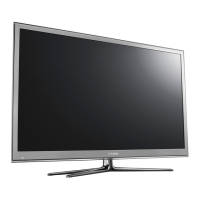
This document is a user manual for a Samsung Plasma TV, specifically the Series 4+. It provides comprehensive information on setup, usage, troubleshooting, and specifications for models PS43D490, PS43D491, PS51D490, and PS51D491.

Function Description:

The Samsung Plasma TV is designed for home entertainment, offering a visual display for various input sources such as TV broadcasts, DVD/Blu-ray players, cable/satellite boxes, PCs, and USB devices. It features a plasma display panel (PDP) for image rendering and includes audio output capabilities. The TV supports both standard and high-definition content, with specific resolutions depending on the model. It also incorporates features like 3D content viewing, media playback from USB devices (My Downloads), and Anynet+ (HDMI-CEC) for integrated control of compatible Samsung devices.

Important Technical Specifications:

  • Models: PS43D490, PS43D491, PS51D490, PS51D491.
  • Screen Size: 43 inches for PS43D490/PS43D491; 51 inches for PS51D490/PS51D491.
  • Display Resolution: 1024 x 768 for 43-inch models; 1360 x 768 for 51-inch models.
  • Sound Output: 10 W x 2.
  • Dimensions (WxDxH):
    • 43-inch models: Body: 1011.8 x 56.0 x 622.4 mm; With stand: 1011.8 x 305.0 x 698.7 mm.
    • 51-inch models: Body: 1187.8 x 56.0 x 706.6 mm; With stand: 1187.8 x 305.0 x 782.9 mm.
  • Weight:
    • 43-inch models: Without Stand: 16.0 kg; With Stand: 20.3 kg.
    • 51-inch models: Without Stand: 22.5 kg; With Stand: 26.8 kg.
  • Operating Temperature: 10°C to 40°C (50°F to 104°F).
  • Operating Humidity: 10% to 80%, non-condensing.
  • Storage Temperature: -20°C to 45°C (-4°F to 113°F).
  • Storage Humidity: 5% to 95%, non-condensing.
  • Stand Swivel (Left/Right): -20° ~ 20°.
  • Input Ports: HDMI (1 DVI, 2, 3), PC/DVI IN, Component (1, 2), AV IN, USB, Antenna (VHF/UHF).
  • Output Ports: Digital Audio Out (Optical), Audio Out (Analogue).
  • VESA Wall Mount Specifications:
    • 43-51 inches: 400 x 400 mm (M8 screws, quantity 4).
    • 59-64 inches: 600 x 400 mm (M8 screws, quantity 4).
  • Supported PC Display Modes (D-Sub and HDMI to DVI Input): Various resolutions from 640x350 to 1360x768, with corresponding horizontal/vertical frequencies and pixel clock frequencies. Interlace mode is not supported.

Usage Features:

  • Initial Setup (Plug & Play): Guides users through language selection, store/home use mode, area selection, clock setting, and channel memorization upon first power-on.
  • Input Source Selection: Allows switching between TV, AV, Component, PC, HDMI, and USB inputs. Users can also rename input sources for easier identification.
  • Remote Control: A special remote control with Braille points for visually impaired persons. It includes buttons for power, source selection, channel navigation, volume control, menu access, content home, info display, exit, and direct access to features like e-Manual, HDMI mode, Picture Mode, Sleep timer, and SRS TruSurround HD mode.
  • e-Manual: An on-screen electronic manual providing instructions and information about TV features. It allows searching by keyword, zooming into sections, and directly accessing corresponding menu settings via a "Try Now" function.
  • 3D Content Viewing: Enables the display of 3D content.
  • My Downloads: Facilitates playback of music, pictures, and movies from a connected USB device.
  • Anynet+ (HDMI-CEC): Allows control of compatible Samsung devices connected via HDMI using the TV's remote control.
  • Audio Connections: Supports digital audio output via optical cable for connection to digital audio systems or home theatre receivers, and analogue audio output for amplifiers.
  • PC Connection: Can be connected to a PC via HDMI (DVI) or D-sub cable, supporting various display modes.
  • Standby Mode: The TV consumes a small amount of power in standby mode; unplugging the power cord is recommended for extended periods of absence.
  • Troubleshooting Guide: Provides solutions for common issues like the TV not turning on, no picture/video, or remote control malfunction.
  • Firmware Updates: Users can upgrade the TV's firmware via USB from the Samsung website.

Maintenance Features:

  • Screen Image Retention Prevention: Advices against displaying still images for extended periods to prevent "screen burn." Recommends reducing brightness and contrast when displaying still images.
  • Heat Dissipation: Notes that the top of the Plasma TV may become hot after long use due to heat dissipation, which is normal.
  • "Cracking" Noise: Explains that cracking noises due to temperature or humidity changes are normal.
  • Cell Defects: Informs users that a few bright or dark pixels may be present on the screen due to manufacturing technology, but they do not impact performance.
  • Operating Temperature: Advises against operating the TV below 41°F (5°C).
  • Installation Space: Emphasizes maintaining required distances from walls and other objects for proper ventilation to prevent overheating and potential fire.
  • Cleaning: Recommends cleaning the product with a soft cloth dampened with a small amount of water. Warns against spraying water or cleaning agents directly onto the product.
  • Wall Mount Installation: Provides specifications and guidelines for installing a wall mount kit, including VESA standards and screw types. Advises using parts provided by Samsung Electronics and ensuring the TV is turned off during installation to prevent electric shock.
  • Securing the TV to the Wall: Instructions for installing an anti-fall device to prevent the TV from tipping over, especially important for households with children. This involves fastening screws and clamps to the wall and the TV, then connecting them with a strong cable.

Samsung PS51D490A1 Specifications

General IconGeneral
BrandSamsung
ModelPS51D490A1
CategoryPlasma TV
LanguageEnglish

Related product manuals