EasyManua.ls Logo

Samsung Q8FN - User Manual

Samsung Q8FN
6 pages
Print Icon
To Next Page IconTo Next Page
Loading...
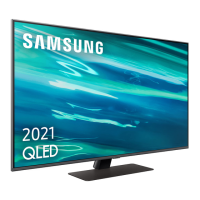
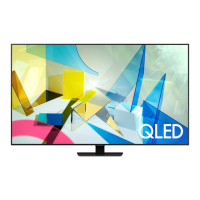
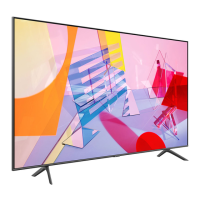
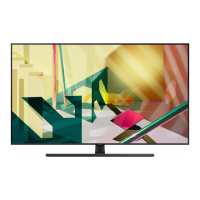
Q8FN TV
PRODUCT HIGHLIGHTS
Q | Contrast Elite™
Q | HDR Elite™
Q | Style™
Smart TV with Bixby Voice
SIZE CLASS
KEY FEATURES
Performance is the calling of the 2018 Q8 with Full Array Backlight control and impressive HDR for a cutting-edge picture.
An anti-glare screen and quantum color make this TV ideal—even in bright rooms.
Product Type
QLED TV
Q Picture
Q | Color™
Q | Contrast Elite™
Q | HDR Elite™
100% Color Volume
Full Array Backlight
Ultra Black Elite™
Auto Game Mode
Q | Engine™
Motion Rate 240
Q Style™
Ultrawide Viewing Angle
Ambient Mode™
Boundless 360° Design™
Bezel Color: Carbon Silver
Stand Color: Carbon Silver
Bezel-free Design
Q Smart™ with Bixby Voice
Universal Browse
Connect & Share
Samsung OneRemote
1
Connections
4 HDMI Connections
2
2 USB Connections
LAN Port
802.11AC built-in Wi-Fi
Bluetooth
®
RS232 Control (EX-Link)
IP Control Support
3
Optical Audio Output Port
Audio
Dolby
®
Digital Plus
40 Watt 4.1 Channel
Included Accessories
Samsung OneRemote
Industry Certifications
UHDA Ultra HD Premium
CTA 4K Ultra HD Connected
1
Color may vary by model.
2
HDMI—CEC (Consumer Electronics Control) facilitates convenient control functions with compatible devices.
3
Requires third-party control system installation. See www.samsung.com/us/business/custominstall.
SEE BACK FOR DETAILS
82"
82Q8FN
75"
75Q8FN
65"
65Q8FN
55"
55Q8FN
S:8.25”
S:10.75”
T:8.5”
T:11”
B:8.75”
B:11.25”
Samsung TV • TracyLocke
210798 Studio# 213661
TV Spec Sheets
Sell SheetQ8FN
tss210798_mch_sls_Q8FN.indd
Print Code:
Contact: Denise Thomas
Studio Artist: SB
Built At: 100%Print Scale: None
4-Color Process: Cyan, Magenta, Yellow, Black
Placed Images:1850Qled-NorthAmerica (1).tif (CMYK; 989 ppi;
30.32%)
QN65Q8FNBFXZA_001_Front_Carbon-Silver.tif (CMYK; 1205 ppi;
24.89%)
Document Fonts:SamsungOne (800, 400), Samsung InterFace
(Regular)
6-5-2018 6:02 PM
16
Mech Trim: 8.5” x 11”
Mech Live: 8.25” x 10.75”
Mech Bleed: 8.75” x 11.25”
Final Trim: 8.5” x 11”
Final Live: 8.25” x 10.75”
Final Bleed: 8.75” x 11.25”
Question and Answer IconNeed help?

Do you have a question about the Samsung Q8FN and is the answer not in the manual?

Summary

Key Features Overview

Product Type

Specifies the type of TV technology used, such as QLED.

Q Picture Technology

Details about the TV's display technology and visual enhancements for picture quality.

Q Style Design

Highlights the design and aesthetic aspects, including bezel and stand.

Q Smart Features

Information on the TV's smart features and voice control integration.

Connectivity Options

Lists the available physical ports for external devices and wireless connectivity.

Audio Specifications

Details the TV's sound system and audio capabilities.

Included Accessories

Lists items that come with the TV purchase, like the remote.

Industry Certifications

Lists relevant industry standards the TV meets.

TV Installation Guide

Wall Mounting Instructions

Instructions and safety precautions for wall-mounting the TV securely.

Initial TV Setup Process

Using the TV Controller

Guide on operating the TV using the physical controller button and its functions.

Product Dimensions

Rear View and Port Details

Diagram and measurements of the TV's rear panel and port layout.

Q8 FN TV Model Specifications

QN82 Q8 FN Model Details

Specifications, dimensions, and weight for the 82-inch Q8FN TV model.

QN75 Q8 FN Model Details

Specifications, dimensions, and weight for the 75-inch Q8FN TV model.

Q8 FN TV Model Specifications (Continued)

QN65 Q8 FN Model Details

Specifications, dimensions, and weight for the 65-inch Q8FN TV model.

QN55 Q8 FN Model Details

Specifications, dimensions, and weight for the 55-inch Q8FN TV model.

Overview

This document describes the Samsung Q8FN TV, a high-performance QLED television available in multiple size classes, offering advanced picture quality and smart features.

Function Description

The Samsung Q8FN TV is designed to deliver a cutting-edge viewing experience with its Full Array Backlight control and impressive High Dynamic Range (HDR) capabilities. It features an anti-glare screen and Quantum Color technology, making it ideal for various lighting conditions, including bright rooms. The TV integrates smart functionalities through Q Smart with Bixby Voice, allowing for universal browsing and easy content sharing. Its Q Style design incorporates an Ultrawide Viewing Angle and an Ambient Mode, which allows the TV to blend seamlessly into its surroundings when not in use.

Important Technical Specifications

Product Type: QLED TV

Size Classes:

  • 82" (Model: QN82Q8FN)
  • 75" (Model: QN75Q8FN)
  • 65" (Model: QN65Q8FN)
  • 55" (Model: QN55Q8FN)

Q Picture™ Features:

  • Q Color™: Delivers vibrant and accurate colors.
  • Q Contrast Elite™: Enhances contrast for deeper blacks and brighter whites.
  • Q HDR Elite™: Provides a wide range of brightness and contrast.
  • 100% Color Volume: Ensures consistent color reproduction at any brightness level.
  • Full Array Backlight: Precisely controls individual lighting zones for superior contrast.
  • Ultra Black Elite™: Reduces glare and reflections for improved viewing in bright rooms.
  • Auto Game Mode: Optimizes settings for gaming.
  • Q Engine™: Advanced processing for picture enhancement.
  • Motion Rate 240: Reduces motion blur for smooth fast-paced action.

Q Style™ Features:

  • Ultrawide Viewing Angle: Maintains picture quality from various viewing positions.
  • Ambient Mode™: Allows the TV to display decorative content or blend with the wall when off.
  • Boundless 360° Design™: A minimalist design that looks good from any angle.
  • Bezel Color: Carbon Silver.
  • Stand Color: Carbon Silver.
  • Bezel-free Design: Maximizes screen space.

Q Smart™ with Bixby Voice Features:

  • Universal Browse: Simplifies content discovery.
  • Connect & Share: Facilitates sharing content from other devices.
  • Samsung OneRemote¹: A single remote to control multiple devices.

Audio:

  • Dolby® Digital Plus: Enhanced audio quality.
  • 40 Watt 4.1 Channel: Powerful and immersive sound output.

Connectivity:

  • 4 HDMI Connections²: For connecting multiple external devices.
  • 2 USB Connections: For media playback and other peripherals.
  • LAN Port: For wired network connection.
  • 802.11AC built-in Wi-Fi: For wireless internet access.
  • Bluetooth®: For connecting wireless accessories.
  • RS232 Control (EX-Link): For integration with control systems.
  • IP Control Support³: For advanced control system integration.
  • Optical Audio Output Port: For connecting to external audio systems.

Industry Certifications:

  • UHDA Ultra HD Premium
  • CTA 4K Ultra HD Connected

Dimensions (W x H x D) and Weight (LB) - Examples:

  • QN82Q8FN (82"):
    • TV WITHOUT STAND: 72.1 x 41.4 x 2.5 inches; 104.3 lbs
    • TV WITH STAND: 72.1 x 44.9 x 15.2 inches; 106.9 lbs
    • SHIPPING: 79.4 x 48.1 x 11.6 inches; 140.7 lbs
    • VESA SUPPORT: 600mm x 400mm
  • QN55Q8FN (55"):
    • TV WITHOUT STAND: 48.5 x 27.8 x 2.3 inches; 43.2 lbs
    • TV WITH STAND: 48.5 x 30.7 x 9.8 inches; 44.1 lbs
    • SHIPPING: 53.5 x 33.1 x 7.6 inches; 56.4 lbs
    • VESA SUPPORT: 200mm x 200mm

Included Accessories:

  • Samsung OneRemote (Model: TM-1850A)

Usage Features

The Q8FN TV offers a user-friendly experience starting with its Initial Setup process. Upon first power-on, the TV guides the user through basic settings. This setup can also be performed using the SmartThings app on a mobile device (Android 6.0+ or iOS 10+), provided the device is connected via Wi-Fi. If the setup pop-up doesn't appear automatically, the TV can be manually added through the SmartThings app's "Add Device" function.

The TV can be controlled using the included Samsung OneRemote or via the TV Controller button located at the bottom of the TV. Pressing the TV Controller button brings up a Control menu with options for Power Off, Channel Up/Down, Volume Up/Down, and Source selection. A short press on the TV Controller acts as "Move," while a press and hold acts as "Select."

For wall mounting, the TV supports VESA screw hole specifications, which vary by size class. Wall mount adapters should be installed as shown in the manual before attaching the wall mount kit. Samsung recommends fastening all four VESA screws for secure installation. If using a third-party wall mount, users should refer to the provided table for appropriate screw lengths (column C). It is crucial to follow the manufacturer's instructions precisely to prevent injury or damage.

Maintenance Features

The document primarily focuses on initial setup and installation rather than ongoing maintenance. However, it does mention:

  • Protective Film Removal: Users are advised to remove any protective film from the SAMSUNG logo or the bottom of the TV, as it may cause the screen to dim.
  • Wall Mount Installation: Detailed instructions and warnings are provided for wall mounting, emphasizing correct installation to prevent damage or injury. Samsung Customer Care (1-800-SAMSUNG) can be contacted for ordering wall mount kits.
  • Control System Integration: The TV supports RS232 Control (EX-Link) and IP Control, which may require third-party control system installation. Users are directed to www.samsung.com/us/business/custominstall for more information on this.

¹Color may vary by model. ²HDMI-CEC (Consumer Electronics Control) facilitates convenient control functions with compatible devices. ³Requires third-party control system installation. See www.samsung.com/us/business/custominstall.
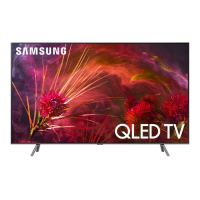
Samsung Q8FN Specifications

General IconGeneral
BrandSamsung
ModelQ8FN
CategoryTV
LanguageEnglish

Related product manuals