This document is a user manual for the Samsung QLED TV models QN55Q8FNBF, QN65Q8FNBF, and QN75Q8FNBF. It provides comprehensive information on product safety, installation, accessories, initial configuration, product specifications, and troubleshooting.
Function Description:
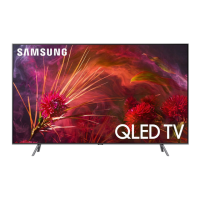
The Samsung QLED TV is a high-definition television designed for home entertainment. It features a QLED display with a resolution of 3840 x 2160, offering crisp and vibrant visuals. The TV comes with an embedded e-Manual for detailed information and assistance. It supports various input sources and can be connected to external devices. The Samsung Smart Remote provides intuitive control over the TV's functions, including voice commands via Bixby and access to the Ambient Mode. The TV also includes smart features that require an internet connection for full functionality, such as software updates and access to various apps.
Important Technical Specifications:
- Display Resolution: 3840 x 2160 for all models.
- Screen Size (Diagonal):
- QN55Q8FNBF: 55" Class (54.6 inches measured diagonally)
- QN65Q8FNBF: 65" Class (64.5 inches measured diagonally)
- QN75Q8FNBF: 75" Class (74.5 inches measured diagonally)
- Sound Output: 40 W for all models.
- Dimensions (Body W x H x D):
- QN55Q8FNBF: 48.5 x 27.8 x 2.3 inches (1231.2 x 706.8 x 58.7 mm)
- QN65Q8FNBF: 57.1 x 32.7 x 2.3 inches (1450.1 x 829.9 x 58.7 mm)
- QN75Q8FNBF: 66.0 x 37.9 x 2.3 inches (1675.8 x 961.4 x 59.2 mm)
- Dimensions (With Stand W x H):
- QN55Q8FNBF: 48.5 x 30.7 inches (1231.2 x 779.5 mm)
- QN65Q8FNBF: 57.1 x 35.8 inches (1450.1 x 910.5 mm)
- QN75Q8FNBF: 66.0 x 41.3 inches (1675.8 x 1049.5 mm)
- Weight (Without Stand):
- QN55Q8FNBF: 43.2 lbs (19.6 kg)
- QN65Q8FNBF: 58.4 lbs (26.5 kg)
- QN75Q8FNBF: 80.7 lbs (36.6 kg)
- Weight (With Stand):
- QN55Q8FNBF: 44.1 lbs (20.0 kg)
- QN65Q8FNBF: 59.7 lbs (27.1 kg)
- QN75Q8FNBF: 82.7 lbs (37.5 kg)
- Environmental Considerations:
- Operating Temperature: 50°F to 104°F (10°C to 40°C)
- Operating Humidity: 10% to 80%, non-condensing
- Storage Temperature: -4°F to 113°F (-20°C to 45°C)
- Storage Humidity: 5% to 95%, non-condensing
- Port Panel Detail (Unit: inches):
- QN55Q8FNBF: 8.2 (1), 20.2 (2), 11.5 (3)
- QN65Q8FNBF: 4.1 (1), 20.6 (2), 12.5 (3)
- QN75Q8FNBF: 9.6 (1), 25.0 (2), 12.3 (3)
- VESA Screw Hole Specs (A * B) in millimeters:
- 55" (200 x 200)
- 65-75" (400 x 400)
- Standard Screw (C mm):
Usage Features:
- e-Manual: An embedded e-Manual provides detailed instructions and information. It includes search, index, and recently viewed topics functions. "Try Now" buttons allow direct access to menu items, and "Link" buttons navigate to related topics.
- Samsung Smart Remote: This remote offers various functions including Power, Color/Number buttons, Select, Return, Play/Pause, Smart Hub, Bixby (voice commands), Ambient Mode, Directional pad (up/down/left/right), VOL (Volume), and CH (Channel). It uses AA x 2 batteries.
- Pairing the Smart Remote: The remote automatically pairs with the TV upon first use. If not, users can manually pair it by pressing and holding the Return and Play/Pause buttons simultaneously for 3 seconds or more.
- Initial Setup: The TV guides users through the initial setup process, including connecting to Wi-Fi and configuring smart features.
- TV Controller: A physical TV controller located at the bottom of the TV allows basic control (Power Off, Channel Up/Down, Volume Up/Down, Source) in case the remote is unavailable.
- Smart Security: Samsung emphasizes the importance of keeping the TV's software updated, using strong passwords for Wi-Fi, and being cautious about connecting to unsecured networks to protect against unauthorized access and hacking.
- Eco Sensor: The Eco Sensor automatically adjusts the brightness of the TV based on the ambient light in the room to reduce power consumption. This feature can be enabled or disabled in the settings.
Maintenance Features:
- Software Updates: The TV can be updated to the latest software via the "Update Now" or "Auto Update" functions in the Settings menu to ensure optimum condition and security.
- Troubleshooting: The manual provides a list of common problems and solutions, including issues with the TV not turning on, no picture/sound, distorted picture/sound, "Weak or No Signal" messages, and remote control malfunctions. Users are advised to check cable connections, input sources, and perform self-diagnosis tests.
- Cleaning: To clean the TV, unplug the power cord and wipe the product with a soft, dry cloth. Avoid using chemicals like wax, benzene, alcohol, thinners, insecticide, air fresheners, lubricants, or detergents, as these can damage the TV's appearance or erase printing. Do not spray water or cleaning liquid directly onto the TV screen. For stubborn marks, a small amount of screen cleaner on a micro-fiber cloth can be used.
- Power Consumption Reduction: When the TV is turned off, it enters Standby mode, consuming a small amount of power. To completely reduce power consumption, unplug the power cord from the wall outlet.
- Wall Mount Installation: Detailed instructions are provided for mounting the TV on a wall, including VESA screw specifications and safety precautions to prevent the TV from falling. Adequate ventilation (at least 10 cm or 4 inches clearance) is recommended around the TV to prevent overheating.
- Battery Installation: Instructions for installing batteries in the Samsung Smart Remote are provided, emphasizing correct polarity and recommending alkaline batteries for longer life.

 Need help?


 To Next Page
 General