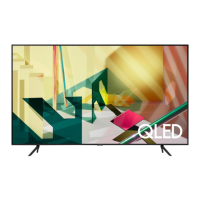
This document is a user manual for Samsung QLED TVs, specifically models Q80T, Q70T, and Q60T. It provides comprehensive instructions for installation, initial setup, troubleshooting, and maintenance, ensuring users can maximize their TV experience.
Function Description
The Samsung QLED TV is a high-definition television designed for immersive viewing. It features a Smart Hub for accessing various applications and content, and it supports internet connectivity for streaming services and online interactions. The TV is equipped with an Eco Sensor that automatically adjusts screen brightness based on ambient light, optimizing power consumption. It also includes a sound sensor, available in Q70T and Q80T models, which can be turned on or off to suit user preferences. The Samsung Smart Remote, a key component, allows for intuitive control of the TV, including voice commands via Bixby, access to Ambient Mode, and navigation through menus.
Usage Features
- Installation: The manual provides detailed instructions for mounting the TV on a wall, including VESA screw specifications and safety precautions to prevent falling. It emphasizes maintaining proper ventilation by ensuring a minimum distance of 4 inches (10 cm) between the TV and surrounding objects.
- Initial Setup: Upon first power-on, the TV guides users through an Initial Setup process to configure basic settings. This can be done directly on the TV or via the SmartThings app on a mobile device (Android 6.0+ or iOS 10+). The TV Controller button, located at the bottom of the TV, offers an alternative way to access the Control menu for power, volume, channel, and source selection.
- Samsung Smart Remote: The remote features dedicated buttons for power, Bixby (voice assistant), Ambient Mode, Smart Hub, and playback controls. The directional pad facilitates menu navigation, while volume and channel buttons allow for quick adjustments. The remote can be paired automatically with the TV, or manually by holding specific buttons if auto-pairing fails. Battery installation instructions are also provided, recommending alkaline batteries for longer life.
- Smart Features: The TV's Smart Hub allows users to access a wide range of applications and streaming services. Bixby, the integrated voice assistant, enables hands-free control and content search. Ambient Mode transforms the TV screen into a decorative display when not in active use, blending it with the room's decor.
- Internet Security: Samsung implements several security measures to protect Smart TVs from unauthorized access, including encrypted communications and controls against unauthorized application installations. Users are advised to promptly install software updates, secure their wireless access points with strong passwords and encryption (WPA2), use strong passwords for internet accounts, and avoid suspicious websites or programs.
- Remote Support: Samsung offers a Remote Support service, allowing technicians to remotely diagnose issues, adjust settings, perform factory resets, and install firmware updates. Users can access this by calling Samsung service and providing a PIN from the TV's Support menu.
Maintenance Features
- Troubleshooting: The manual includes a comprehensive troubleshooting guide for common issues such as the TV not turning on, lack of picture/sound, distorted signals, or remote control malfunction. It suggests performing a TV self-diagnosis, checking cable connections, rebooting connected devices, and running Auto Program for channel search.
- Software Updates: To maintain optimal performance and security, users are encouraged to keep their TV software updated. The TV supports both manual "Update Now" and automatic "Auto Update" functions, accessible through the Settings menu.
- Eco Sensor: The Eco Sensor automatically adjusts screen brightness to reduce power consumption. Users can disable this feature if they find the screen too dark in certain environments. It's important not to block the sensor, located at the bottom of the TV, as this can affect picture brightness.
- Cleaning: Instructions for cleaning the TV exterior and screen are provided, emphasizing the use of a soft, dry cloth to prevent scratches. Users are warned against spraying liquids directly onto the TV or using harsh chemicals like wax, benzene, alcohol, or thinners. For stubborn smudges, a small amount of screen cleaner on a micro-fiber cloth is recommended.
- Power Consumption: To decrease power consumption, users are advised to unplug the power cord when the TV will not be used for an extended period, as the TV draws a small amount of power even in standby mode.
- Battery Replacement: For remote control issues, replacing the batteries is a common solution. The manual specifies the correct orientation for battery installation and recommends alkaline batteries for extended life.
- Safety Precautions: The manual outlines critical safety precautions, including securing the TV to a wall to prevent falling, especially in households with children. It advises against placing the TV in unstable locations or on tall furniture without proper anchoring. It also warns against inserting metallic objects into the TV, touching internal parts, or exposing the TV to rain or water.

 Need help?
 General




 To Next Page