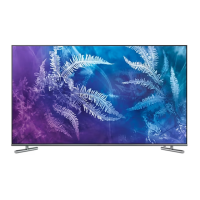
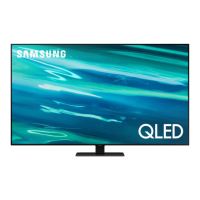
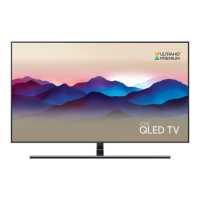
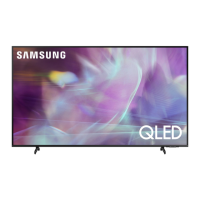
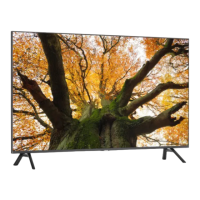
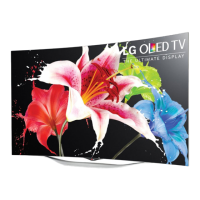
This document is a user manual for Samsung QLED TVs, specifically models QN49Q7DR, QN55Q7DR, QN65Q7DR, QN75Q7DR, QN82Q7DR, and QN85Q7DR. It provides essential information for installation, setup, operation, troubleshooting, and maintenance of the television.
Function Description
The Samsung QLED TV is a smart television designed for home entertainment. It features a high-resolution display and integrates with Samsung's Smart Hub for access to various applications and services. The TV can be controlled using a Samsung Smart Remote or a TV Controller located on the device itself. It supports Wi-Fi connectivity for internet access and smart features. The TV also includes an Ambient Mode, allowing it to blend into the room's decor when not actively displaying content.
Important Technical Specifications
The QLED TVs come in various screen sizes, ranging from 49 inches to 85 inches. All models feature a display resolution of 3840 x 2160 pixels.
- QN49Q7DR: 49" Class (48.5 inches measured diagonally), 60 W sound output. Dimensions (W x H x D): Body 43.1 x 24.9 x 2.5 inches (1094.8 x 632.9 x 62.8 mm), With stand 43.1 x 27.9 x 9.8 inches (1094.8 x 707.6 x 248.3 mm). Weight: Without Stand 30.0 lbs (13.6 kg), With Stand 31.1 lbs (14.1 kg).
- QN55Q7DR: 55" Class (54.6 inches measured diagonally), 60 W sound output. Dimensions (W x H x D): Body 48.4 x 27.9 x 2.4 inches (1230.6 x 708.1 x 61.9 mm), With stand 48.4 x 30.7 x 9.8 inches (1230.6 x 780.2 x 248.3 mm). Weight: Without Stand 39.7 lbs (18.0 kg), With Stand 40.8 lbs (18.5 kg).
- QN65Q7DR: 65" Class (64.5 inches measured diagonally), 60 W sound output. Dimensions (W x H x D): Body 57.1 x 32.7 x 2.4 inches (1449.5 x 831.2 x 61.9 mm), With stand 57.1 x 35.8 x 11.3 inches (1449.5 x 910.4 x 285.8 mm). Weight: Without Stand 53.6 lbs (24.3 kg), With Stand 54.9 lbs (24.9 kg).
- QN75Q7DR: 75" Class (74.5 inches measured diagonally), 60 W sound output. Dimensions (W x H x D): Body 66.0 x 37.8 x 2.4 inches (1675.2 x 960.9 x 62.0 mm), With stand 66.0 x 41.3 x 14.2 inches (1675.2 x 1048.2 x 359.8 mm). Weight: Without Stand 78.7 lbs (35.7 kg), With Stand 80.7 lbs (36.6 kg).
- QN82Q7DR: 82" Class (81.5 inches measured diagonally), 60 W sound output. Dimensions (W x H x D): Body 72.2 x 41.4 x 2.6 inches (1834.6 x 1051.4 x 66.1 mm), With stand 72.2 x 45.1 x 15.2 inches (1834.6 x 1146.0 x 387.3 mm). Weight: Without Stand 95.5 lbs (43.3 kg), With Stand 98.1 lbs (44.5 kg).
- QN85Q7DR: 85" Class (84.5 inches measured diagonally), 60 W sound output. Dimensions (W x H x D): Body 74.8 x 42.9 x 2.6 inches (1900.7 x 1089.1 x 66.5 mm), With stand 74.8 x 46.7 x 15.2 inches (1900.7 x 1185.2 x 387.3 mm). Weight: Without Stand 104.1 lbs (47.2 kg), With Stand 106.7 lbs (48.4 kg).
Environmental Considerations:
- Operating Temperature: 50°F to 104°F (10°C to 40°C)
- Operating Humidity: 10% to 80%, non-condensing
- Storage Temperature: -4°F to 113°F (-20°C to 45°C)
- Storage Humidity: 5% to 95%, non-condensing
The TV is a Class B digital apparatus. For LAN cable connection, a CAT 7 (*STP type) cable is recommended.
Usage Features
- Initial Setup: The TV guides users through an initial setup process upon first power-on. This can also be done using the SmartThings app on a mobile device (Android 6.0+ or iOS 10+).
- Samsung Smart Remote: The remote features buttons for Power, Bixby (voice assistant), Color/Number pad, Ambient Mode, Directional pad, Select, Return, Play/pause, Smart Hub, Volume, and Channel. The remote pairs automatically with the TV; manual pairing instructions are provided if needed. It uses alkaline batteries.
- TV Controller: A physical controller on the bottom of the TV allows basic functions like changing channels, adjusting volume, and accessing the Control menu (Smart Hub, Settings, Source, Power Off, Return).
- e-Manual: An embedded e-Manual provides comprehensive information about the TV's features. It includes search, index, and recently viewed topics functions. "Try Now" buttons allow direct access to menu items, and "Link" buttons provide immediate access to underlined topics.
- Internet Security: Samsung implements measures like encrypted communications, prevention of unauthorized app installation, and software updates to protect the Smart TV. Users are advised to secure their wireless access points, use strong passwords for internet accounts, and avoid suspicious websites or programs.
- Accessibility Shortcuts: Pressing the Volume button for 1 second or more brings up the Accessibility Shortcuts menu.
- Ambient Mode: Allows the TV to display decorative content or blend into the background when not in use.
- Smart Hub: Provides access to various apps and services.
- Troubleshooting: The manual offers solutions for common issues like the TV not turning on, no picture/sound, remote control not working, lost settings, and Wi-Fi connectivity problems. It also suggests using Samsung's Remote Support service for personalized assistance.
Maintenance Features
- Software Updates: The TV supports automatic software updates via the "Auto Update" function in Settings > Support > Software Update. Keeping the software updated is crucial for optimum condition and security.
- Eco Sensor: This feature automatically adjusts screen brightness based on ambient light to reduce power consumption. It can be toggled off in Settings > General > Eco Solution > Ambient Light Detection. The sensor is located at the bottom of the TV and should not be blocked.
- Cleaning: The manual provides specific instructions for cleaning the TV screen and exterior. It recommends using a soft, dry cloth for the exterior and a micro-fiber cloth (dampened with a small amount of water or screen cleaner for stubborn smudges) for the screen. Users are warned against using flammable liquids or strong force and against spraying liquids directly onto the TV.
- Power Consumption: To decrease power consumption, users are advised to unplug the power cord when the TV is not in use for extended periods, as the TV draws a small amount of power even in Standby mode.
- Anti-fall Device: Instructions are provided for securing the TV to a wall using brackets and a string to prevent it from falling, especially important for households with children.
- Warranty: The product comes with a limited warranty against manufacturing defects for a period of 5 years for parts and labor for LCD/LED TVs (42" and larger) and 5 years for parts and labor for LCD/LED TVs (40" and smaller). For commercial use, the warranty is 90 days for parts and labor. Warranty service is provided by Samsung authorized service centers.

 To Next Page

 General