EasyManua.ls Logo

Samsung RF22A42 Series - User Manual

Samsung RF22A42 Series
70 pages
Print Icon
To Next Page IconTo Next Page
Loading...
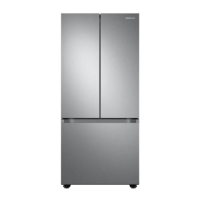
Refrigerator
User manual
Free Standing Appliance
Untitled-2 1 2021-07-14  10:27:19

Questions and Answers

  • L
    Lisa StevensAug 15, 2025
    Why is my Samsung RF22A42 Refrigerator not cooling properly?
    • M
      Melissa RussoAug 15, 2025
      Your Samsung Refrigerator might not be cooling properly due to several reasons: * The power cord may not be plugged in properly, so ensure it is securely plugged in. * The temperature control may not be set correctly; try setting it to a lower temperature. * The refrigerator might be near a heat source or direct sunlight; keep it away from these. * There might not be enough clearance; ensure at least 2 inches between the refrigerator and walls or cabinets. * Energy Saver mode could be on; try deactivating it. * The refrigerator may be overloaded, or food is blocking the vents; avoid overloading and ensure vents are clear.
  • Z
    Zachary KimAug 18, 2025
    What to do if water is not dispensing from my Samsung RF22A42?
    • A
      Ashley GoldenAug 18, 2025
      If water isn't dispensing from your Samsung Refrigerator, first, check that the water line is correctly connected and the water supply is turned on. Deactivate the Dispenser panel Lock if it's activated. If you've installed a third-party water filter, replace it with a Samsung-provided or approved filter to prevent leaks and damage. Lastly, if the water filter indicator is on or blinking, replace the water filter and reset the filter indicator sensor.
  • U
    uvasquezAug 22, 2025
    Why is my Samsung Refrigerator ice maker not working?
    • M
      Michele PrestonAug 22, 2025
      If your Samsung Refrigerator's ice maker isn't making ice, first, remember that it takes about 12 hours for a newly installed ice maker to start producing ice. If the freezer temperature is too high, set it below -18 °C or -20 °C, especially in warm environments. Also, check if the dispenser panel lock is activated and deactivate it if necessary. Finally, ensure that the ice maker is turned on.
  • K
    Kristopher WalkerAug 25, 2025
    How to prevent frost around the vents in my Samsung RF22A42?
    • A
      Ashlee FriedmanAug 26, 2025
      If you notice frost around the vents in your Samsung Refrigerator, the cause may be that food is blocking the vents. To solve this, ensure that no food items are obstructing the refrigerator vents.
  • D
    David GonzalesAug 28, 2025
    Why is my Samsung Refrigerator too cold?
    • N
      Nicholas WallaceAug 28, 2025
      If your Samsung Refrigerator is over-cooling, the temperature control might not be set correctly. Try setting the temperature higher.
  • T
    tonya63Aug 31, 2025
    Why is there frost on the walls inside my Samsung RF22A42 Refrigerator?
    • B
      Brandi SandersAug 31, 2025
      If you see frost on the interior walls of your Samsung Refrigerator, it's likely the door isn't closing properly. Ensure that food isn't blocking the door and clean the door gasket.
  • A
    Alexis KingSep 4, 2025
    Why is there condensation inside my Samsung RF22A42 Refrigerator?
    • A
      Amanda Bonilla DDSSep 4, 2025
      If you notice condensation forming on the interior walls of your Samsung Refrigerator, it could be due to a door being left open, allowing moisture to enter. Remove the moisture and avoid leaving the door open for extended periods. Another cause could be food with high moisture content; ensure such food is wrapped airtight.
  • J
    Jeremy CraneSep 7, 2025
    How to get rid of odors in my Samsung RF22A42 Refrigerator?
    • R
      Robert RoweSep 7, 2025
      If your Samsung Refrigerator has odors, it might be due to spoiled food. Clean the refrigerator thoroughly and remove any spoiled food. Alternatively, it could be caused by food with strong odors. Ensure that strong-smelling food is wrapped airtight.
  • D
    Darin LawrenceSep 12, 2025
    What to do if the water flow is weak in my Samsung Refrigerator?
    • M
      Mary VelasquezSep 12, 2025
      If the water flow in your Samsung Refrigerator is weaker than normal, the water pressure may be too low. Ensure that the water pressure is between 30 to 120 psi (206 to 827 kPa).

Summary

Safety Information

Understanding Safety Instructions

General guidance on understanding safety instructions and their importance.

Important Safety Symbols and Precautions

Key safety symbols and critical precautions to prevent hazards like fire, electric shock, and injury.

California Proposition 65 Warning

Warning regarding cancer and reproductive harm as per California law.

Installation Safety Warnings

Warnings for safe installation to avoid electrical hazards, fire, and damage.

Usage Safety Cautions

Guidelines for safe operation, including avoiding electric shock, fire, and injury during use.

Cleaning Safety Cautions

Precautions to take when cleaning the appliance to avoid electric shock or damage.

Critical Disposal Warnings

Safety measures for disposing of the refrigerator and its packaging materials.

Refrigerator Installation Guide

Refrigerator Overview

Overview of the refrigerator and its main components.

Step-by-Step Installation Process

Detailed instructions for installing the refrigerator correctly and safely.

Site Selection and Clearance Requirements

Guidelines for choosing a suitable location and necessary clearances.

Door Handling and Freezer Drawer Removal

Instructions for removing and reattaching doors and the freezer drawer.

Leveling and Door Alignment Procedures

Steps for leveling the refrigerator and aligning the doors correctly.

Connecting the Water Supply Line

Steps for connecting the water supply line for the dispenser and ice maker.

Initial Settings and Final Installation Checks

Procedures for initial setup and confirming correct installation before use.

Refrigerator Operations

Main Control Panel and Indicators

Explanation of the refrigerator's main control panel and its indicators.

Setting Temperature and Functions

How to adjust fridge/freezer temperatures and activate functions like Power Cool/Freeze.

Ice Maker, Dispenser Lock, and Filter Alarms

Instructions for managing the ice maker, dispenser lock, and water filter alarm.

Advanced Operational Modes

How to use Sabbath, Cooling Off, and Peak Demand modes.

SmartThings App Integration and Control

Guide to installing and using the SmartThings app for remote control and monitoring.

Energy Management and SMART GRID Functionality

Information on optimizing energy usage via SMART GRID and Energy Management features.

Special Features: Water Dispenser Operation

Details on operating the water dispenser and understanding water clouding.

Refrigerator Maintenance

Handling Shelves, Bins, and Drawers

Guidance on correctly removing and reinserting shelves, bins, and drawers.

Cleaning and Care Procedures

Procedures for cleaning the appliance's surfaces, seals, and rear panel.

Water Filter Replacement Guide

Step-by-step guide for replacing the refrigerator's water filter.

Additional Maintenance Information

Information on filtration systems, ordering filters, and LED lamps.

Refrigerator Troubleshooting

Temperature and General Operation Issues

Solutions for problems like the fridge/freezer not operating or having incorrect temperatures.

Common Operational Problems: Odors, Frost, Condensation

Troubleshooting steps for odors, frost, condensation, and abnormal sounds.

Water;Ice Dispenser and Ice Maker Malfunctions

Solutions for issues like weak water flow or the ice maker not functioning.

SmartFeatures Troubleshooting: App and Grid

Steps to resolve issues with SmartThings app and Smart Grid features.

Warranty and Legal Information

U.S.A. Limited Warranty Terms and Conditions

Terms, conditions, exclusions, and limitations of the U.S.A. limited warranty.

U.S.A. Warranty Exclusions and Limitations

Details on what is not covered by the warranty and limitations on remedies.

U.S.A. Warranty Service Contact Information

Contact details for obtaining warranty service and support in the USA.

Canadian Warranty and Service Information

Canada Limited Warranty Details

Specific warranty terms and service procedures for Canadian consumers.

Canada Warranty Obligations and Exclusions

Customer obligations, warranty exclusions, and validity for Canadian products.

Canada Warranty Service Contact Information

Contact details for obtaining warranty service and support in Canada.

Regulatory Compliance Notices

FCC Notice and Compliance Statement

FCC regulations, cautions, and radiation exposure statement for the device.

IC Notice and Compliance Statement

Industry Canada regulations, cautions, and radiation exposure statement for the device.

Open Source Software Announcement

Open Source Software License Information

Information regarding open source software licenses used in the product.

Samsung RF22A42 Series Specifications

General IconGeneral
Refrigerator TypeFrench Door
Ice MakerYes
Water DispenserYes
Energy Star CertifiedYes
Counter DepthNo
Cooling SystemTwin Cooling Plus
Door Style4-Door French Door
ColorStainless Steel

Related product manuals