English 67
Troubleshooting
Symptom Possible causes Solution
Water does not
dispense.
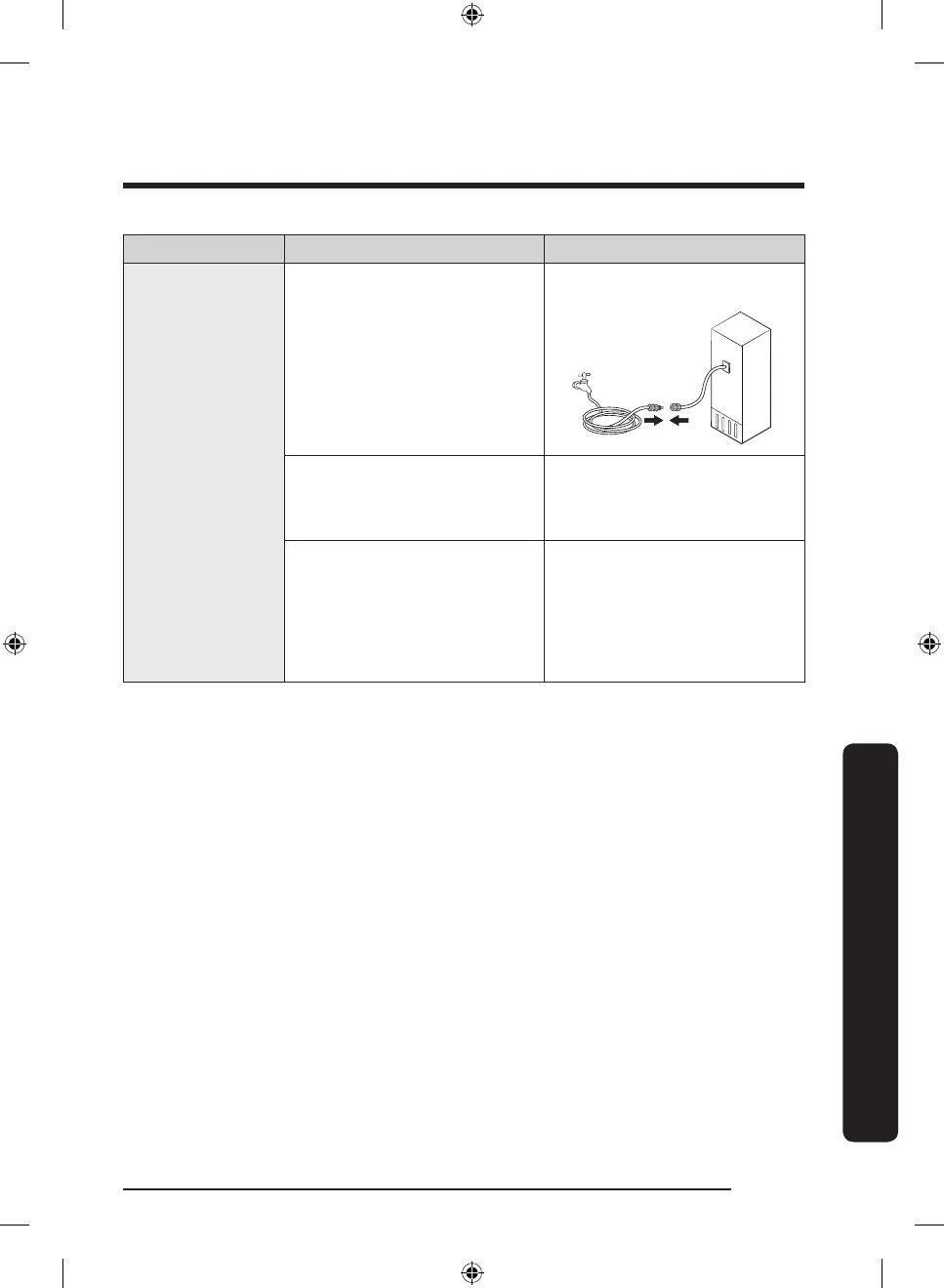
• Water line is not connected
properly or water supply is
not on.
• Check the water installation
conditions.
• A third-party water lter was
installed.
• Use only Samsung-provided
or approved lters.
• Unapproved lters may leak
and damage the refrigerator.
• The water lter replacement
icon blinks and then stays
turned on.
• Replace the water lter.
Then, reset the water lter
replacement alarm. (For
detailed instructions, see
the "Resetting or dismissing
the water lter replacement
alarm" section on page 40.)
Untitled-7 67 2022-11-21 3:41:24





 To Next Page