EasyManua.ls Logo

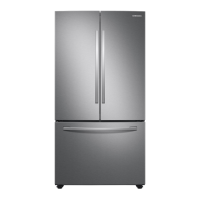
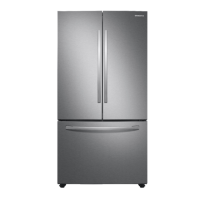
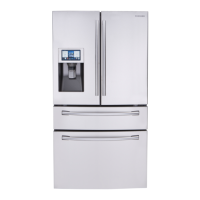
Samsung RF28T5001SR - User Manual

Samsung RF28T5001SR
204 pages
Print Icon
To Next Page IconTo Next Page
Loading...
Refrigerator
User manual
RF28T5001/RF28T5021/RF28T5101/RF28T5A01
Free Standing Appliance
Untitled-3 1 2020-06-10  2:57:01

Table of Contents

Questions and Answers

  • M
    Michael LeeAug 9, 2025
    Why is my Samsung Refrigerator not cooling?
    • T
      Tina BurnettAug 10, 2025
      Your Samsung Refrigerator may not be cooling because: * The power cord might not be properly plugged in. Ensure it is securely plugged in. * The temperature control may not be set correctly. Try setting the temperature lower. * The refrigerator might be near a heat source or direct sunlight. Keep it away from these. * There might not be enough clearance between the refrigerator and nearby walls or cabinets. Ensure there is at least a 2.5-inch gap on the back and sides. * The refrigerator could be overloaded, or food might be blocking the vents. Avoid overloading it and ensure vents are clear.
  • M
    Michael ClarkeAug 15, 2025
    What to do if my Samsung RF28T5001SR Refrigerator is not cooling?
    • S
      Stanley ParrishAug 15, 2025
      If your Samsung Refrigerator isn't cooling properly or the temperature is too warm, start by checking the power cord to ensure it's correctly plugged in. Then, adjust the temperature control to a lower setting. Also, ensure the refrigerator isn't near heat sources or direct sunlight. There should be at least 2.5 inches of clearance around the back and sides for proper ventilation. Avoid overloading the refrigerator, and make sure food isn't blocking the vents.
  • T
    Trevor HarperAug 21, 2025
    What to do if Samsung RF28T5001SR is over-cooling?
    • A
      Anna GuerraAug 22, 2025
      If your Samsung Refrigerator is over-cooling, it's possible that the temperature control is not set correctly. Try setting the temperature higher.
  • K
    Karen ScottAug 27, 2025
    Why is my Samsung Refrigerator over-cooling?
    • S
      Susan SpencerAug 27, 2025
      If your Samsung Refrigerator is over-cooling, the most likely cause is that the temperature control is set too low. To fix this, simply adjust the temperature control to a higher setting.
  • M
    Michelle SheaSep 3, 2025
    Why is the interior wall of my Samsung Refrigerator hot?
    • T
      Teresa StephensSep 3, 2025
      The interior wall of your Samsung Refrigerator may be hot because it has heat-proof piping in the front corners to prevent condensation. If the ambient temperature rises, this equipment may not work effectively, but this is not a system failure.

Summary

Safety Information

Important Safety Symbols and Precautions

Defines symbols like WARNING, CAUTION, NOTE for safety instructions.

General Safety Precautions

Covers fire risk, flammable materials, refrigerant hazards, and general electrical safety.

Severe Warning Signs for Transportation and Site

Highlights critical warnings related to moving and installing the refrigerator.

Critical Usage Warnings

Warnings about electrical shock, frostbite, fire, child safety, and proper food storage.

Installation

Step-by-Step Installation Guide

Detailed instructions for installing the refrigerator, starting with site selection.

Leveling the Refrigerator

Guide on how to properly level the refrigerator using its adjustable legs.

Connecting the Water Dispenser Line

Steps to connect the water line for the dispenser and ice maker.

Initial Settings and Final Checks

Guidance on initial power-up, temperature settings, and final installation verification.

Operations

Maintenance

Water Filter Replacement

Step-by-step guide for replacing the water filter cartridge.

Troubleshooting

General Temperature Troubleshooting

Diagnosing and resolving problems related to refrigerator/freezer temperature.

Ice Maker Operation Problems

Steps to resolve issues when the ice maker is not making ice or dispensing.

Water Dispensing Problems

Diagnosing why water is not dispensing, including filter and line issues.

Samsung RF28T5001SR Specifications

General IconGeneral
Typefreestanding
Stylefrench door; 3 door
Colordark grey; stainless steel; fingerprint resistant stainless steel, fingerprint resistant black stainless steel, white
Total Capacity28.2 cu. ft.
Refrigerator Capacity19.6 cu. ft.
Freezer Capacityyes; 8.6 cu. ft.
Humidity Controlled Crispers2
Defrost Systemautomatic
Cooling Systemall-around cooling
Quick Freezeyes
Number of Refrigerator Shelves5
Number of Refrigerator Door Bins6
Number of Refrigerator Adjustable Shelves5
Number of Freezer Drawers1
Temperature Zonessingle
Temperature Controlyes
Wine Rackno
Interior Lightyes; high-efficiency led lighting
Dispenserno
Ice Makeryes
Water Filteryes
Door Alarmyes
Smart Homeno
Remote Controlno
Wi-Fino
Voltage120 volts
Current15
Weight and Dimensions IconWeight and Dimensions
Depth35 3/8 inch
Height70 inch
Width35 3/4 inch
Net Weight276 lbs.

Videos

How to Turn Off Ice Maker on Samsung RF28T5001SR Fridge

How To Turn Off Ice Maker On Samsung RF28T5001SR Fridge

Related product manuals