EasyManua.ls Logo

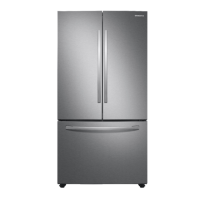
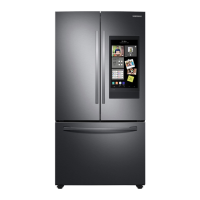
Samsung RF28T5A01B1 - User Manual

Samsung RF28T5A01B1
156 pages
Print Icon
To Next Page IconTo Next Page
Loading...
Refrigerator
User manual
RF28T5A01S9/RF28T5A01B1
Free Standing Appliance
Untitled-2 1 2020-06-26  5:21:38

Table of Contents

Questions and Answers

  • D
    Dawn RiosAug 15, 2025
    Why is my Samsung Refrigerator not cooling?
    • T
      Travis McdonaldAug 15, 2025
      If your Samsung Refrigerator is not cooling properly or the temperature is too warm, there might be several reasons: * Ensure the power cord is correctly plugged in. * Adjust the temperature control to a lower setting. * Keep the refrigerator away from heat sources and direct sunlight. * Provide at least 2.5 inches (5 cm) of clearance around the refrigerator for proper ventilation. * Avoid overloading the refrigerator and ensure food doesn't block the vents.
  • C
    christophercarlsonAug 18, 2025
    How to fix Samsung Refrigerator ice maker not working?
    • A
      Amy JonesAug 18, 2025
      If your Samsung Refrigerator's ice maker isn't producing ice, here are a few things to check: * If it's a new installation, allow 12 hours for ice production to begin. * Ensure the freezer temperature is set below 0 °F (-18 °C), or -4 °F (-20 °C) in warm conditions. * Deactivate the Dispenser Panel Lock. * Make sure the ice maker is turned on.
  • J
    Jason MurphyAug 21, 2025
    Why is no water coming out of my Samsung Refrigerator?
    • J
      Joseph WeaverAug 21, 2025
      If water isn't dispensing from your Samsung Refrigerator, consider these potential causes: * Verify that the water line is properly connected and the water supply is turned on. * Deactivate the Dispenser Panel Lock. * If you've installed a third-party water filter, replace it with a Samsung-provided or approved filter to prevent leaks and damage. * If the water filter indicator is on or blinking, replace the water filter and reset the filter indicator sensor.
  • S
    Sandra BrooksAug 25, 2025
    What to do if ice won't come out of my Samsung RF28T5A01B1?
    • E
      Elizabeth JohnsonAug 26, 2025
      If ice is not dispensing from your Samsung Refrigerator, consider the following: * If the ice dispenser hasn't been used in about 3 weeks, the ice may be jammed. Empty the ice bucket and turn off the ice maker if you won't be using it for a while. * Ensure the ice bucket is correctly inserted. * Check that the water line is properly connected and the water supply is on.
  • L
    Leslie HardyAug 28, 2025
    How to adjust the temperature on a Samsung RF28T5A01B1 Refrigerator that is too cold?
    • G
      Gerald BirdAug 28, 2025
      If your Samsung Fridge/freezer is cooling excessively, adjust the temperature control to a higher setting.
  • M
    Melissa LongAug 31, 2025
    Why is there frost on the inside walls of my Samsung RF28T5A01B1 Refrigerator?
    • J
      Jack WaltersSep 1, 2025
      If you notice frost on the interior walls of your Samsung Refrigerator: * Ensure food isn't blocking the door from closing properly. * Clean the door gasket.
  • J
    James MorganSep 3, 2025
    How to get rid of odors in my Samsung Refrigerator?
    • K
      kayla01Sep 3, 2025
      If your Samsung Refrigerator has odors, the cause may be: * Spoiled food. Clean the refrigerator and remove any spoiled food. * Food with strong odors. Ensure strong-smelling food is wrapped airtight.
  • M
    Michael CraneSep 7, 2025
    Why is there condensation inside my Samsung Refrigerator?
    • C
      Christopher WrightSep 7, 2025
      If you notice condensation forming on the interior walls of your Samsung Refrigerator: * Remove any moisture and avoid leaving the door open for extended periods, as this allows moisture to enter. * Ensure food with high moisture content is wrapped airtight.
  • M
    Miss Meghan Simon MDSep 10, 2025
    What to do if water flow is weak in my Samsung RF28T5A01B1 Refrigerator?
    • B
      Briana FernandezSep 10, 2025
      If the water flow in your Samsung Refrigerator is weaker than normal, ensure the water pressure is between 30 to 120 psi (206 to 827 kPa).

Summary

Safety Information

Important Safety Symbols and Precautions

Explains safety symbols like WARNING and CAUTION and their meanings.

Important Safety Precautions

Details essential safety measures for appliance operation and installation.

Severe Warning Signs for Transportation and Site

Highlights critical safety warnings related to moving and placing the appliance.

Critical Installation Warnings

Provides crucial safety advice for installing the refrigerator correctly.

Critical Usage Warnings

Details critical warnings and hazards associated with using the appliance.

Installation

Step-by-Step Installation

Detailed instructions for installing the refrigerator correctly.

Select a Site

Guidance on choosing the optimal location for refrigerator installation.

Clearance

Specifies recommended clearances around the refrigerator for proper installation.

STEP 3 Door Removal for Entrance

Instructions on how to remove refrigerator doors for easier passage.

STEP 4 Leveling the Refrigerator

Instructions on how to level the refrigerator for stability and optimal performance.

STEP 6 Attach the Handles

Instructions for correctly attaching the refrigerator handles.

STEP 7 Connect the Water Dispenser Line

Detailed steps for connecting the water dispenser and ice maker lines.

STEP 8 Initial Settings

Steps to follow for the initial setup and powering on of the refrigerator.

STEP 9 Final Check

Key checks to perform after installation is complete.

Maintenance

Water Filter

Step-by-step guide to replacing the water filter and resetting the indicator.

Troubleshooting

Temperature

Diagnosing and resolving issues related to refrigerator and freezer temperatures.

Ice Maker Does Not Make Ice

Solutions for when the ice maker is not producing ice.

Ice Does Not Dispense

Troubleshooting steps when the ice dispenser is not working.

Water Does Not Dispense

Resolving issues when the water dispenser fails to provide water.

Samsung RF28T5A01B1 Specifications

General IconGeneral
BrandSamsung
ModelRF28T5A01B1
CategoryRefrigerator
LanguageEnglish

Related product manuals