English40
Operations
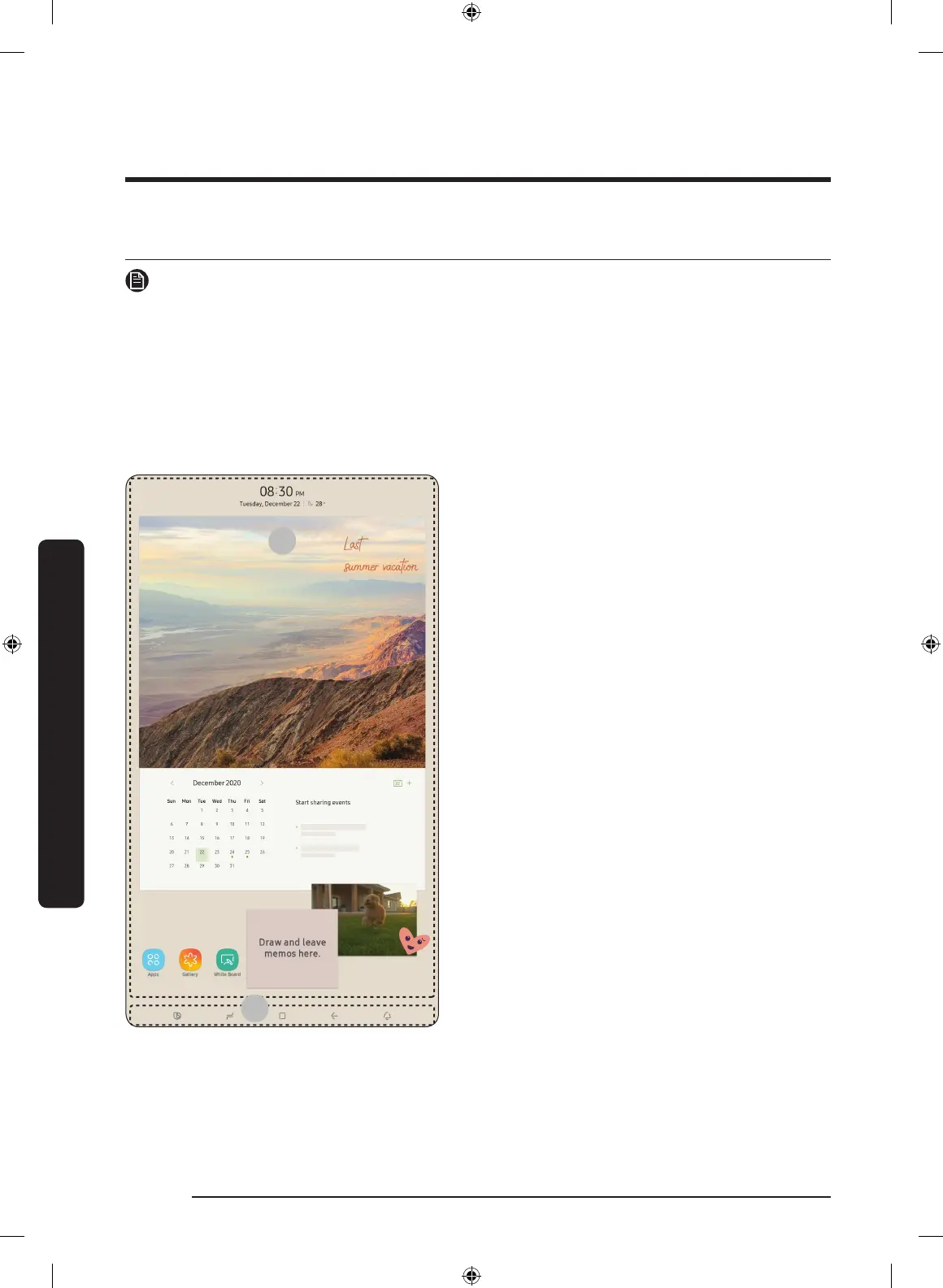
User interface
NOTE
• For more information about other menus and apps available on the Refrigerator app.
See the Online manual of your refrigerator.
• The content of apps and widgets, or their design is subject to change or support may
be discontinued without notice, depending on the content provider’s policy.
• Children's use of the refrigerator's functions, apps, and services must be supervised by
adults.
• Underage transactions with the services must be supervised by adults.
01 Home screen
02 Soft buttons
Operations
Untitled-10 40 2021-04-02 2:52:17






 To Next Page