
 Need help?
Do you have a question about the Samsung RS25H50 and is the answer not in the manual?
Initiate diagnostic mode by pressing buttons to check sensors and components.
Activate compressor or defrost cycles for testing via button presses.
Select and cancel cooling off mode using button combinations.
Verify component output signals using illuminated LED segments.
Procedure to check DC voltage to the fan motor for proper operation.
Troubleshooting steps for fan blockage due to ice or obstructions.
Details the process of ice production and harvest timing.
Procedure to test the ice maker harvest and heater functions.
How freezer temperature is managed based on ice bucket status.
Details and diagnosis for ice maker sensor issues.
Error related to communication between main and panel microcontrollers.
Information on compressor faults like IPM fault or over-voltage.
Diagnosis for refrigerator sensor connection or failure.
Troubleshooting damper heater issues caused by connection or wire faults.
Diagnosis for ice maker failures like ice-ejector issues.
Checks for ambient air sensor connection, wire cuts, or failure.
Diagnosis for freezer sensor connection or room sensor failure.
Troubleshooting freezer evaporator defrost sensor issues.
Addresses freezer fan motor operation and feedback line failures.
Diagnosis for condenser fan motor operation or wire issues.
Identifies errors related to freezer defrost mode time limits.
Overview of AC input filtering and connected AC loads.
Details on 13V DC load distribution and control circuits.
Wiring and sensing for various components like sensors and switches.
Connection and communication interface with the panel board.
Description of the SMPS circuit providing power to the inverter.
Overview of compressor control and IPM circuits.
Role of MCU, protection, and feedback circuits.
Pinout and function for CN75 connector on the main board.
Pinout and function for CN90 connector on the main board.
Pinout and function for CN30 connector on the main board.
Pinout and function for CN50 connector on the main board.
Pinout and function for CN103 connector on the inverter board.
LED blinking pattern during normal operation.
LED blinking patterns indicating various protection modes.
Wiring for refrigerator and freezer door switches.
Connections for water/ice solenoids and switches.
Wiring for various heaters and motors like Auger, Eject, Fan.
Connections for temperature sensors and thermistors.
Wiring diagram for the ice maker kit components.
Description of the power supply circuit on the inverter board.
Role of the inverter in compressor control.
Function of the COMP driving and feedback circuitry.
Description of the bootstrap charger circuit.
Explanation of the current sensing and PWM duty control.
Functions of the IPM and Micom controllers.
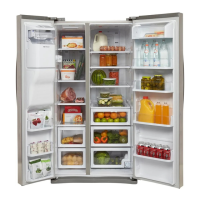
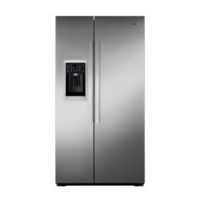
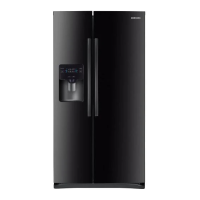
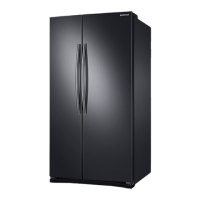
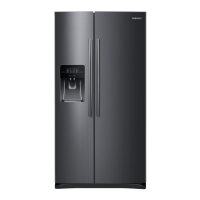
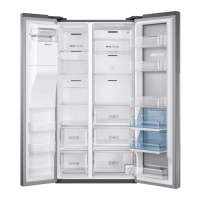
This document describes the Samsung RS25H50 refrigerator, providing detailed information on its self-diagnostics, force mode, cooling off (demo) mode, load operation check function, DC fan motors, heat release ice makers, temperature/resistance/voltage chart for sensors, error items, and block diagrams for both the main PBA and inverter PBA, along with connector layouts.
The Samsung RS25H50 refrigerator incorporates advanced self-diagnostic capabilities to assist technicians in identifying and troubleshooting issues. These functions are accessible via specific button combinations on the control panel.
To activate the self-diagnostics function, users press the "Lighting" and "Energy Saver" buttons simultaneously for 8 seconds until an audible tone is heard. In this mode, only the LED segments corresponding to detected errors will illuminate. After a 30-second illumination of the error signal, the system automatically reverts to normal operation. The manual provides a comprehensive list of error codes and their corresponding LED displays:
To enter force mode, the "Energy Saver" and "Fridge" buttons are pressed simultaneously for 8 seconds. The display panel will return to normal after 15 seconds. In this mode, pressing any button once initiates compressor operation, twice initiates a freezer defrost cycle, and three times cancels the function. Alternatively, unplugging and re-plugging the power cord cancels force mode.
For older units, the cooling off mode is activated by pressing the top left and middle left buttons simultaneously for 5 seconds until a "ding-dong" sound is heard. For units produced June 2014 and later, the top left, middle left, and top right buttons are pressed simultaneously for 5 seconds. To cancel, the same buttons are pressed again for 5 seconds.
This function is activated by pressing the "Lighting" and "Energy Saver" buttons simultaneously for 6 seconds, causing the display panel to blink for 2 seconds. Pressing the "Fridge Temp." button then enters the check mode with an audible tone. Each illuminating LED segment indicates an output signal from the control board. This mode automatically terminates after 30 seconds. The error codes for this function are:
The refrigerator uses brushless DC fan motors for energy efficiency, operating at two speeds. The Main PCB monitors fan speed. If the speed exceeds 600 RPM, is too slow, or stops, the fan drive circuit is disabled. After 10 seconds, the circuit attempts to restart with 3 seconds of DC voltage. If this cycle repeats 5 times, the fan drive circuit is disabled for 10 minutes.
After 38 minutes from water fill completion, the control board checks the eject thermistor temperature. If it's below 18.5 degrees for over 5 seconds, ice production is complete. The ice maker harvests if the bucket is not full. If a fault is detected, the ice maker stops for 3 hours, then rechecks operation every 3 hours.
The freezer interior temperature is set to -14°F until the ice bucket is full, then it maintains the original set temperature. When ice is used, it reverts to -14°F. Selecting "Ice Off" allows the freezer to be controlled by the set temperature. If water is not hooked up, the freezer defaults to -14°F unless "Ice Off" is selected.
 General
| Brand | Samsung |
|---|---|
| Model | RS25H50 |
| Category | Refrigerator |
| Language | English |


 To Next Page